EasyManua.ls Logo

HP 262SA - Terminal Self Test; Terminal Test Pattern

HP 262SA
390 pages
Print Icon
To Next Page IconTo Next Page
To Previous Page IconTo Previous Page
Loading...
Terminal Maintenance
If
enabled,
the
terminal
disables
the
following capabilities:
1.
Display Functions
2.
Line Modify
3.
Insert
Character
4.
Memory Lock
5. CAPS Mode
6.
Record Mode
7.
Monitor Mode
8. Any special datacomm modes
9.
Extended
Characters
Mode
10. Top or Bottom Logging
If
an
integral
printer
is present,
the
terminal
turns
off
any
Expand
Print,
Compress
Print,
Report
Print,
or
Metric
Print
selection.
The
terminal
stops
all
operations by devices which
it
controls.
The
terminal
stops
transferring
data
to
the
datacomm line.
Terminal Self Test
Your
terminal
can
test
itself
for correct operation.
If
your
installation
has
not
programmati-
cally locked
the
Service Keys, you
can
initiate
a
test
by pressing
the
the
following keys,
in
sequence:
III,
service
keys,
TERMINAL
TEST
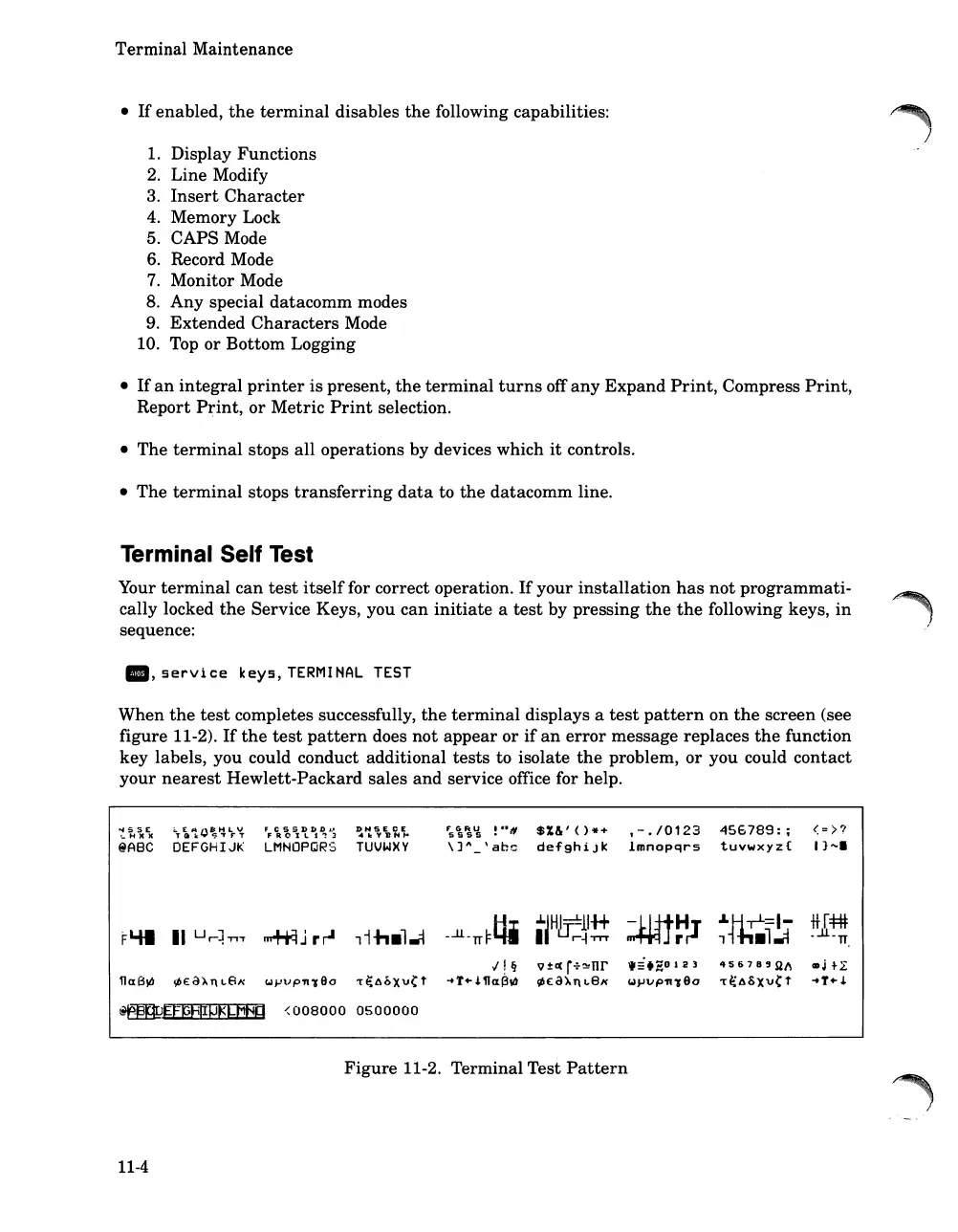
When
the
test
completes successfully,
the
terminal
displays a
test
pattern
on
the
screen (see
figure 11-2).
If
the
test
pattern
does
not
appear
or
if
an
error
message replaces
the
function
key labels, you could conduct additional
tests
to isolate
the
problem,
or
you could contact
your
nearest
Hewlett-Packard
sales
and
service office for help.
..,SSE
'_
H
lC lC
@A8C
""T
~
'1.'J~~
L
r
'?
DEFGHIJI<
F C 5 S I) IJ D Jo'
FROIL1'!3
LMNOPQRS
I)NSECE
~10:"''BN'"
TUVWXY
F"s\';'i;
!n.,
$%&'()*+
\]~_\ahc
defghiJk
,-./0123
Imnopqrs
456789:
;
tuvwxyz{
<:>?
I}"'.
--lJ.-1d:tfj
1H~lH+
:.mt~~
"'~=I-
tt[=t:#
FLUI
II
Ur~-n,.
~J
rr-l
,i-h.l..i
I
r~TTT
,
.l~
·:Jl-
TT
,,!Ij
Q±«
r+~nr
..
:i.~0123
4S678'Sl~
GDjtL
l1a8~
epe:c3XT\l,Eix
<.1pVpn190
't~6bxv(t
-+T+,J.llClr3W
~E:a).T\1,8x
<.1J-1Vp
n
190
'r~ASX'V(t
-+T+,J.
~EfpF~pgLMHa
<008000
0500000
Figure
11-2. Terminal Test
Pattern
11-4

Table of Contents

Related product manuals