Graphics
GRAPHICS
CURSOR
POSITIONING.
Thegraphicscursor
is
initially
at
position(0,0)
after
power on, full reset, graphics
hard
reset
(Ec *wr), or graphics defaults
reset
(Ec*mr).
You
can
position
the
cursor (even
ifit
is not
turned
on) using
either
absolute
or
relative
coordinates.
In
the
following sequences, X
and
Y give
the
new cursor position. Refer toVectors for a discussion
of absolute
and
relative coordinates.
Position Graphics
Cursor Absolute:
Position Graphics
Cursor Relative:
Ec*d<X,Y>Q
Ec*d<X,V>p
You
canposition
the
graphics cursor
with
the
graphics/numeric keypad by pressing
~,
~,
i, !.
Pressingtwo keys simultaneously causes diagonal movement. The CURSOR FASTkey
can
be
pressed
at
the
same
time
for high-.speed cursor positioning.
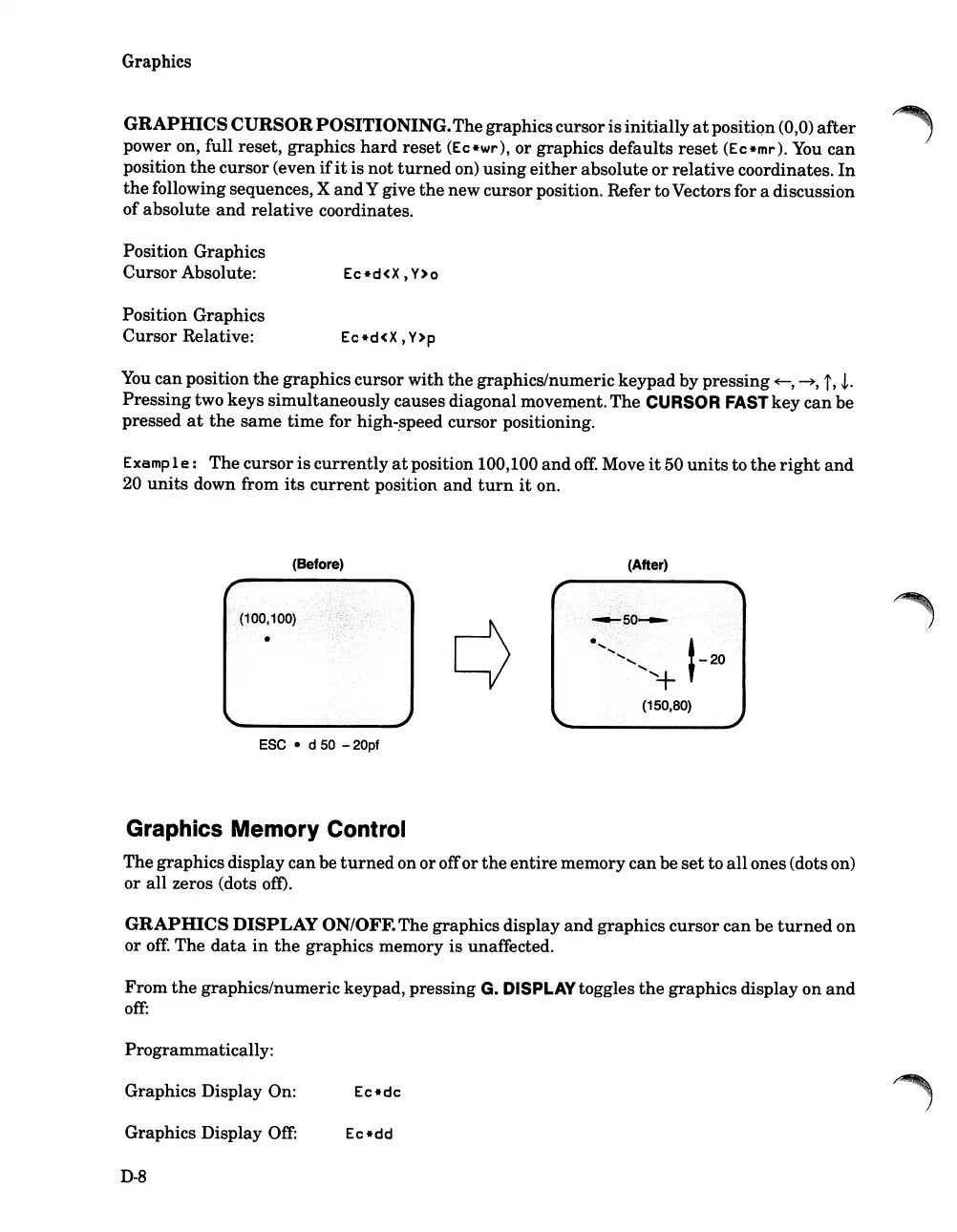
Examp
1
e:
The cursor
is
currently
at
position 100,100
and
off.
Move
it
50
units
to
the
right
and
20
units
down from
its
current
position
and
turn
it
on.
(Before)
ESC
• d
50
-20pf
(After)
Graphics Memory Control
Thegraphics display canbe
turned
on oroffor
the
entire
memory canbe
set
to
all
ones(dots on)
or all zeros (dots oft).
GRAPHICS
DISPLAY
ON/OFF.The graphics display
and
graphics cursor
can
be
turned
on
or
off:
The
data
in
the
graphics memory is unaffected.
From
the
graphics/numeric keypad, pressing G. DISPLAYtoggles
the
graphics display on
and
off:
Programmatically:
Graphics Display On:
Graphics Display
Off:
D-8
Ec*dd













 To Next Page