Graphics
PLOTTING SEQUENCES
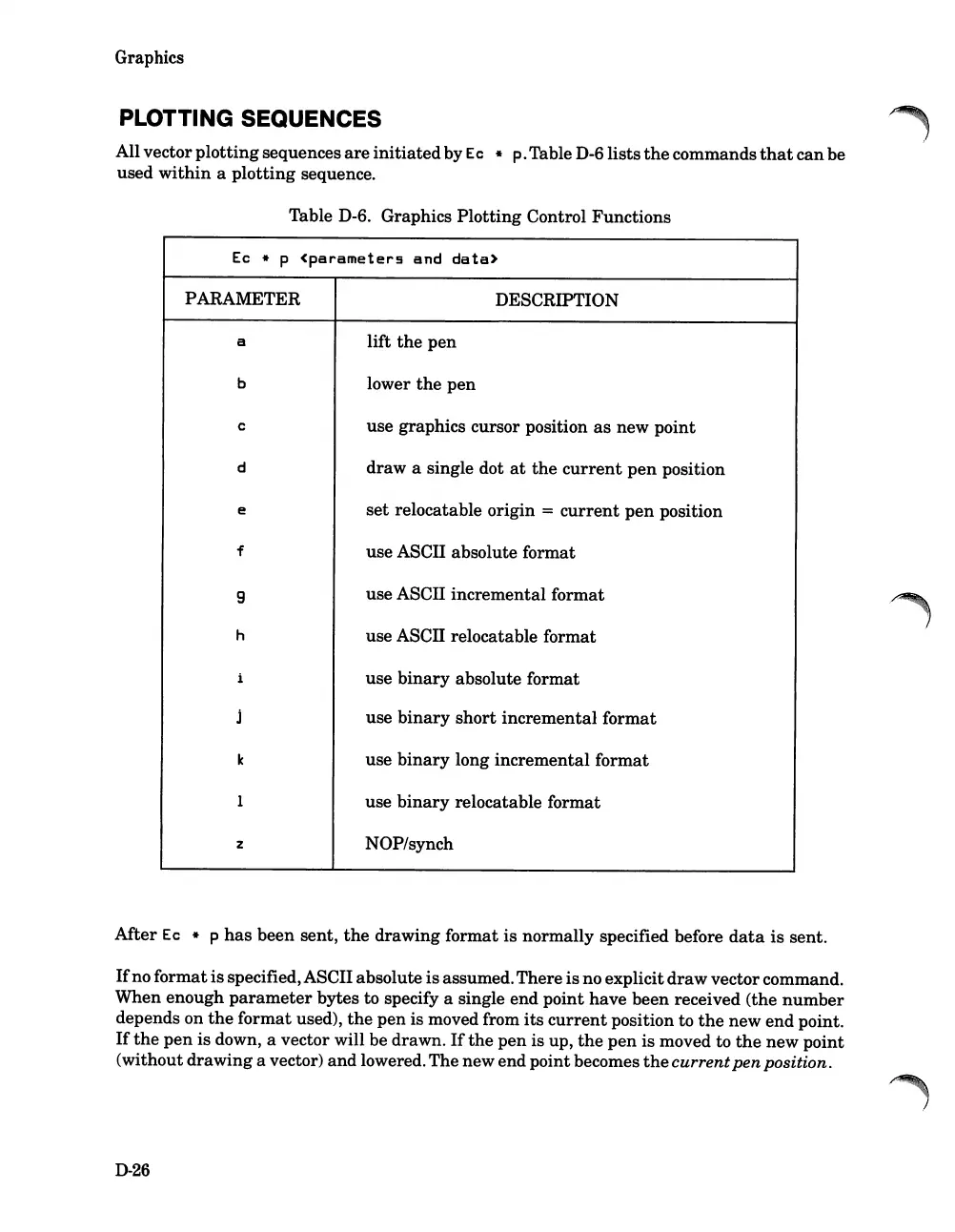
All vector
plotting
sequences
are
initiated
by
Ec
* p.Table D-6lists
the
commands
that
can
be
used
within
a
plotting
sequence.
Table D-6. Graphics Plotting Control Functions
Ec
* p
<parameters
and
data>
PARAMETER
a
b
c
d
e
f
9
h
z
DESCRIPTION
lift
the
pen
lower
the
pen
use graphics cursor position
as
new point
draw
a single dot
at
the
current
pen
position
set
relocatable origin =
current
pen
position
use ASCII absolute format
use ASCII incremental format
use
ASCn
relocatable format
use
binary
absolute format
use
binary
short
incremental format
use
binary
long incremental format
use
binary
relocatable format
NOP/synch
Mter
Ec
* p
has
been sent,
the
drawing format
is
normally specified before
data
is
sent.
If
no format
is
specified,ASCII absolute
is
assumed.There
is
no explicit
draw
vectorcommand.
When enough
parameter
bytes to specify a single end point have been received (the
number
depends on
the
format used),
the
pen
is moved from
its
current
position to
the
new
end
point.
If
the
pen
is down, a vector will be drawn.
If
the
pen
is up,
the
pen
is moved to
the
new point
(without drawing a vector) and lowered. The new end point becomes
the
current
pen
position.
D-26













 To Next Page