Graphics
KEYBOARD GRAPHICS FUNCTIONS
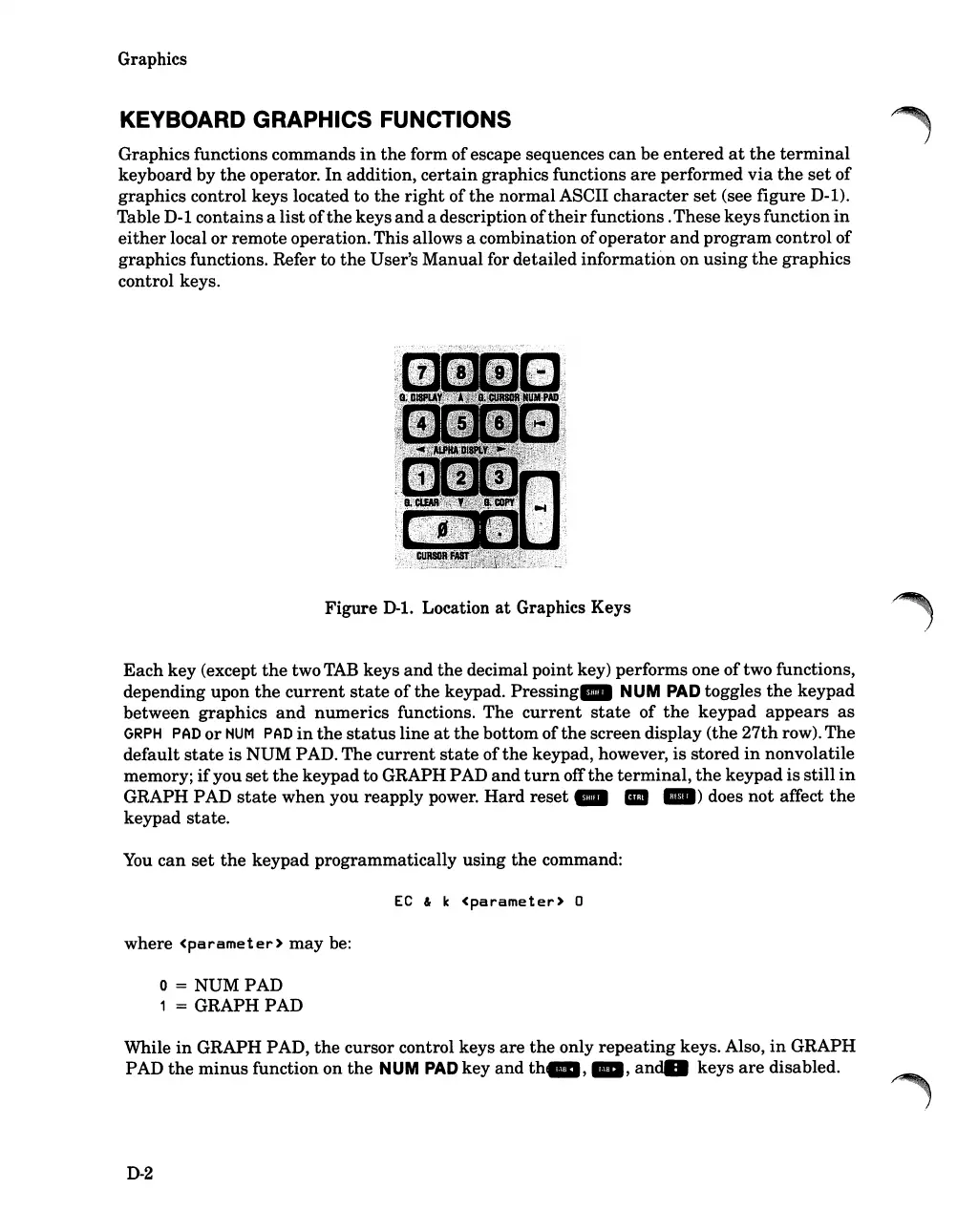
Graphics functions commands
in
the
form
of
escape sequences can be
entered
at
the
terminal
keyboard by
the
operator.
In
addition,
certain
graphics functions
are
performed
via
the
set
of
graphics control keys located to
the
right
ofthe normal ASCII
character
set
(see figure D-l).
Table
D-l
containsa
list
of
the
keys
and
a descriptionof
their
functions.These keysfunction
in
either
local
or
remote operation.This allows a combination ofoperator
and
program control of
graphics functions. Refer to
the
User's Manual for detailed information on
using
the
graphics
control keys.
Figure D-l. Location
at
Graphics Keys
Each
key (except
the
two
TAB
keys
and
the
decimal point key) performs one
of
two functions,
depending upon
the
current
state
of
the
keypad.
Pressing.
NUM
PAD
toggles
the
keypad
betwe-en graphics
and
numerics
functions.
The
current
state
of
the
keypad
appears
as
GRPH
PAD
or
HUM
PAD
in
the
status
line
at
the
bottom of
the
screen display (the
27th
row).
The
default
state
is NUM PAD. The
current
state
of
the
keypad, however,
is
stored
in
nonvolatile
memory;
if
you
set
the
keypad to GRAPH PAD
and
turn
off
the
terminal,
the
keypad
is
still
in
GRAPH PAD
state
when
you reapply power.
Hard
reset _ III
_)
does
not
affect
the
keypad state.
You
can
set
the
keypad programmatically using
the
command:
EC
& k
<parameter>
0
where
<parameter>
may
be:
o =
NUMPAD
1 = GRAPH PAD
While
in
GRAPH PAD,
the
cursor control keys
are
the
only
repeating
keys. Also,
in
GRAPH
PAD
the
minus
function on
the
HUM
PAD
key
and
th_,
_,
andll
keys
are
disabled.
D-2













 To Next Page