EasyManua.ls Logo

HP 262SA - Roll Text up; Roll Text down

HP 262SA
390 pages
Print Icon
To Next Page IconTo Next Page
To Previous Page IconTo Previous Page
Loading...
Display Control
Roll Text Up
Each
time
you
press
the
key,
the
text
in
the
workspace rolls
up
one row.
The
top row
in
the
window rolls off
the
screen,
the
remaining
data
rolls
up
one
line
on
the
screen,
with
a new
line
of
data
rolling
from
the
workspace
into
the
bottom
line
of
the
window.
If
you hold
this
key
down,
the
text
continues
to
roll
upward
until
you
release
the
key
or
until
the
final
line
of
data
in
the
workspace
appears
in
the
top row of
the
window.
In
the
latter
case,
pressing
or
continuing
to
hold down
the
key
has
no
further
effect.
The
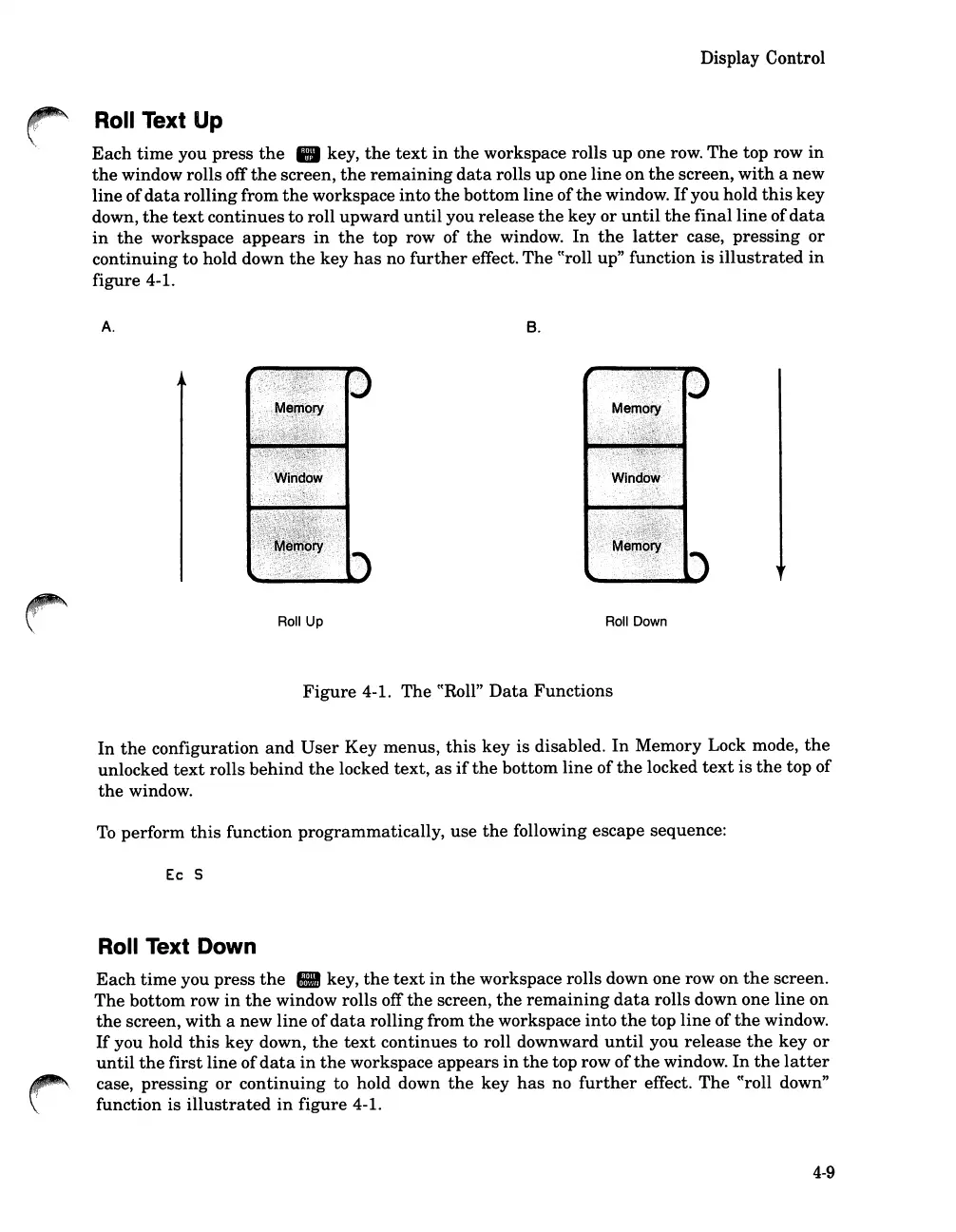
«roll up" function
is
illustrated
in
figure 4-1.
A.
Roll Up
B.
Roll Down
Figure
4-1.
The
«Roll"
Data
Functions
In
the
configuration
and
User
Key
menus,
this
key
is
disabled.
In
Memory Lock mode,
the
unlocked
text
rolls
behind
the
locked
text,
as
if
the
bottom
line
of
the
locked
text
is
the
top
of
the
window.
To
perform
this
function
programmatically,
use
the
following escape sequence:
Ec
S
Roll Text Down
Each
time
you
press
the
key,
the
text
in
the
workspace rolls down one row on
the
screen.
The
bottom
row
in
the
window rolls off
the
screen,
the
remaining
data
rolls down one
line
on
the
screen,
with
a
new
line
of
data
rolling from
the
workspace
into
the
top
line
of
the
window.
If
you hold
this
key
down,
the
text
continues to roll downward
until
you
release
the
key
or
until
the
first
line
of
data
in
the
workspace
appears
in
the
top row
of
the
window.
In
the
latter
case,
pressing
or
continuing
to hold down
the
key
has
no
further
effect.
The
«roll down"
function is ill
ustra
ted
in
figure
4-1.
4-9

Table of Contents

Related product manuals