EasyManua.ls Logo

HP 262SA - Graphics Data Format

HP 262SA
390 pages
Print Icon
To Next Page IconTo Next Page
To Previous Page IconTo Previous Page
Loading...
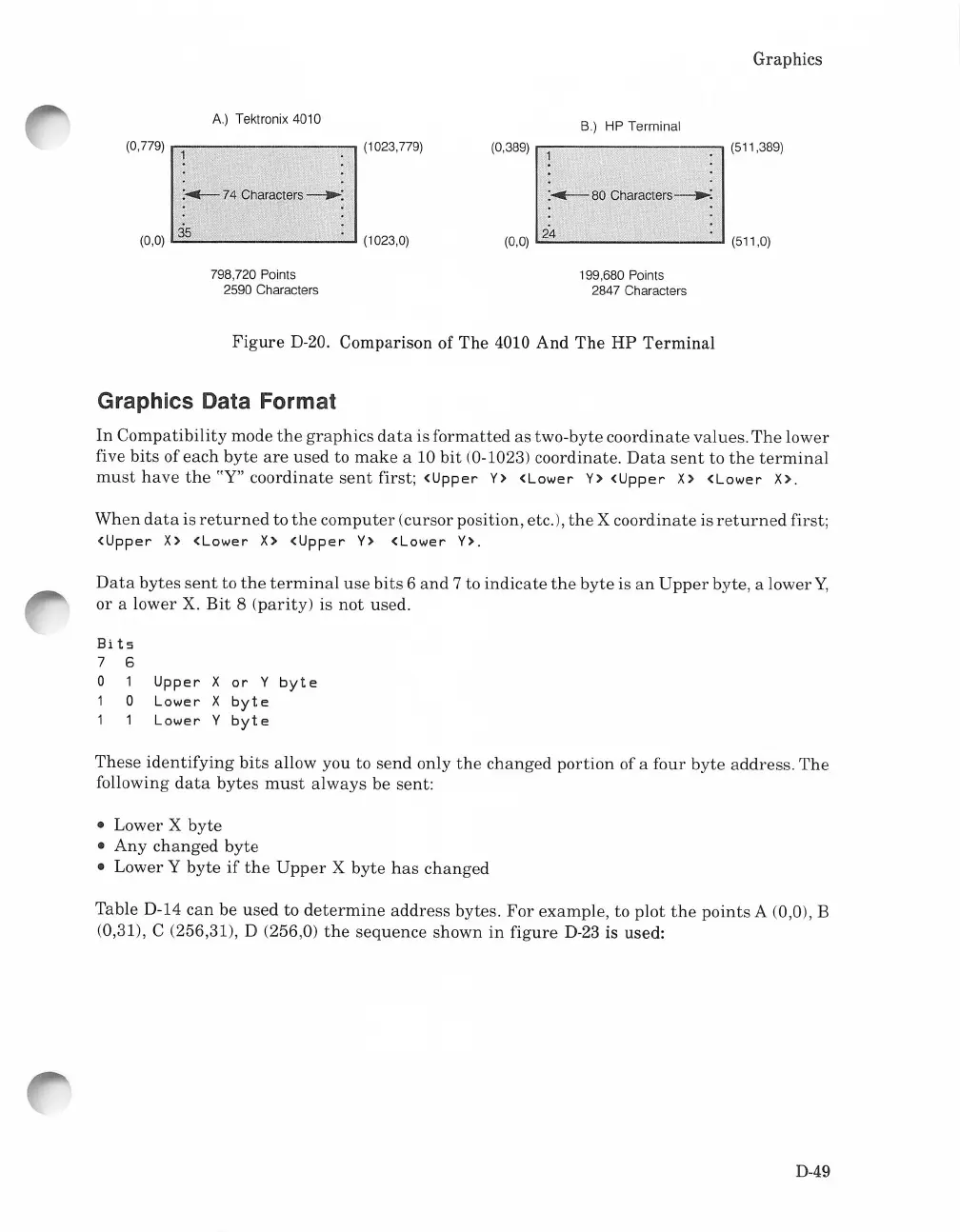
A.)
Tektronix 4010
(0,779)
.---------~
(1023,779)
:...-74
Characters-':
3s
(0,0)
L..::::....-
---I
(1023,0)
798,720 Points
2590 Characters
Graphics
S.) HP Terminal
(0,389)
r-:----------,
(511,389)
:...-
80
Characters--":
24
(0,0)
L..::.:
-"
(511,0)
199,680 Points
2847 Characters
Figure
D-20. Comparison of
The
4010 And
The
HP
Terminal
Graphics Data Format
In
Compatibility
mode
the
graphics
data
is
formatted
as two-byte
coordinate
values.
The
lower
five
bits
of
each
byte
are
used
to
make
a 10
bit
(0-1023) coordinate.
Data
sent
to
the
terminal
must
have
the
"Y"
coordinate
sent
first;
<Upper
Y>
<Lower
Y>
<Upper
X>
<Lower
X>.
When
data
is
returned
to
the
computer
(cursor position, etc,),
the
X
coordinate
is
returned
first;
<Upper
X>
<Lower
X>
<Upper
Y>
<Lower
Y>.
Data
bytes
sent
to
the
terminal
use
bits
6
and
7 to
indicate
the
byte
is
an
Upper
byte, a lower
Y,
or a lower X.
Bit
8
(parity)
is
not
used.
Bits
7
6
0 1
Upper
X
or
Y
byte
1 0
Lower
X
byte
1 1
Lower
Y
byte
These
identifying
bits
allow you to
send
only
the
changed
portion
ofa four
byte
address.
The
following
data
bytes
must
always
be sent:
Lower X
byte
Any
changed
byte
Lower Y
byte
if
the
Upper
X
byte
has
changed
Table D-14
can
be
used
to
determine
address
bytes.
For
example,
to
plot
the
points
A (0,0), B
(0,31), C (256,31), D (256,0)
the
sequence
shown
in
figure
D-23
is used:
D-49

Table of Contents

Related product manuals