EasyManua.ls Logo

HP 262SA - Selecting the Graphics Default Parameters

HP 262SA
390 pages
Print Icon
To Next Page IconTo Next Page
To Previous Page IconTo Previous Page
Loading...
Graphics
SELECTING THE GRAPHICS DEFAULT PARAMETERS
Graphics
parameters
can
be
set
to
their
default
(power on
or
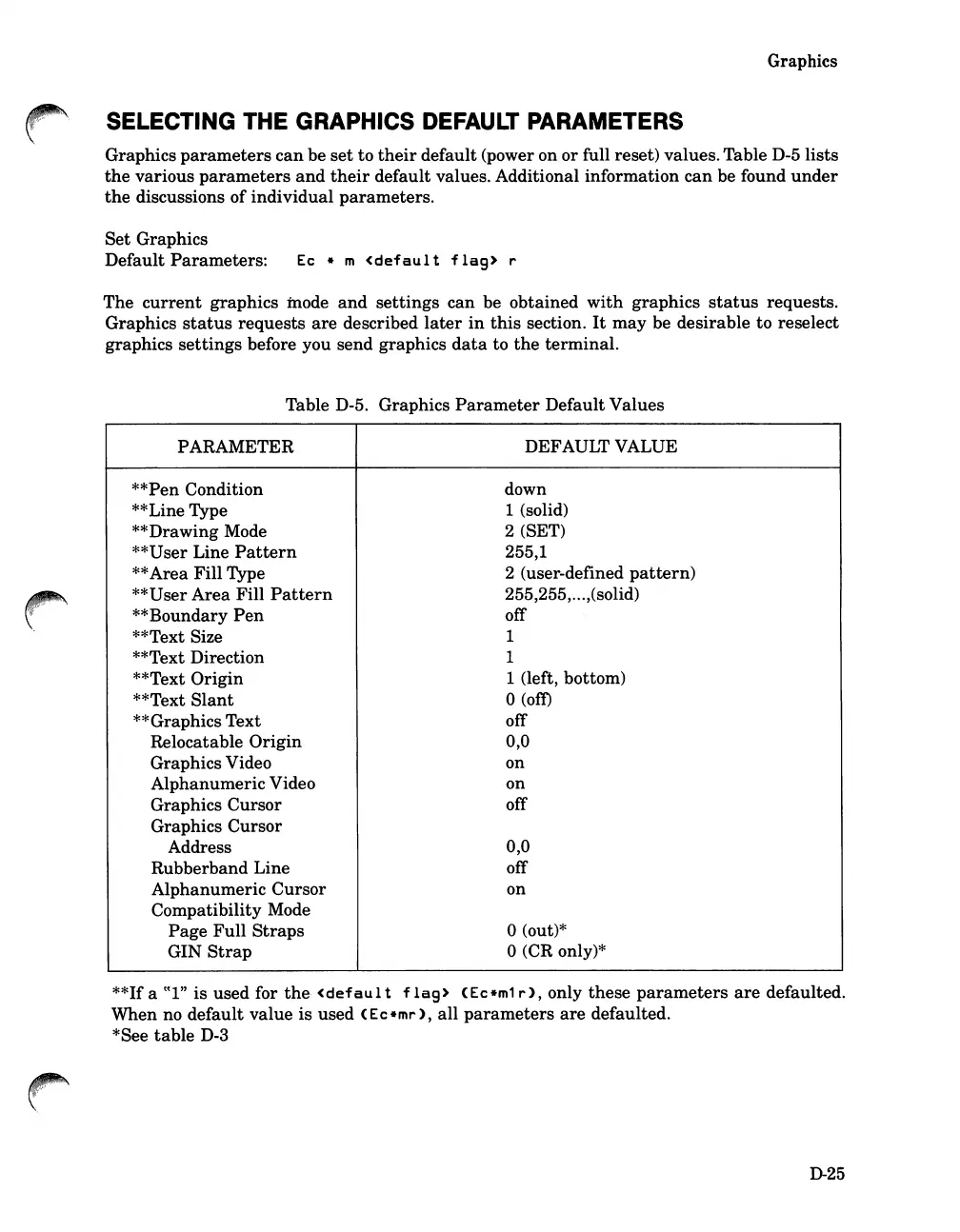
full reset) values. Table D-5
lists
the
various
parameters
and
their
default
values. Additional
information
can
be found
under
the
discussions
of
individual
parameters.
Set
Graphics
Default
Parameters:
Ec
* m
<defaul
t
flag>
r
The
current
graphics
mode
and
settings
can
be
obtained
with
graphics
status
requests.
Graphics
status
requests
are
described
later
in
this
section.
It
may
be
desirable
to reselect
graphics
settings
before you send
graphics
data
to
the
terminal.
Table D-5. Graphics
Parameter
Default
Values
PARAMETER
DEFAULT VALUE
**Pen Condition
down
**Line Type
1 (solid)
**Drawing Mode
2 (SET)
**User Line
Pattern
255,1
**
Area
Fill
Type
2 (user-defined
pattern)
**U
ser
Area
Fill
Pattern
255,255,...,(solid)
**Boundary
Pen
off
**Text Size
1
**Text Direction
1
**Text
Origin
1 (left, bottom)
**Text
Slant
°(om
**Graphics
Text
off
Relocatable
Origin
0,0
Graphics Video
on
Alphanumeric
Video
on
Graphics
Cursor
off
Graphics
Cursor
Address
0,0
Rubberband
Line
off
Alphanumeric
Cursor
on
Compatibility Mode
Page
Full
Straps
°(out)*
GIN
Strap
°(CR only)*
**If a
((I"
is
used for
the
<defaul
t
flag>
(Ec*m1
r),
only
these
parameters
are
defaulted.
When
no
default
value
is
used
(Ec*mr),
all
parameters
are
defaulted.
*See
table
D-3
D-25

Table of Contents

Related product manuals