EasyManua.ls Logo

HP 262SA - Screen Brightness Control

HP 262SA
390 pages
Print Icon
To Next Page IconTo Next Page
To Previous Page IconTo Previous Page
Loading...
Terminal
Maintenance
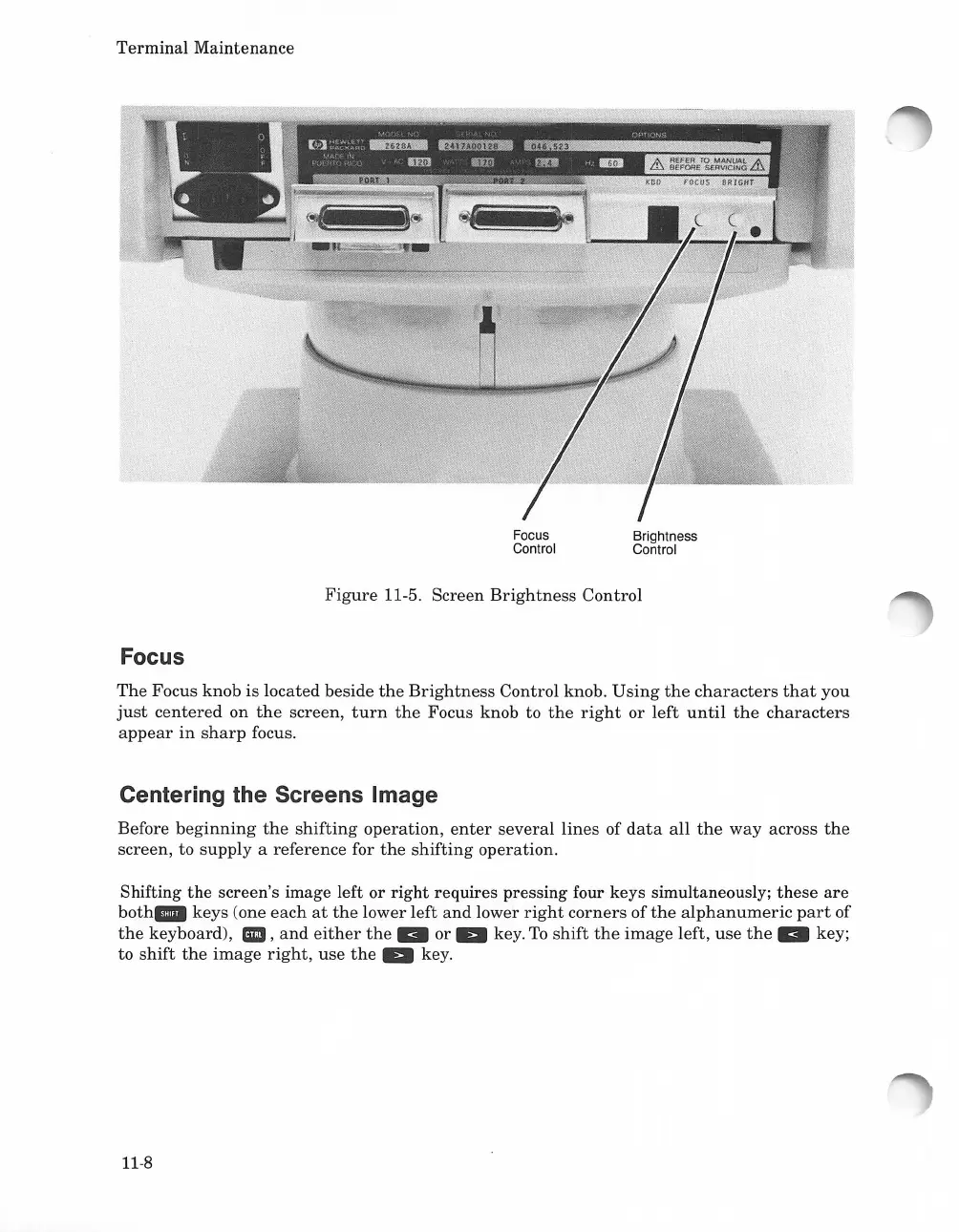
Focus
Control
Brightness
Control
Focus
Figure
11-5. Screen
Brightness
Control
The
Focus
knob
is
located beside
the
Brightness
Control knob.
Using
the
characters
that
you
just
centered
on
the
screen,
turn
the
Focus knob to
the
right
or
left
until
the
characters
appear
in
sharp
focus.
Centering the Screens Image
Before
beginning
the
shifting
operation,
enter
several
lines
of
data
all
the
way
across
the
screen, to
supply
a reference for
the
shifting
operation.
Shifting
the
screen's image left or
right
requires pressing four keys simultaneously;
these
are
both.
keys
(one
each
at
the
lower
left
and
lower
right
corners
of
the
alphanumeric
part
of
the
keyboard),
.,
and
either
the"
or
Ell
key.
To
shift
the
image
left,
use
the"
key;
to
shift
the
image
right,
use
the
Ell
key.
11-8

Table of Contents

Related product manuals