EasyManua.ls Logo

HP 262SA - Peripheral Devices; Introduction

HP 262SA
390 pages
Print Icon
To Next Page IconTo Next Page
To Previous Page IconTo Previous Page
Loading...
Peripheral
Devices
INTRODUCTION
This
section covers
the
following topics:
Lists
plotters
and
external
printers
useable
with
the
terminal.
6
Supplies
installation
information
for plotters,
external
printers,
and
HP-IB networks.
Supplies
information
on control
of
external
printers.
For
information
on
integral
printers,
refer to Appendix
C.
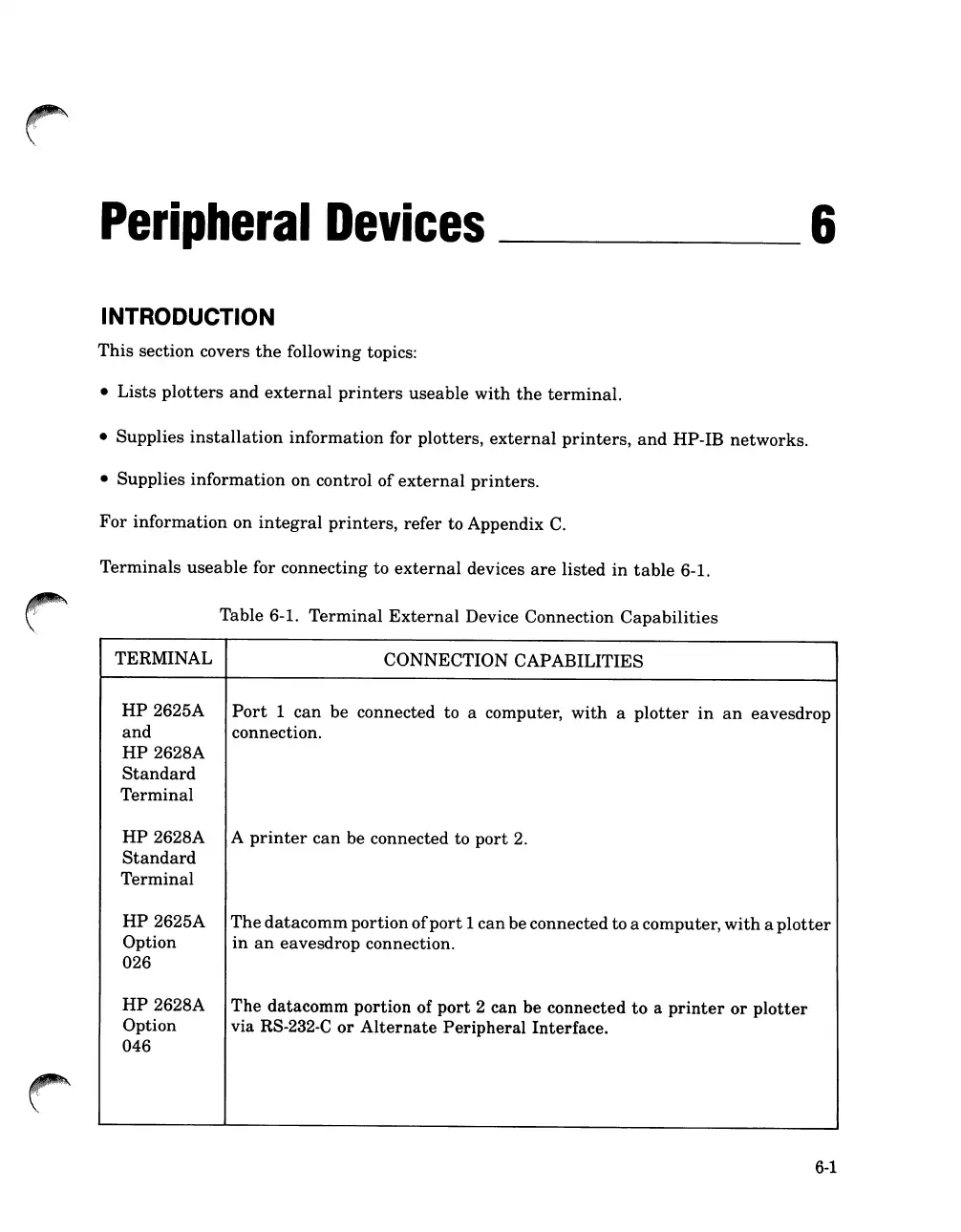
Terminals
useable
for connecting to
external
devices
are
listed
in
table
6-1.
Table
6-1.
Terminal
External
Device Connection
Capabilities
~
..
""".
\
TERMINAL
HP
2625A
and
HP
2628A
Standard
Terminal
HP
2628A
Standard
Terminal
HP
2625A
Option
026
HP
2628A
Option
046
CONNECTION CAPABILITIES
Port
1
can
be connected to a computer,
with
a
plotter
in
an
eavesdrop
connection.
A
printer
can
be connected to
port
2.
The
datacomm
portion
of
port
1
can
be connected to a computer,
with
a
plotter
in
an
eavesdrop connection.
The
datacomm portion of
port
2 can be connected
to
a
printer
or
plotter
via RS-232-C
or
Alternate
Peripheral
Interface.
6-1

Table of Contents

Related product manuals