Graphics
Columns
01234567
15
13
11
••
9
204
7
••
51
••
204
5
51
204
3
~
51
204
51
3 5
7
9
11
13
Area Fill Pattern
Display
(A)
(B)
...................
.....
...
.•.
~
•
••
•••••
..
..
~
........
.•.
~
•
••
•••••
..
..
~
........
.•.
~
•
••
•••••
•• •
••
·
..
~.~
~
~.~.+.+
..
....
. : : .
·
......
.•.•.•.
-.
•
••••••••••
· .
•
••
•••••
•• •
••
.....
...
.....
•
••
•••••
•• •
••
·
..
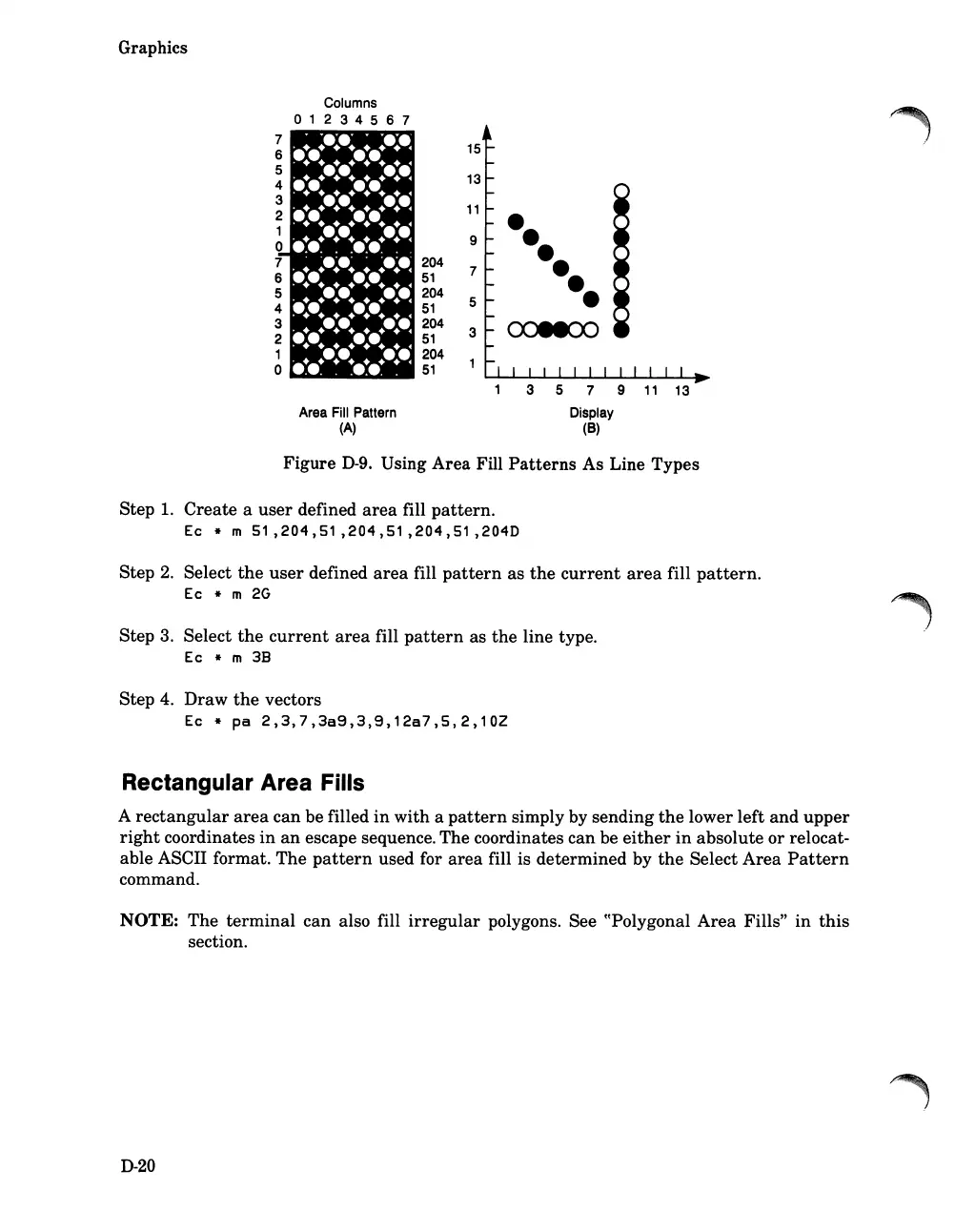
Figure
D-9.
Using
Area
Fill
Patterns
As Line Types
Step
1.
Create
a
user
defined
area
fill
pattern.
Ec
* m
51,204,51,204,51,204,51
,204D
Step
2.
Select
the
user
defined
area
fill
pattern
as
the
current
area
fill
pattern.
Ec * m
2G
Step 3. Select
the
current
area
fill
pattern
as
the
line type.
Ec * m
38
Step 4.
Draw
the
vectors
Ec
*
pa
2,3,7,3a9,3,9,12a7,5,2,102
Rectangular Area Fills
A
rectangular
area
can be filled
in
with
a
pattern
simply by
sending
the
lower
left
and
upper
right
coordinates
in
an
escape sequence. The coordinates can be
either
in
absolute
or
relocat-
able ASCII format.
The
pattern
used for
area
fill is
determined
by
the
Select
Area
Pattern
command.
NOTE:
The
terminal
can
also fill
irregular
polygons. See ((Polygonal
Area
Fills"
in
this
section.
D-20













 To Next Page