EasyManua.ls Logo

HP 262SA - Patterns

HP 262SA
390 pages
Print Icon
To Next Page IconTo Next Page
To Previous Page IconTo Previous Page
Loading...
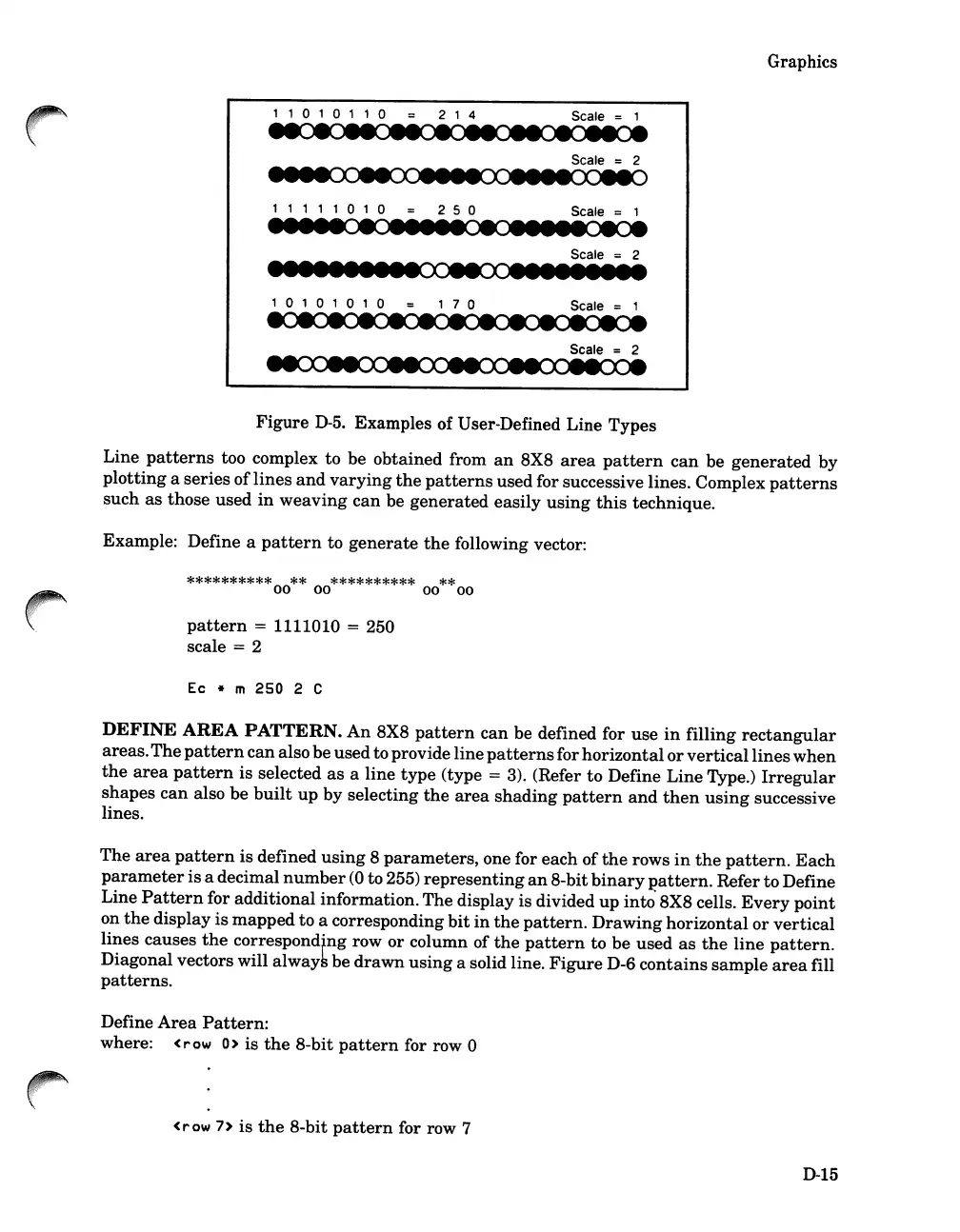
, , 0 , 0 1 1 0
214
Scale = 1
Graphics
Scale = 2
1 1 1 1 1 0 1 0
250
Scale = 1
Scale 2
1IIIIIIIIIooeeoollllllili
1010101
0
170
Scale = 1
Scale 2
Figure
D-5.
Examples of User-Defined Line Types
Line
patterns
too complex to
be
obtained from
an
8X8
area
pattern
can
be
generated
by
plotting
a
series
of
lines
and
varying
the
patterns
used for successive lines. Complex
patterns
such
as
those used
in
weaving
can
be
generated
easily
using
this
technique.
Example: Define a
pattern
to
generate
the
following vector:
**********
**
**********
**
00 00
00
00
pattern
= 1111010 = 250
scale
= 2
Ec
* m 250 2 C
DEFINE
AREA
PATTERN.
An
8X8
pattern
can
be defined for
use
in
filling
rectangular
areas.
The
pattern
can
alsobe
used
toprovide line
patterns
for
horizontal
or
vertical
lines
when
the
area
pattern
is
selected
as
a
line
type
(type = 3). (Refer
to
Define
Line
Type.)
Irregular
shapes
can
also
be
built
up
by
selecting
the
area
shading
pattern
and
then
using
successive
lines.
The
area
pattern
is
defined
using
8
parameters,
one for
each
of
the
rows
in
the
pattern.
Each
parameter
is
a decimal
number
(0
to 255)
representing
an
8-bit
binary
pattern.
Refer
to
Define
Line
Pattern
for
additional
information.The display is divided
up
into' 8X8 cells.
Every
point
on
the
display
is
mapped
to a corresponding
bit
in
the
pattern.
Drawing
horizontal
or
vertical
lines causes
the
corresponding row
or
column of
the
pattern
to
be
used
as
the
line
pattern.
Diagonal vectors will always be
drawn
using
a solid line.
Figure
D-6
contains
sample
area
fill
patterns.
Define
Area
Pattern:
where:
(row
0>
is
the
8-bit
pattern
for row 0
<row
7>
is
the
8-bit
pattern
for row 7
0-15

Table of Contents

Related product manuals