EasyManua.ls Logo

HP 262SA - Metric Format Mode; Report and Metric Formats

HP 262SA
390 pages
Print Icon
To Next Page IconTo Next Page
To Previous Page IconTo Previous Page
Loading...
Integral
Printer
Control
3-L1NE
BOTTOM
MARGIN
1
3-L1NE
TOP
MARGIN
TEXT LINES
3-L1NE
BOTTOM
MARGIN {
3-L1NE
TOP {
MARGIN
___
TIC MARK BETWEEN
PAGES
REPORT MODE:
60
LINES
OF TEXT PER PAGE
METRIC MODE:
64
LINES
OF TEXT PER PAGE
___
TIC MARK BETWEEN
- PAGES
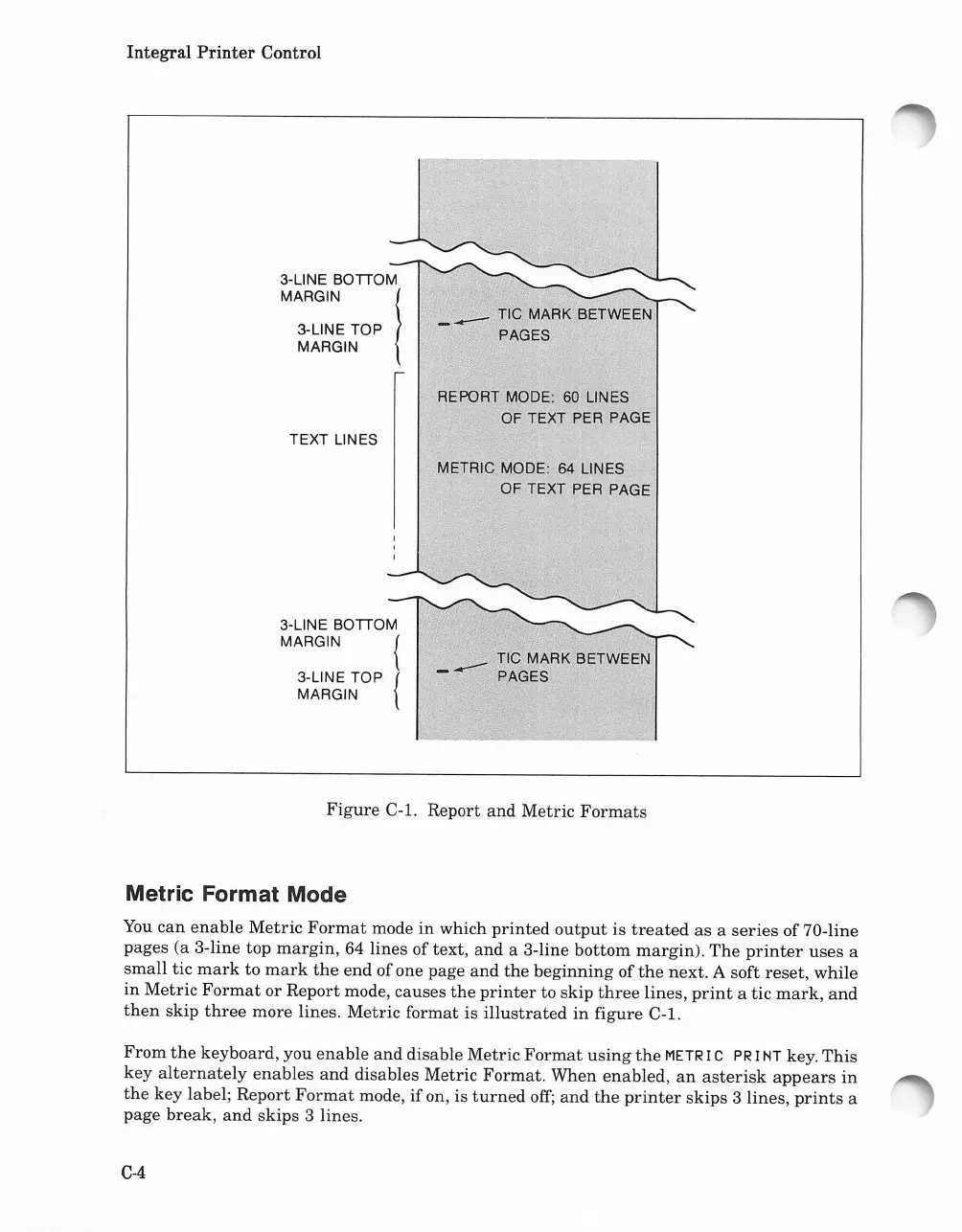
Figure
C-l. Report
and
Metric
Formats
Metric Format Mode
You
can
enable
Metric
Format
mode
in
which
printed
output
is
treated
as
a
series
of 70-line
pages (a 3-line top
margin,
64 lines of text,
and
a 3-line
bottom
margin).
The
printer
uses
a
small
tic
mark
to
mark
the
end
of
one page
and
the
beginning
of
the
next. A soft
reset,
while
in
Metric
Format
or
Report
mode,
causes
the
printer
to
skip
three
lines,
print
a tic
mark,
and
then
skip
three
more lines.
Metric
format
is
illustrated
in
figure
C-l.
From
the
keyboard, you
enable
and
disable
Metric
Format
using
the
METR
I C PR I
NT
key.
This
key
alternately
enables
and
disables Metric
Format.
When
enabled,
an
asterisk
appears
in
the
key label;
Report
Format
mode,
if
on, is
turned
off;
and
the
printer
skips
3 lines,
prints
a
page
break,
and
skips
3 lines.
C-4

Table of Contents

Related product manuals