EasyManua.ls Logo

HP 262SA - Printer Self Test; Integral Printer Test Pattern

HP 262SA
390 pages
Print Icon
To Next Page IconTo Next Page
To Previous Page IconTo Previous Page
Loading...
Integral
Printer
Control
The
keyboard is disabled
CClocked")
until
the
status
is sent.
In
either
Character
or
Block Line mode,
the
terminal
sends a <CR> (or a
<CR
>
<LF>
if
Auto
Linefeed mode
is
enabled) following
the
completion code.
In
Block
Page
mode,
it
sends a block
terminator
character.
If
a datacomm
error
occurs
during
transmission of
the
data
record,
the
device control comple-
tion code is unpredictable. Datacomm errors
are
reported by way of
the
terminal
status
bytes
described
in
Section 8.
PRINTER SELF TEST
The
terminal
has
a
printer
self
test
feature
that
exercises
the
printer's capabilities to verify
that
it
is functioning properly.
The
printer
self
test
cannot be
initiated
from a program.
To
initiate
the
test
from
the
key-
board, press
the
following keys,
in
sequence:
_,
service
keys,
INT
PRT
TEST
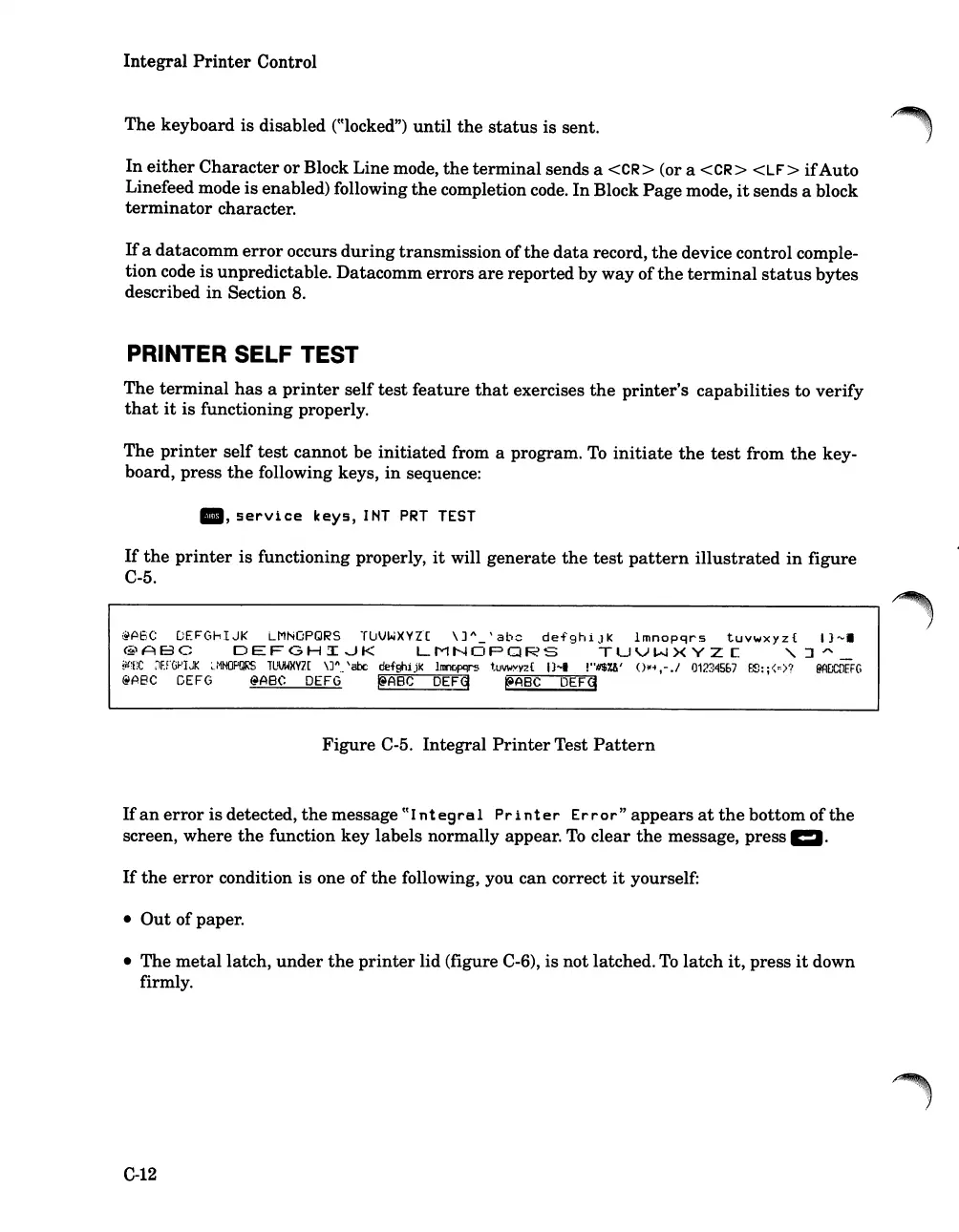
If
the
printer
is
functioning properly,
it
will generate
the
test
pattern
illustrated
in
figure
C-5.
@A6C
DE~G~IJK
LMNOPQRS
T~VWXYl[
\]A_'abc
defghiJK
Imnopqrs
tuvwxyz{
I}-.
@ABC
DEFGHIJK
LMNOPQRS
TUVWXYZC
,~~
~j(tC
~1F.rGPIJK
:..:1NOPQRS
lUVWXVZ[
\J"
..
'abc def°shijk
Itlll'lClpqrS
tuVWXyz{
I)....
!"fJ$U'
O~i,-.1
01234567
F.:8:;<::),"{
@AOCDEFG
@ABC
GEFG
@ABC
DEFG
~A8C
DEFq
~A8C
DEFg
Figure
C-5. Integral
Printer
Test
Pattern
If
an
error
is
detected,
the
message
eCI
ntegral
Pr
inter
Error"
appears
at
the
bottom of
the
screen, where
the
function key labels normally appear.
To
clear
the
message, press 1:1.
If
the
error
condition is one of
the
following, you can correct
it
yourself:
Out
of
paper
.
The
metal
latch,
under
the
printer
lid (figure C-6), is
not
latched.
To
latch
it, press
it
down
firmly.
C-12

Table of Contents

Related product manuals