EasyManua.ls Logo

HP 262SA - How to Design Data Entry Forms; Line Drawing Character Set; Sample Data Entry Form

HP 262SA
390 pages
Print Icon
To Next Page IconTo Next Page
To Previous Page IconTo Previous Page
Loading...
Designing and Using
Forms
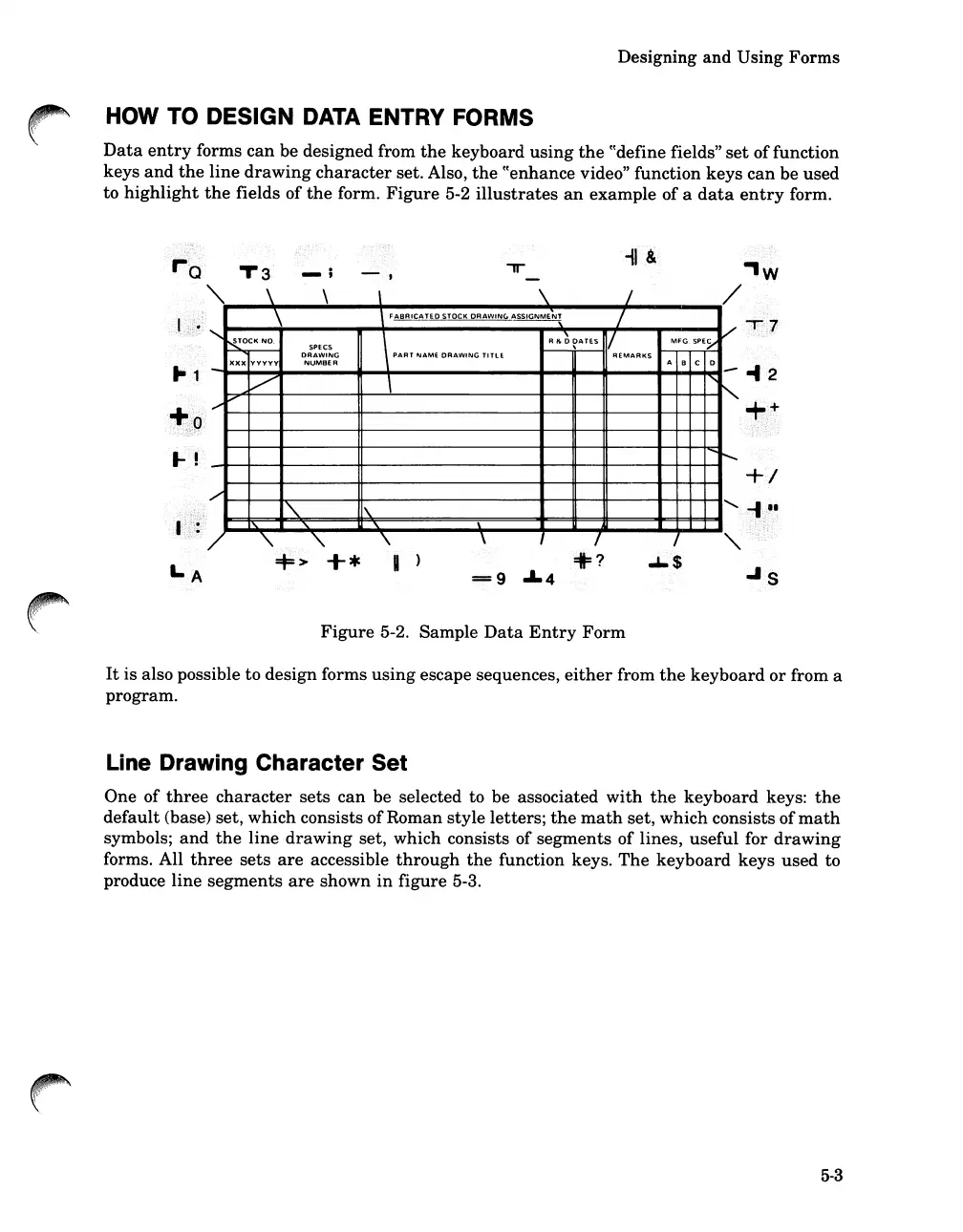
HOW TO DESIGN DATA ENTRY FORMS
Data
entry
forms
can
be
designed from
the
keyboard
using
the
cCdefine
fields"
set
of
function
keys
and
the
line
drawing
character
set. Also,
the
cCenhance
video" function
keys
can
be
used
to
highlight
the
fields
of
the
form.
Figure
5-2
illustrates
an
example
of
a
data
entry
form.
T3
-II
&
\
\
_\
\
/
,
\
FABRICATED
STOCK
DRAWING
~SSIGNME~
/
V
"-
N!0CK
NO.
\
PAR'
NAM'
DRAW'NG
TlfLE
R
Ilo
~
~ATES
1/
MFG.SPE~
SPECS
DRAWING
REMARKS
ABC
0
-
xxx
VVVVV
NUMBER
-
V
\
'"
.......
v
'"
........
r--.....
/'
"
\
"-
"-
"
\
"
"
\
\
I
,
=t=>
+*
I )
.1.4
=I=?
"'s
Figure
5-2. Sample
Data
Entry
Form
It
is also possible to
design
forms
using
escape sequences,
either
from
the
keyboard
or
from a
program.
Line Drawing Character Set
One of
three
character
sets
can
be selected to be associated
with
the
keyboard
keys:
the
default
(base) set,
which
consists ofRoman
style
letters;
the
math
set,
which
consists of
math
symbols;
and
the
line
drawing
set, which consists of
segments
of lines,
useful
for
drawing
forms. All
three
sets
are
accessible
through
the
function keys.
The
keyboard
keys
used
to
produce
line
segments
are
shown
in
figure 5-3.
5-3

Table of Contents

Related product manuals