EasyManua.ls Logo

HP 262SA - Secondary Terminal Status

HP 262SA
390 pages
Print Icon
To Next Page IconTo Next Page
To Previous Page IconTo Previous Page
Loading...
Status
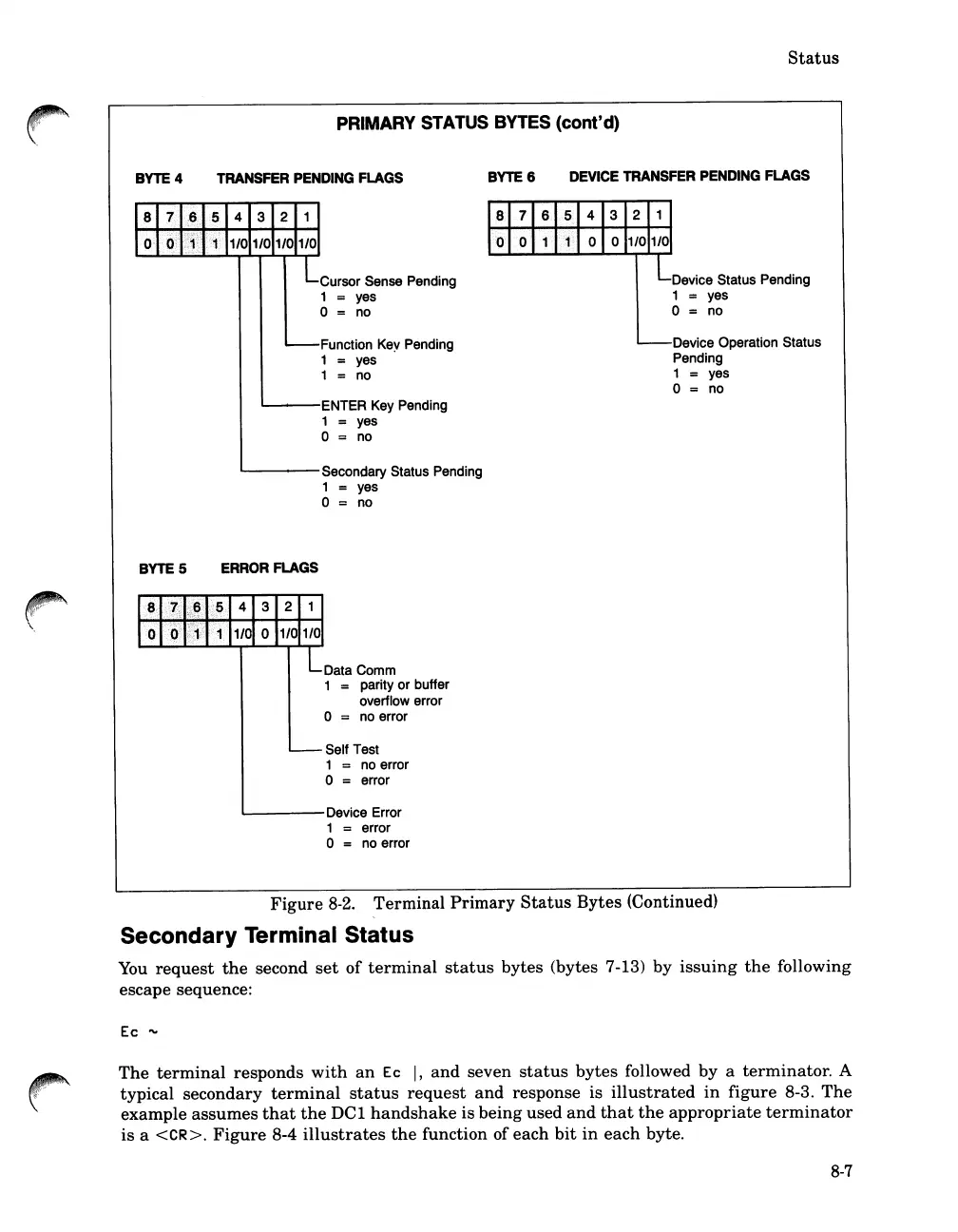
PRIMARY
STATUS
BYTES
(cont'd)
\.
BYTE 4
BYTES
TRANSFER
PENDING
FLAGS
Cursor Sense Pending
1 = yes
o = no
Function Key Pending
1 = yes
1 = no
-----
ENTER Key Pending
1 = yes
o = no
~---
Secondary Status Pending
1 yes
o = no
ERROR
FLAGS
Data Comm
1
= parity or buffer
overflow error
o = no error
Self Test
1
= no error
o = error
'-----
Device Error
1 error
o = no error
BYTE 6
DEVICE
TRANSFER
PENDING
FLAGS
Device Status Pending
1
= yes
o = no
Device Operation Status
Pending
1 yes
o = no
Figure
8-2.
Terminal
Primary
Status
Bytes
(Continued)
Secondary Terminal Status
You
request
the
second
set
of
terminal
status
bytes
(bytes 7-13)
by
issuing
the
following
escape sequence:
Ec
"'-
The
terminal
responds
with
an
Ec
I,
and
seven
status
bytes
followed
by
a
terminator.
A
typical
secondary
terminal
status
request
and
response is
illustrated
in
figure
8-3.
The
example
assumes
that
the
DCl
handshake
is
being
used
and
that
the
appropriate
terminator
is
a
<CR>.
Figure
8-4
illustrates
the
function of
each
bit
in
each
byte.
8-7

Table of Contents

Related product manuals