EasyManua.ls Logo

HP 262SA - Page 202

HP 262SA
390 pages
Print Icon
To Next Page IconTo Next Page
To Previous Page IconTo Previous Page
Loading...
Error
Messages
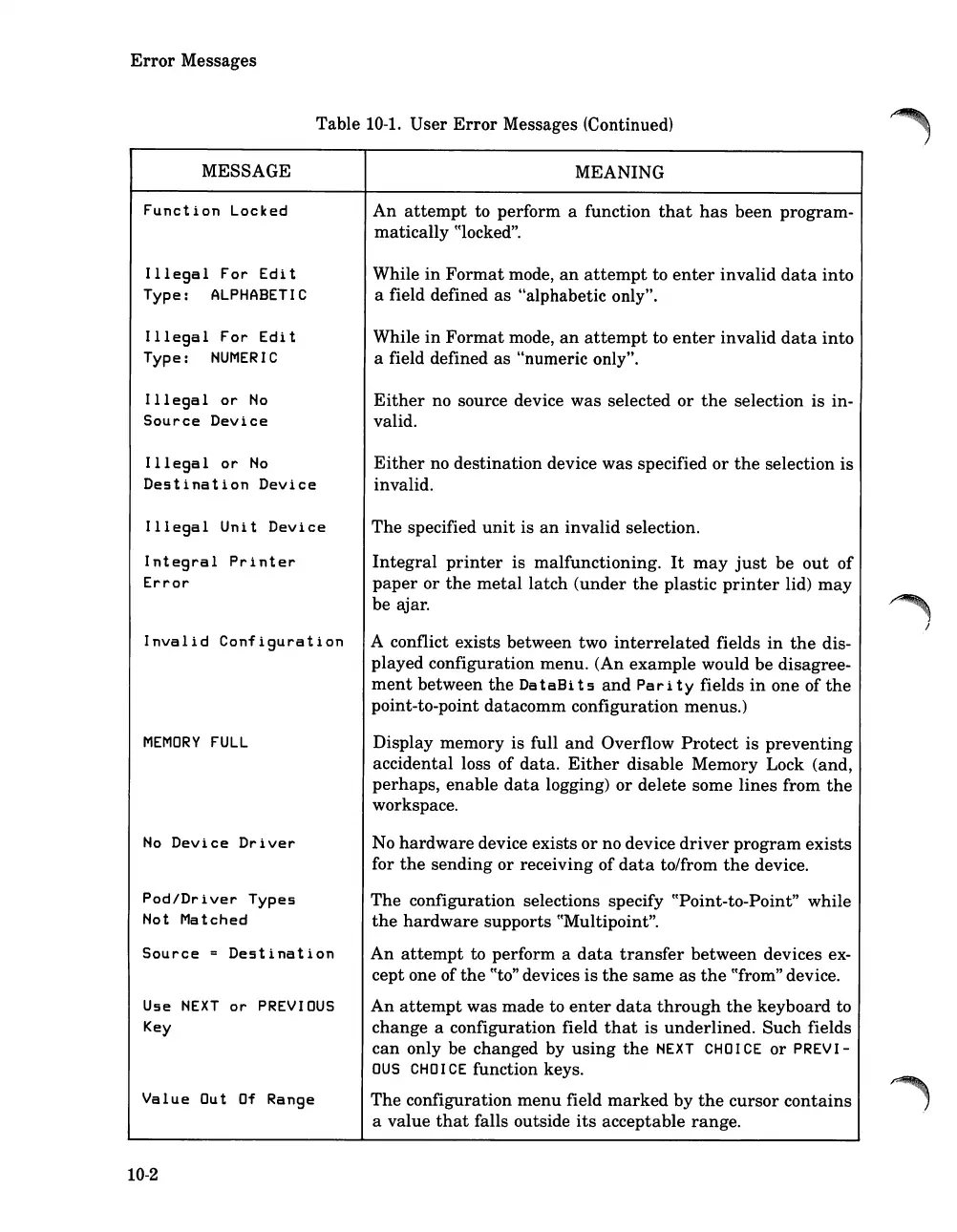
Table 10-1.
User
Error
Messages (Continued)
MESSAGE
Function
Locked
Illegal
For
Edit
Type:
ALPHABETIC
Illegal
For
Edit
Type:
NUMERIC
Illegal
or
No
Source
Device
Illegal
or
No
Destination
Device
Illegal
Unit
Device
Integral
Printer
Error
Invalid
Configuration
MEMORY
FULL
No
Device
Driver
Pod/Driver
Types
Not
Matched
Source
=
Destination
Use
NEXT
or
PREVIOUS
Key
Value
Out
Of
Range
10-2
MEANING
An
attempt
to perform a function
that
has
been program-
matically
cClocked".
While
in
Format
mode,
an
attempt
to
enter
invalid
data
into
a field defined
as
"alphabetic only".
While
in
Format
mode,
an
attempt
to
enter
invalid
data
into
a field defined
as
"numeric only".
Either
no source device
was
selected
or
the
selection
is
in-
valid.
Either
no destination device
was
specified
or
the
selection
is
invalid.
The
specified
unit
is
an
invalid selection.
Integral
printer
is malfunctioning.
It
may
just
be
out
of
paper
or
the
metal
latch
(under
the
plastic
printer
lid)
may
be ajar.
A conflict exists between two
interrelated
fields
in
the
dis-
played configuration menu. (An
example
would be disagree-
ment
between
the
Da
t
aB
its
and
Par i t Yfields
in
one of
the
point-to-point
datacomm
configuration menus.)
Display memory is full
and
Overflow
Protect
is
preventing
accidental loss of
data.
Either
disable Memory Lock (and,
perhaps, enable
data
logging)
or
delete some lines from
the
workspace.
No
hardware
device exists
or
no device
driver
program
exists
for
the
sending or receiving
of
data
to/from
the
device.
The
configuration selections specify cCPoint-to-Point" while
the
hardware
supports cCMultipoint".
An
attempt
to perform a
data
transfer
between
devices ex-
cept one of
the
CCto"
devices
is
the
same
as
the
cCfrom"
device.
An
attempt
was made to
enter
data
through
the
keyboard to
change a configuration field
that
is underlined.
Such
fields
can
only be changed by
using
the
NEXT
CHOICE
or
PREVI-
OUS
CHOICE
function keys.
The
configuration
menu
field
marked
by
the
cursor
contains
a value
that
falls outside
its
acceptable range.

Table of Contents

Related product manuals