EasyManua.ls Logo

HP 262SA - Page 208

HP 262SA
390 pages
Print Icon
To Next Page IconTo Next Page
To Previous Page IconTo Previous Page
Loading...
Terminal Maintenance
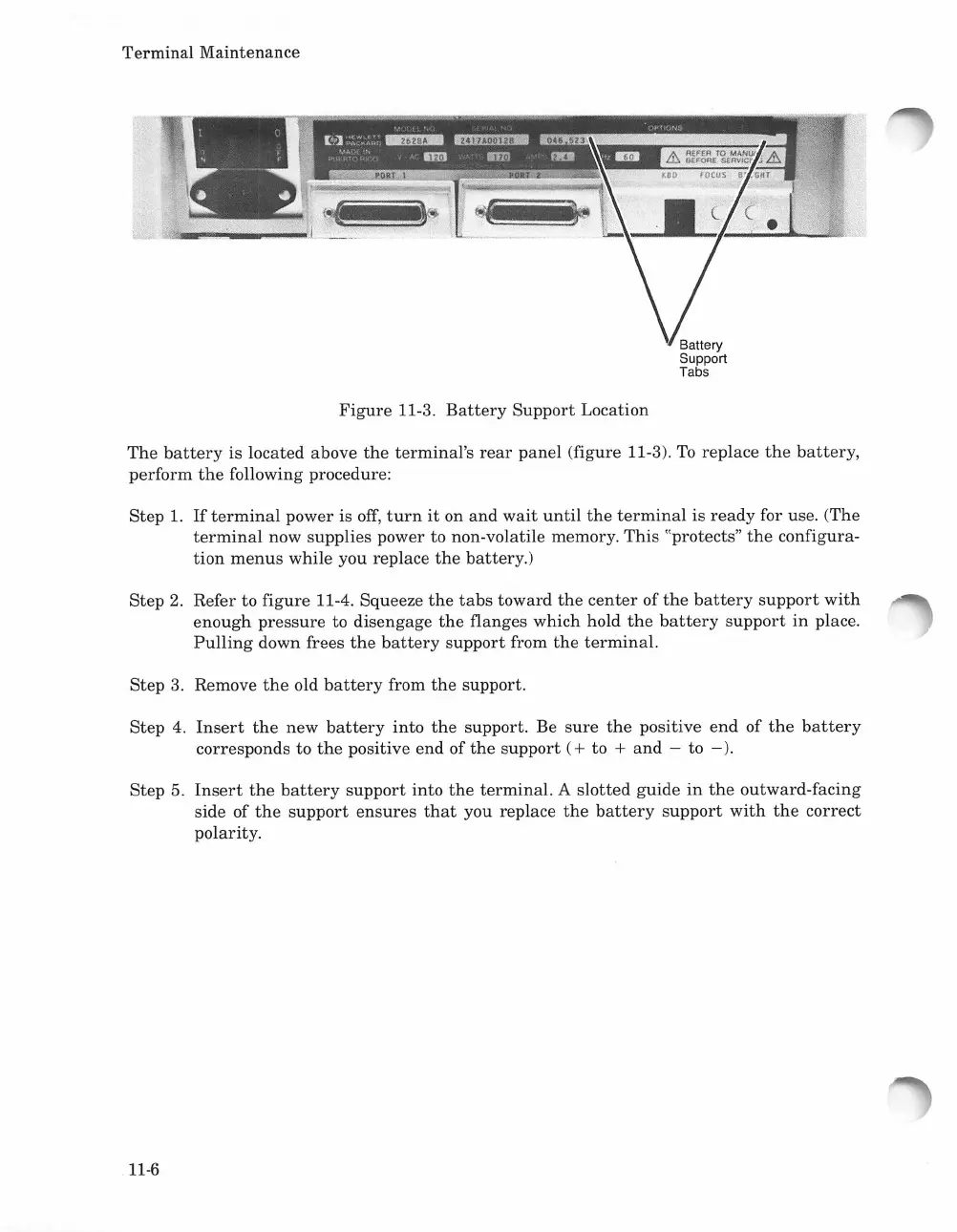
Figure
11-3.
Battery
Support
Location
The
battery
is located above
the
terminal's
rear
panel
(figure 11-3).
To
replace
the
battery,
perform
the
following procedure:
Step
1.
If
terminal
power is
off,
turn
it
on
and
wait
until
the
terminal
is
ready
for use. (The
terminal
now supplies power to non-volatile memory.
This
"protects"
the
configura-
tion
menus
while you replace
the
battery.)
Step
2. Refer
to
figure
11-4. Squeeze
the
tabs
toward
the
center
of
the
battery
support
with
enough
pressure
to disengage
the
flanges which hold
the
battery
support
in
place.
Pulling
down frees
the
battery
support
from
the
terminal.
Step
3.
Remove
the
old
battery
from
the
support.
Step 4.
Insert
the
new
battery
into
the
support. Be
sure
the
positive
end
of
the
battery
corresponds to
the
positive
end
of
the
support
(+
to +
and
- to
-).
Step 5.
Insert
the
battery
support
into
the
terminal.
A
slotted
guide
in
the
outward-facing
side of
the
support
ensures
that
you replace
the
battery
support
with
the
correct
polarity.
11-6

Table of Contents

Related product manuals