EasyManua.ls Logo

HP 262SA - Page 214

HP 262SA
390 pages
Print Icon
To Next Page IconTo Next Page
To Previous Page IconTo Previous Page
Loading...
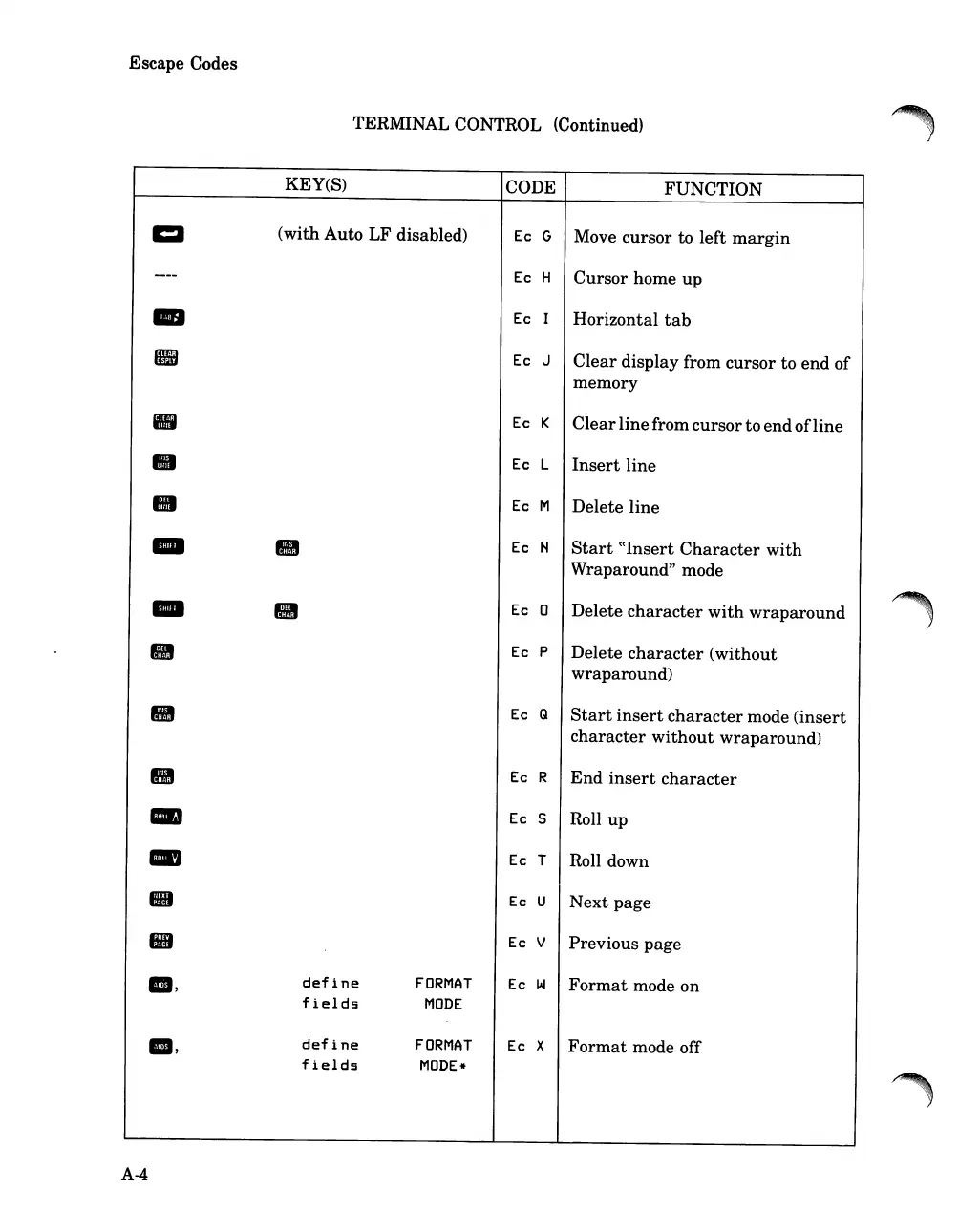
Escape Codes
TERMINAL CONTROL (Continued)
.~
KEY(S)
CODE FUNCTION
CI
(with Auto LF disabled)
Ec
G
Move cursor to left
margin
----
Ec
H
Cursor home up
-
Ec
I
Horizontal
tab
fIB
Ec
J
Clear
display from cursor to
end
of
memory
II
Ec
K
Clear
linefrom cursorto
end
of
line
II
Ec
L
Insert
line
Ec
M
Delete
line
-
III
Ec
N
Start
((Insert
Character
with
Wraparound" mode
-
Ec
0
Delete
character
with
wraparound
Ec
P
Delete
character
(without
wraparound)
III
Ec
Q
Start
insert
character
mode
(insert
character
without
wraparound)
III
Ec
R
End
insert
character
-
Ec
5
Roll up
-
Ec
T
Roll down
III
Ec
U
Next
page
liB
Ec
V
Previous page
8,
define
FORMAT
Ec
W
Format
mode on
fields
MODE
8,
define
FORMAT
Ec
X
Format
mode off
fields
MODE*
A-4

Table of Contents

Related product manuals