LABEL
SAVE
CONFIG
NEXT
CHOICE
PREVIOUS
CHOICE
DISPLAY
FUNCTNS
POWER
ON
VALUES
ACTIVE
VALUES
DEFAULT
VALUES
HP
1000
PT. PT.
HP
1000
MULTIPT
HP
3000
PT. PT.
Configuring
the
Terminal
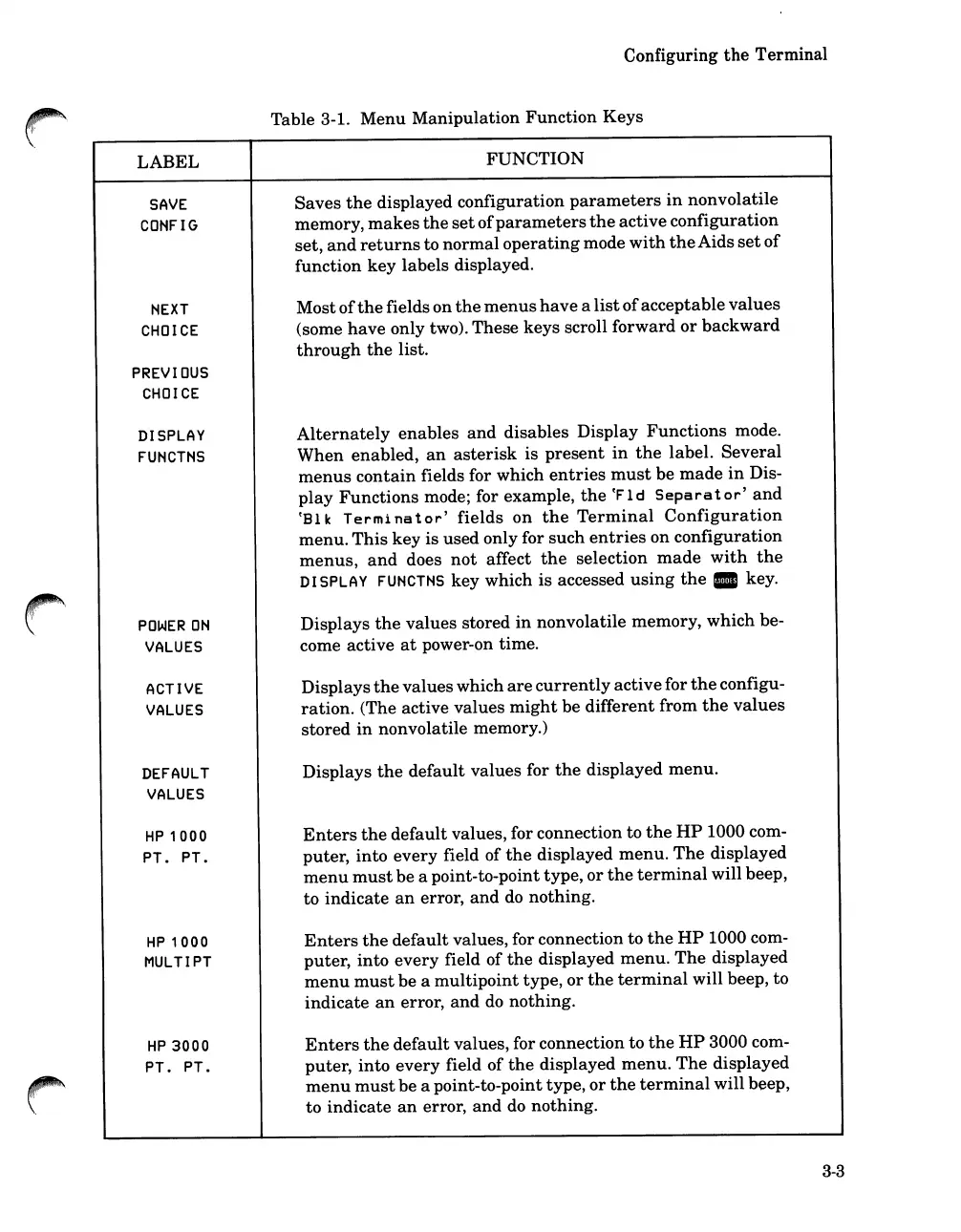
Table 3-1.
Menu
Manipulation
Function
Keys
FUNCTION
Saves
the
displayed configuration
parameters
in
nonvolatile
memory,
makes
the
set
of
parameters
the
active
configuration
set,
and
returns
to
normal
operating
mode
with
the
Aids
set
of
function
key
labels
displayed.
Most
of
the
fields on
the
menus
have
a
list
of
acceptable
values
(some
have
only two). These keys scroll
forward
or
backward
through
the
list.
Alternately
enables
and
disables Display
Functions
mode.
When
enabled,
an
asterisk
is
present
in
the
label.
Several
menus
contain
fields for which
entries
must
be
made
in
Dis-
play
Functions
mode; for example,
the
~Fld
Separator'
and
~Bl
k
Termi
na
t
or'
fields
on
the
Terminal
Configuration
menu.
This
key
is
used only for such
entries
on configuration
menus,
and
does
not
affect
the
selection
made
with
the
DISPLAY
FUNCTNS
key which
is
accessed
using
the.
key.
Displays
the
values stored
in
nonvolatile memory, which be-
come active
at
power-on time.
Displays
the
values which
are
currently
active
for
the
configu-
ration.
(The active values
might
be
different
from
the
values
stored
in
nonvolatile memory.)
Displays
the
default
values for
the
displayed
menu.
Enters
the
default
values, for connection to
the
HP
1000 com-
puter,
into
every
field of
the
displayed
menu.
The
displayed
menu
must
be a point-to-point type,
or
the
terminal
will beep,
to
indicate
an
error,
and
do nothing.
Enters
the
default
values, for connection to
the
HP
1000 com-
puter,
into
every
field
of
the
displayed
menu.
The
displayed
menu
must
be a
multipoint
type,
or
the
terminal
will beep, to
indicate
an
error,
and
do nothing.
Enters
the
default
values, for connection to
the
HP
3000 com-
puter,
into
every
field of
the
displayed
menu.
The
displayed
menu
must
be a point-to-point type,
or
the
terminal
will beep,
to
indicate
an
error,
and
do nothing.
3-3













 To Next Page