990400 Rev C 2010 May 1
Detail Screens
9-23
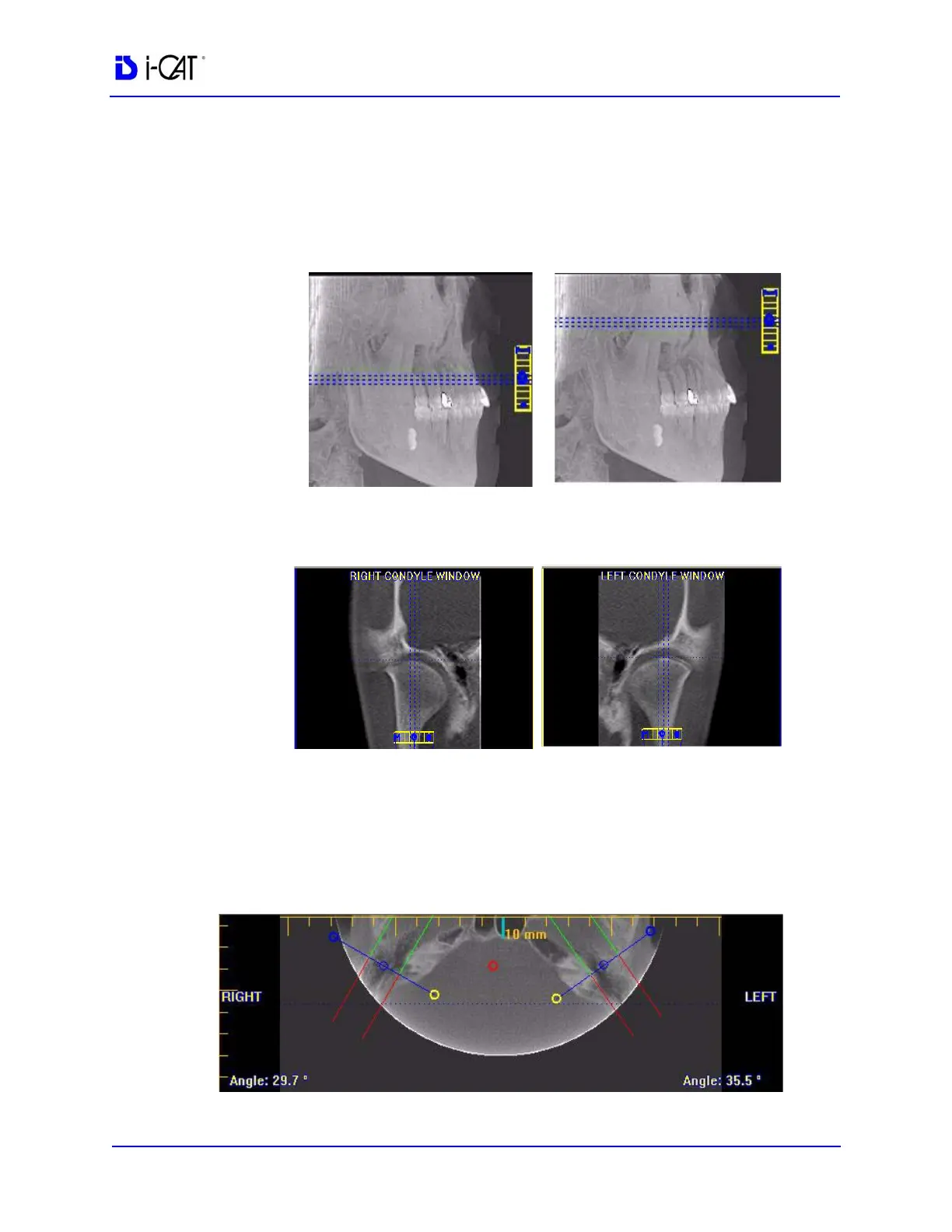
To use the TMJ Screen:
1. If necessary, pan the Axial (SMV) View (upper left) down in the
window to see the condyles. (See Pan Feature.)
2. Use the scroll bar center (O) tool to locate the condyles for
proper mapping.
3. Drag center (O) tools from the RIGHT and/or LEFT CONDYLE
WINDOWS to move the slice locations of the cross section
views.
4. Drag the solid circle tool (right edge of slice control) to adjust
the slice thickness of the cross section views.
To create lateral slices:
5. Drag the center blue circles on the Axial View to move the
corresponding Condyle Map.



 To Next Page