17-19 Operators’ Manual
990400 Rev C 2010 May 1
12-14
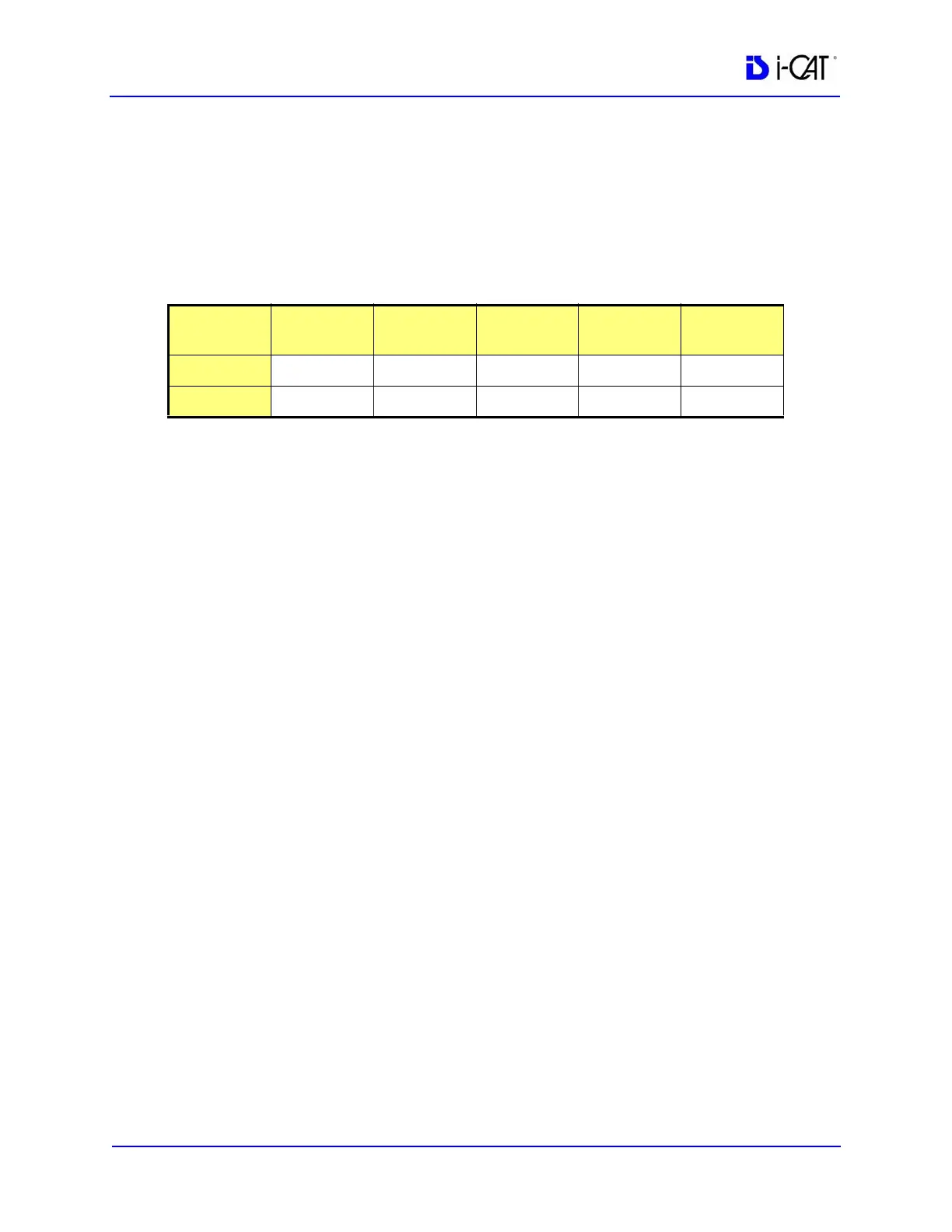
23. Note and record the Mean and SD values of the four regions. See
chart below.
24. After recording values, a fifth ROI is required from the center
of the water area. The fifth measurement replaces the first
measurement, since four measurements are the limit.
25. Note and record the Mean and SD values of the center ROI.
26. Subtract each Mean Value from the Mean Value of the center
ROI. If the difference is greater than 90, make sure phantom is
correctly centered in FOV and re-measure. If the difference is
still greater than 90, call ISI Technical Support.
PAN Phantom Test
PAN Phantom Test is used to validate the PAN scan data capture.
To perform a PAN Phantom Test:
1. Prepare the Bite Tip by inserting the narrow edges of the Bite
Tip down into the Bite Tip Holder uprights. Then turn the Bite
Tip a 1/4 turn to lock into place.
2. Insert the Phantom Platform and Bite Tip Holder into the
Positioning Block. The Bite Tip should rest on top of the
platform.
3. Place PAN Phantom on platform with balls facing up and top of
arch resting on Bite Tip.
4. Press the Alignment Light button on the Patient Alignment
Panel to display lasers. Use the Horizontal Laser to adjust the
height of the phantom as shown below. Use the Vertical Laser to
center the phantom on the platform.
Measured
Values
Upper
Left
Upper
Right
Lower
Left
Lower
Right
Center
Mean
SD



 To Next Page