990400 Rev C 2010 May 1
iCATVision & iCATTransfer
A-5
Install iCATTransfer
1. Unzip the iCATTransfer.zip file to the iCAT Vision folder, it
unzips to iCATTransfer.exe.
2. Double click the .exe file to execute the program.
A shortcut can be created for this program onto the desktop.
To unzip a file: Right-click the file and click Extract on the
shortcut menu.
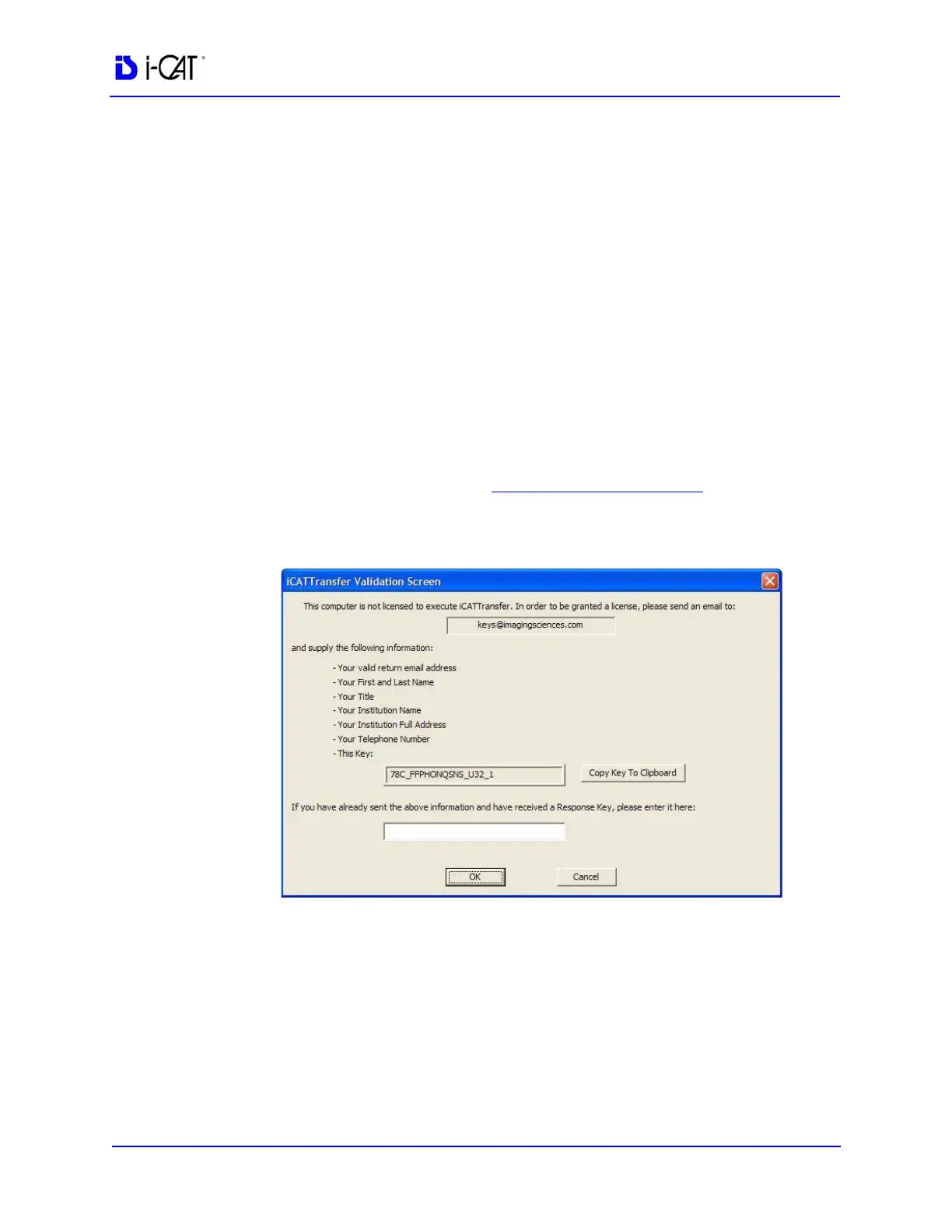
iCATTransfer Passcode
When iCATTransfer is first launched, it opens to the iCATTransfer
Validation Screen (below). Instructions are displayed to send an e-
mail to Imaging Sciences at keys@imagingsciences.com with your
customer information and the authentication code shown on screen.
We will return an e-mail with the Passcode to be entered into the
iCATTransfer Validation Screen.
The program then opens, click accept to accept the License
Agreement and then follow the instructions below.



 To Next Page