17-19 Operators’ Manual
990400 Rev C 2010 May 1
15-2
If the Study List database update process cannot be performed by the
computer that has been designated by the system to be the master,
slave computers will receive the following message at the top of the
Study List: “Study List updates blocked by the computer named...”.
Investigate the problem with the identified master computer.
Note that changes made to studies on the network by a standalone
Vision computer are not transferred back to the VisionQ local disk.
Network Support Installation/Setup
Provide Network Storage
The customer is required to provide network storage that is
accessible to all of its operators. If a new user is created on the
Acquisition PC, it must be setup with administrator privilege as this
is required for the sweeper service and reconstruction software. To
verify proper operation, log in as each of the system operators and
use Windows Explorer to navigate to the intended networked shared
folder, using \\server\folder syntax. Create a new text document,
enter text into it, save it, and then delete it. Do not proceed unless
this succeeds for every operator.
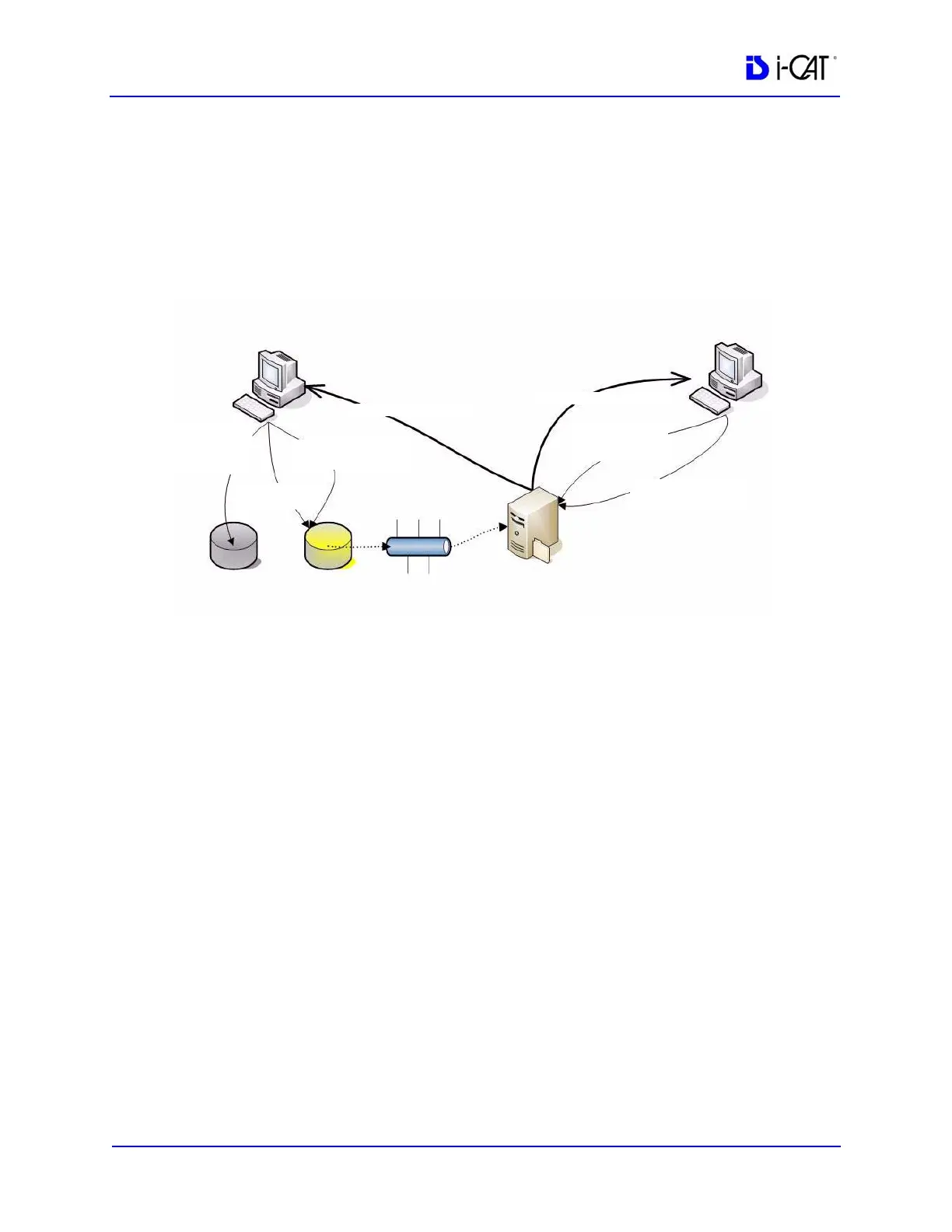
If network breaks, VisionQ
cannot access Study List, but
can continue to scan patients.
If network breaks, Vision
cannot access Study List.
Network must be restored.
VisionQ
Vision Standalone
C:\RawData C:\LocalRoot
Sweeper
\\Server\NetRoot
File server
Image Root Folder
Dicom, CD,
Received data
Dicom, CD,
Received data
Workups, Reports,
Ancillary Files
Raw
projections
and images
Workups, Reports,
Ancillary Files
Image Root Folder



 To Next Page