990400 Rev C 2010 May 1
Quality Assurance
12-5
20. Zoom Line Pair image (upper left). To zoom, start at the upper
right corner of image and hold down left mouse button and drag
cursor across the image.
21. Right click the image and select Set Filter > Hard.
22. Adjust Brightness and Contrast level for the best image quality.
Evaluate the image.
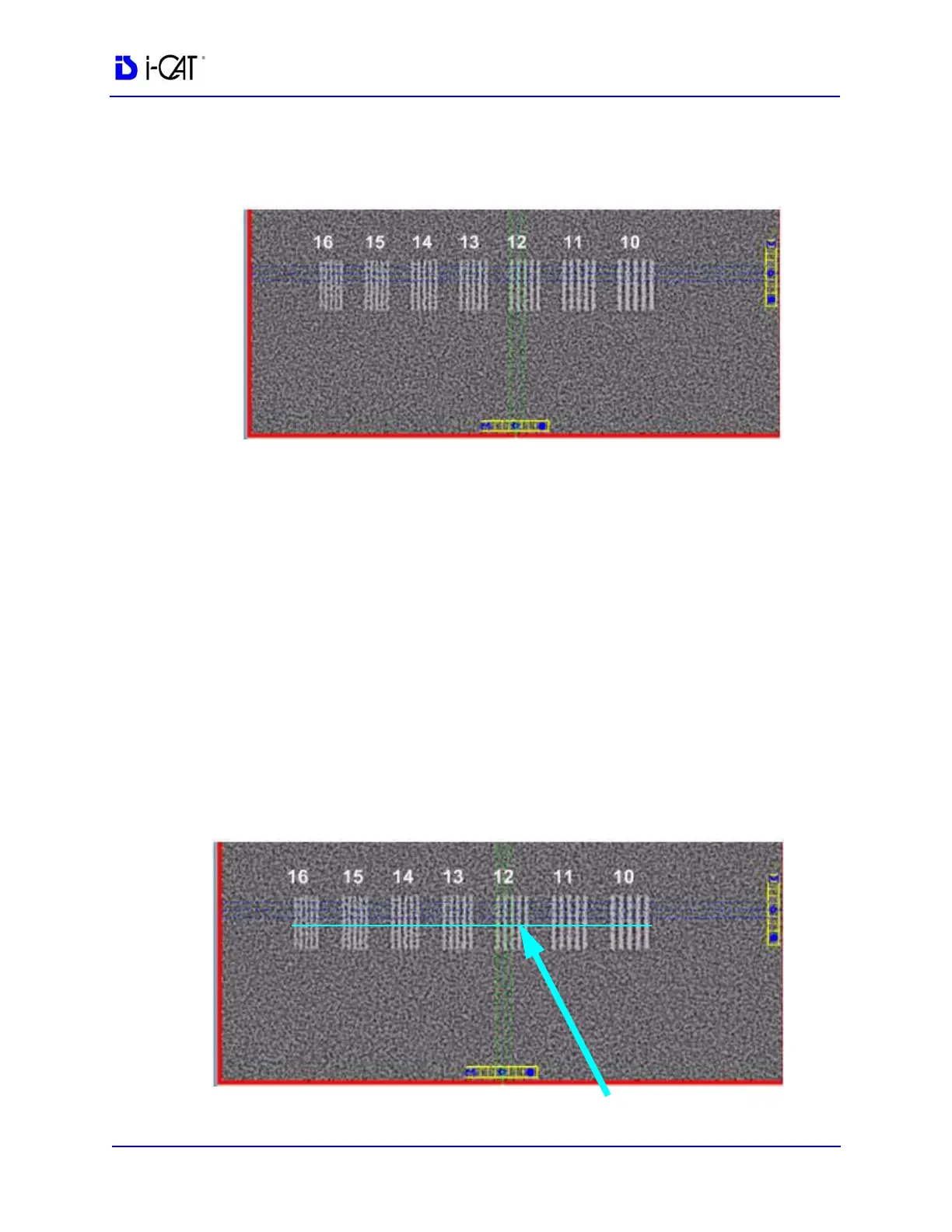
Line Pair - Line Pairs consists of a resolution of 10 lines per cm
(5 dark with 5 light). Line Pairs 10 through 16 are displayed in
the image (shown above).
The picture depicts expected appearance of the Line Pairs per
cm present within the QA Phantom.
23. Verify that definition is present within line pairs 10, 11, and 12.
Compare image quality to the image shown above.
Distance Measurement Test
To ensure measurement accuracy, this procedure checks Distance
measurements.



 To Next Page