990400 Rev C 2010 May 1
Remote System Import and Export
16-15
Query and Retrieve Images
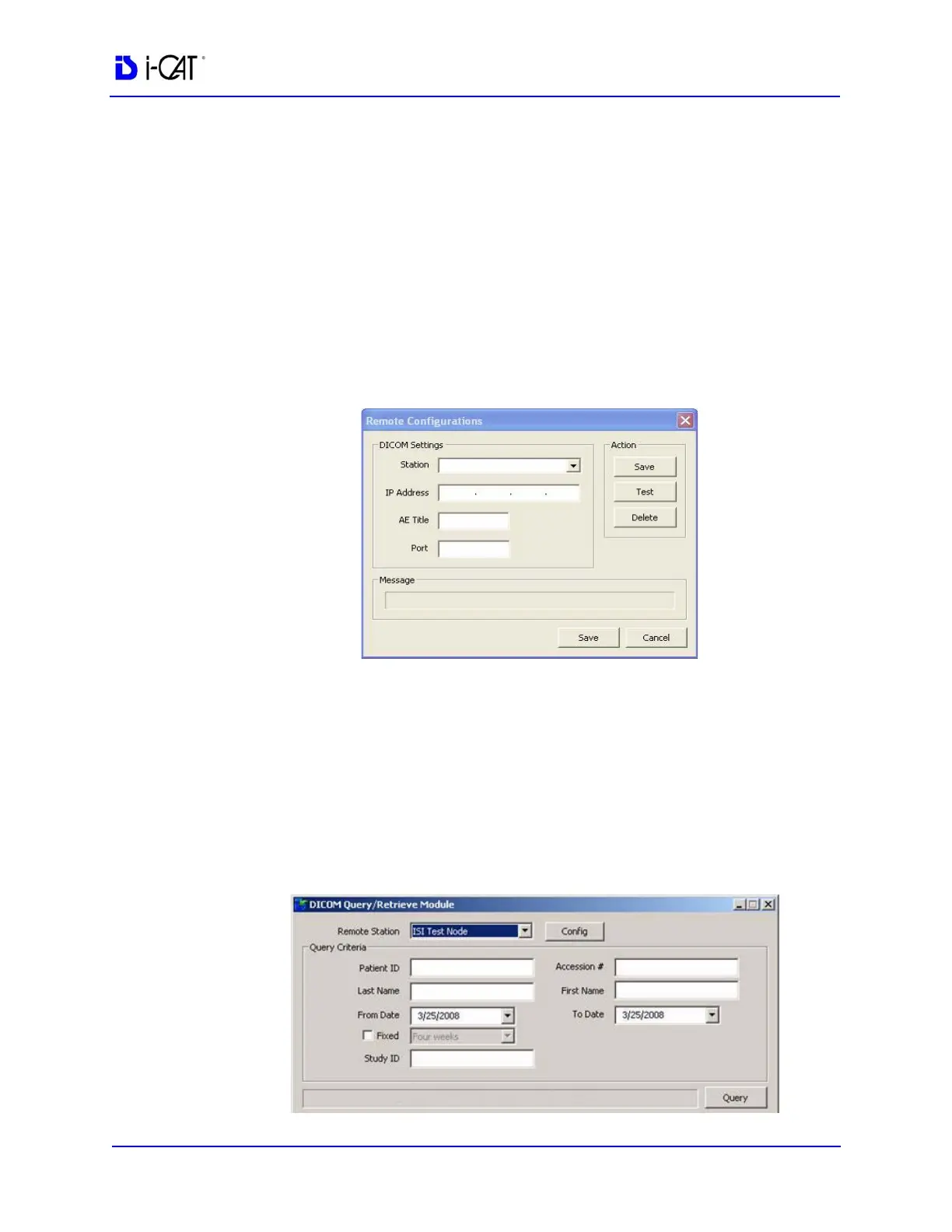
1. Double-click RSQM.exe. The DICOM Query/Retrieve Module
is displayed.
2. Click Config.
a. Enter Station name, IP Address, AE Title, and Port number
for the DICOM node, such as a PACS, from where studies
are to be queried and retrieved. This information may be
provided by hospital IT or PACS personnel.
b. Click Save.
3. The Query Criteria default is to retrieve all studies scanned by
the DICOM node selected above for the current day, or for a
fixed period of time if the Fixed option is selected. Click Query
to execute the default query.
To enter different query criteria to narrow or widen the search:
a. Enter desired search criteria in the Query Criteria area.
b. Click Query. Studies meeting the criteria are returned from
the remote server.



 To Next Page