17-19 Operators’ Manual
990400 Rev C 2010 May 1
7-8
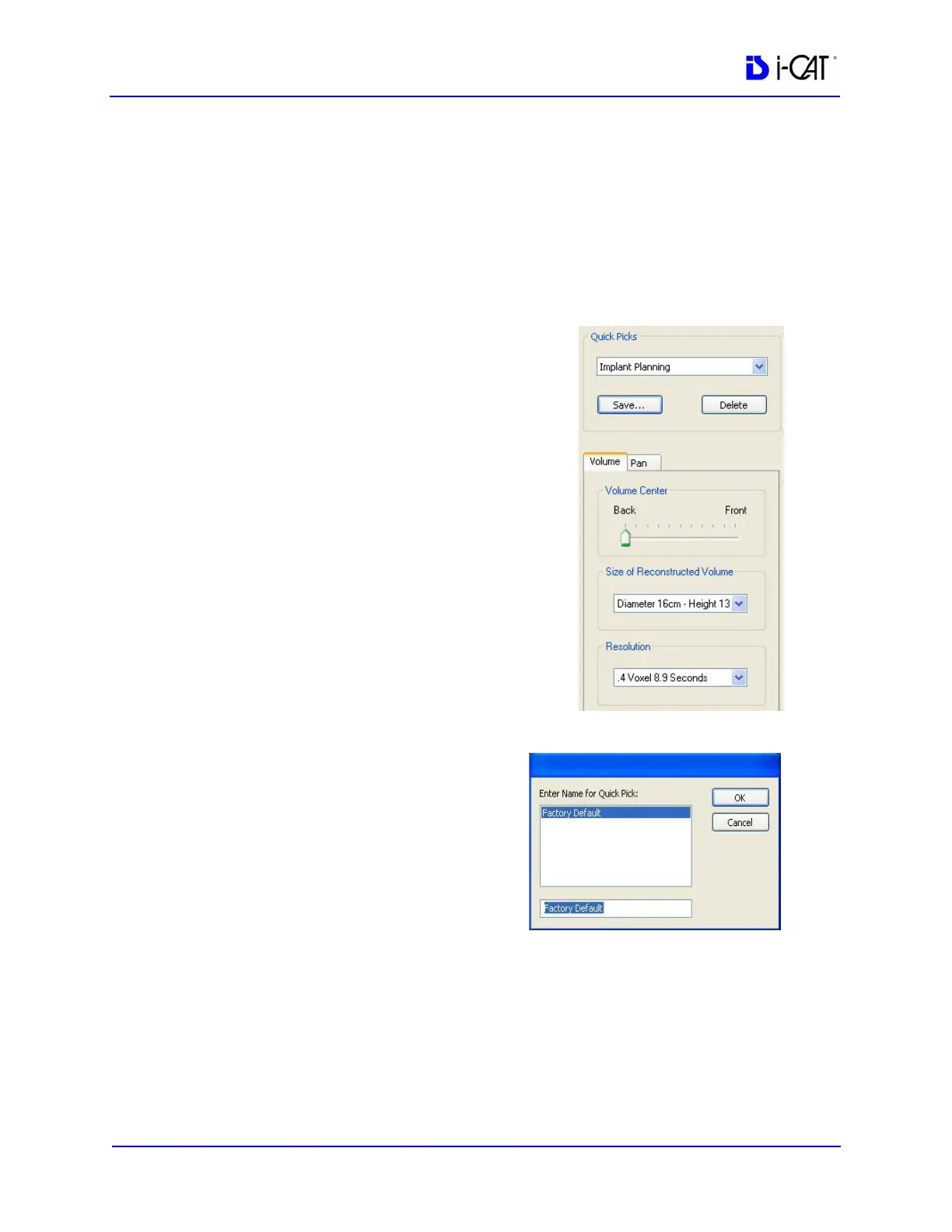
Quick Picks
Quick Picks are created and named by the Operator. A Quick Pick
captures and saves to memory the following settings: Exposure,
Volume Center, Size of Reconstructed Volume, and Resolution. For
convenience, speed, and accuracy, the Operator may create Quick
Picks of commonly used scan settings.
To add a Quick Pick:
1. Select scan settings:
• Exposure (if available)
• Volume Center
• Size of Reconstructed Volume
• Resolution
2. Click Save… button, below the
Quick Picks list box.
This saves the selected settings.
3. Enter a name for the new
Quick Pick.
4. Click OK.
The newly created Quick
Pick is now available from
the Quick Picks drop-down
list box.
To delete a Quick Pick:
1. Select the Quick Pick to delete from the Quick Picks drop-down.
2. Click Delete button below the Quick Picks drop-down.
3. A confirmation box is displayed, click Yes to delete.



 To Next Page