990400 Rev C 2010 May 1
Acquisitioning (Scanning)
7-7
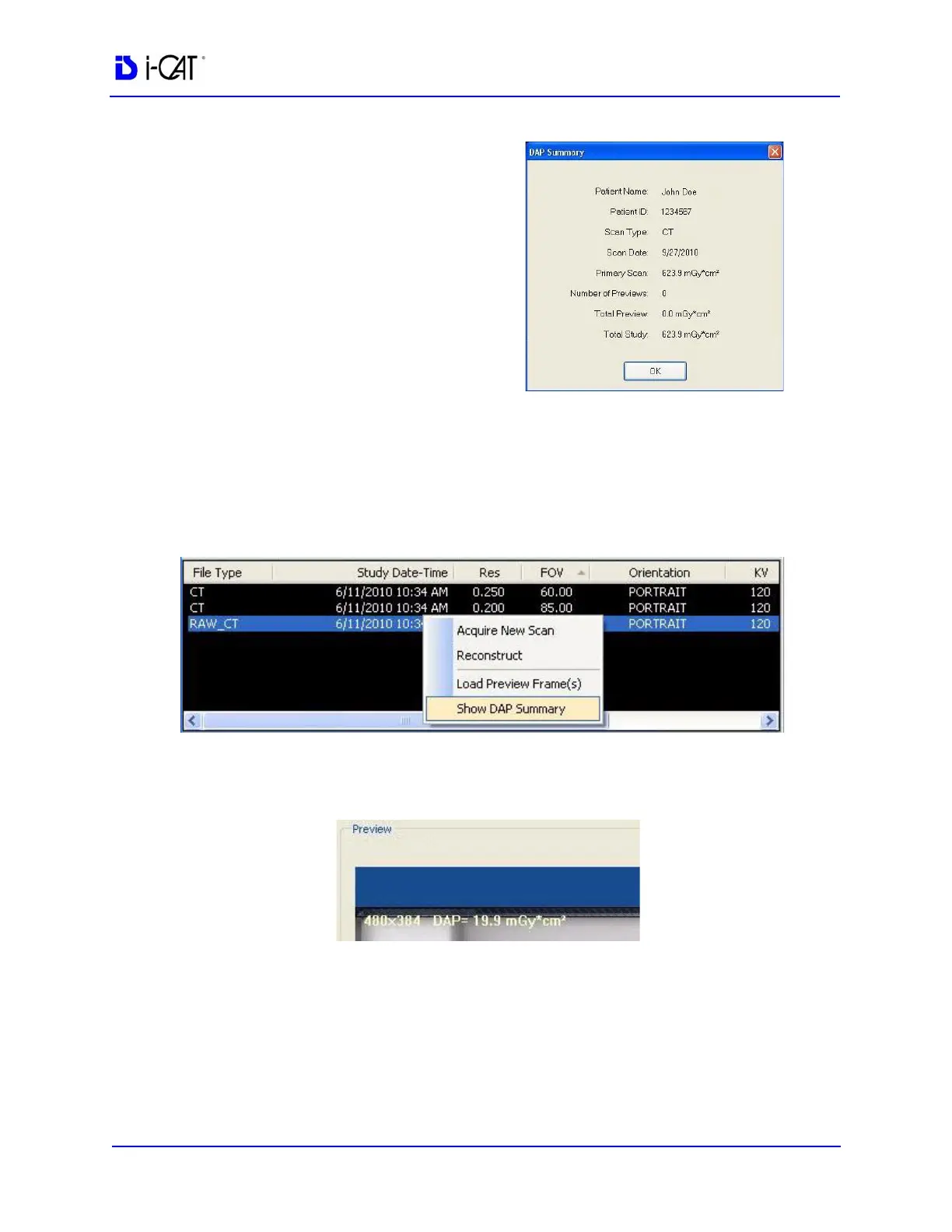
• The DAP Summary
dialog displays after a
scan is captured and
reconstruction begins
in VisionQ for both CT
and PAN scans. This
dialog shows the DAP
value for the patient’s
full (Primary) scan, the
number of Previews,
and the Total Study
DAP value of all
Previews and the
Primary scan combined.
• To view the DAP Summary after a CT or PAN scan is
acquired, right-click on any dataset and select Show DAP
Summary. If DAP information is not available for a scan,
DAP Not Available is displayed.
• Each CT or PAN preview scan acquired has the DAP value
embedded in the Preview scan display.



 To Next Page