990400 Rev C 2010 May 1
Tools
10-13
Create New Report
To create a new Patient Report:
1. Click (highlight) a patient from the Study List. Allow time for
the Patient Image to load.
2. From the Main menu, select Tools > Create Report.
3. Click Create New Report from the box.
Insert Image into Patient Report:
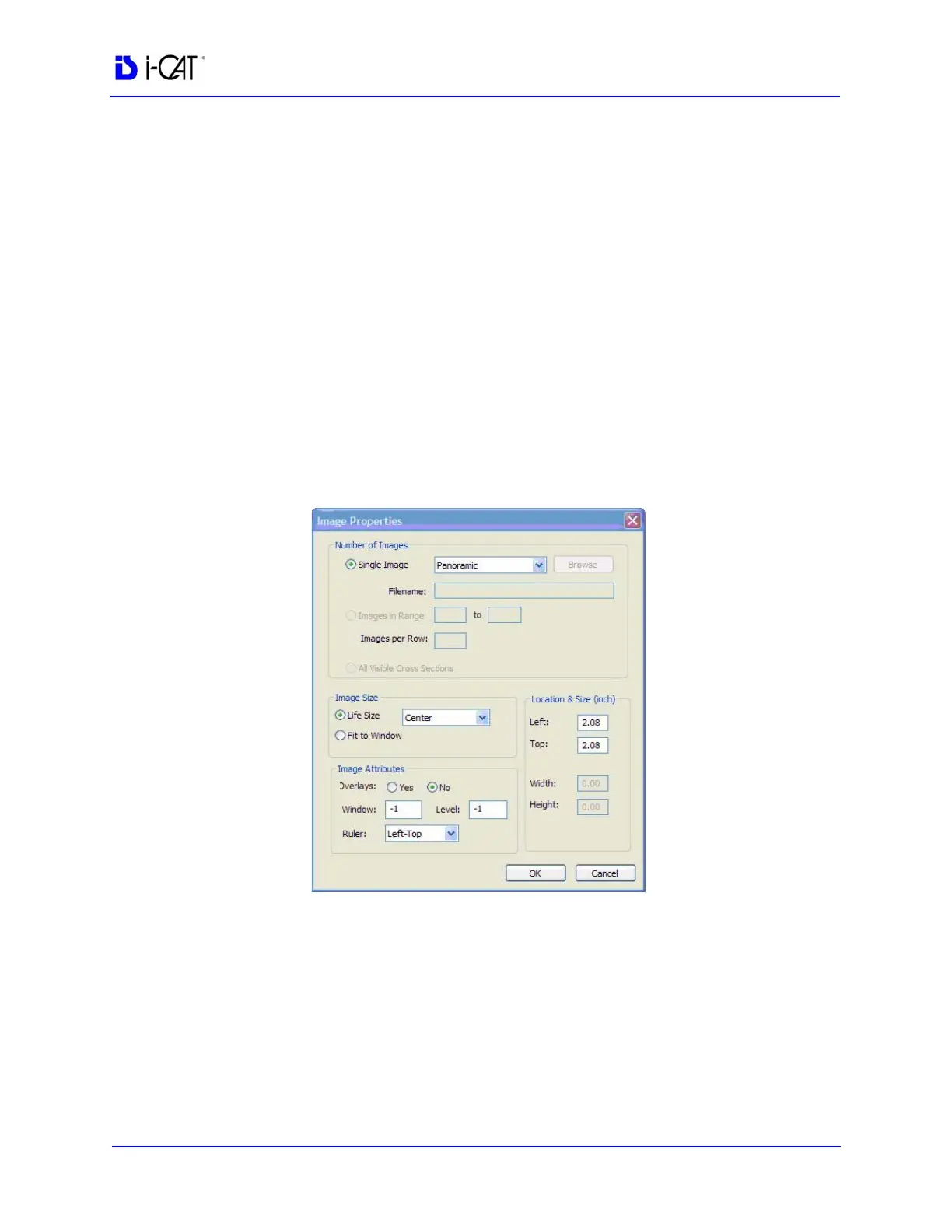
4. Select Insert > Image from the Main menu or right-click the
report page and select Add Image.
Images can be both Vision images and external images (jpg or
bmp).
5. Select required parameters and click OK.
Number of Images
• Single Images – used to select images within Vision or
from a file (select FILE)
• Images in Range – used to select specific cross sections
within Vision
• All Visible Cross Section – used to select all currently
displayed cross sections



 To Next Page