17-19 Operators’ Manual
990400 Rev C 2010 May 1
15-6
Sweeper Controller
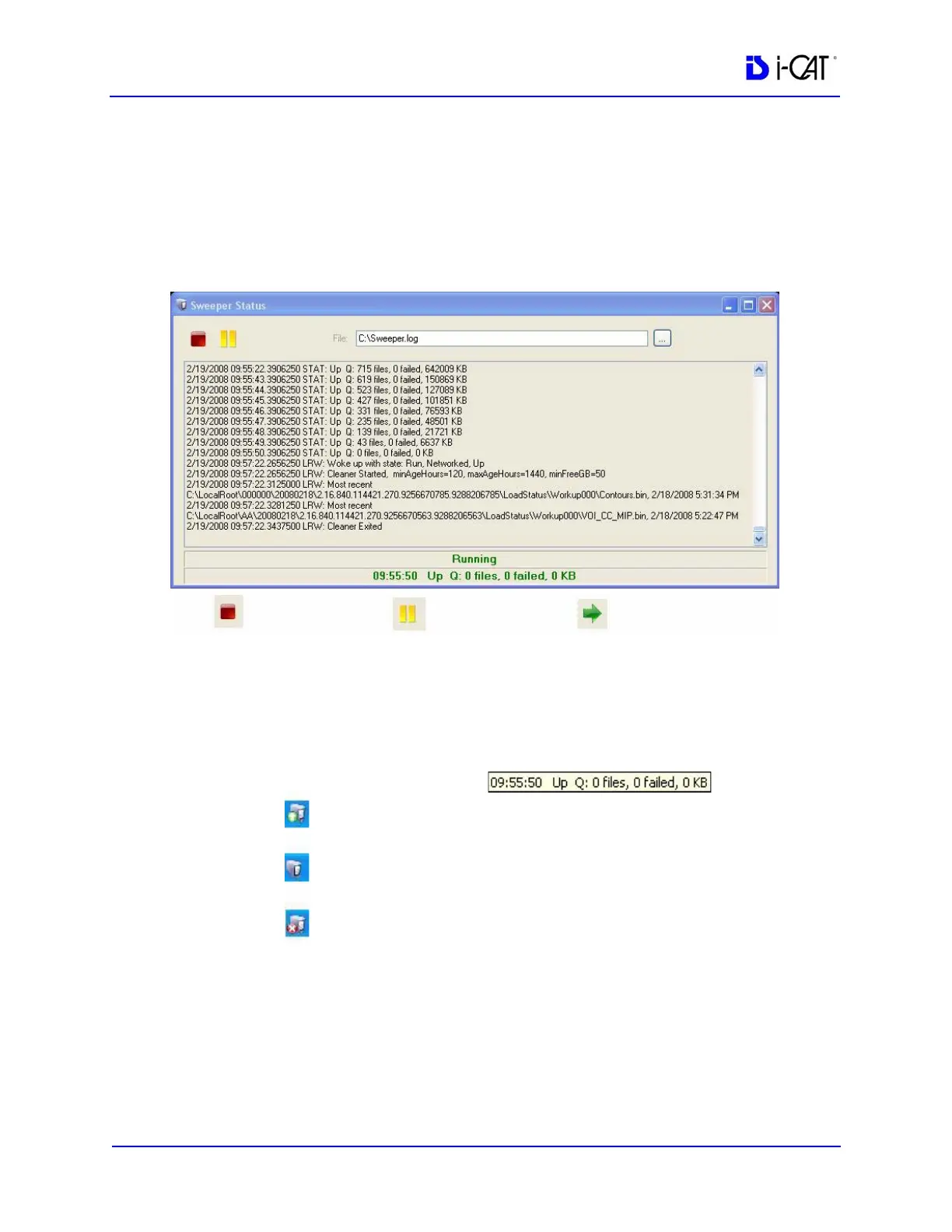
The Sweeper controller provides the user interface to the Sweeper
service and is accessed by clicking the Sweeper icon in the system
tray. If the controller screen is accidently closed, click Start > All
Programs >Imaging Sciences >SweeperController.exe to restore.
The Status screen allows the user to start/stop and pause/resume the
Sweeper service. It displays the Sweeper log file C:\Sweeper.log,
extracts status from the log, and displays it at the bottom of the
screen. It reduces to a system tray icon showing the Sweeper state
and a tooltip with the current status.
Network Failures
In the event of a network failure, the best action is to try to quickly
restore the network. If that is not possible, fallback operations are
available.
Stop Sweeper
Pause Sweeper
Start Sweeper
Working
Idle
Down
Tooltip shows:
Time
Network Status
# of files in Transfer Queue
# of files that Failed at Least Once
# of bytes in Transfer Queue



 To Next Page