6-3
Patient Positioning and Protocols
990400 Rev C 2010 May 1
Gate
The gate swings open to allow Patient seating. The Patient should be
seated facing forward with hands in lap.
Closing the Gate creates a pinch point. Keep hands and other body
parts clear when closing Gate.
Close Gate prior to scanning, making sure the magnet is secured in
its locked position. If gate will not close:
• Move Head Support to the rearmost position
• Use Head Strap without the Chin Cup
• Keep Gate open and remove Chin Support.
Chin Support
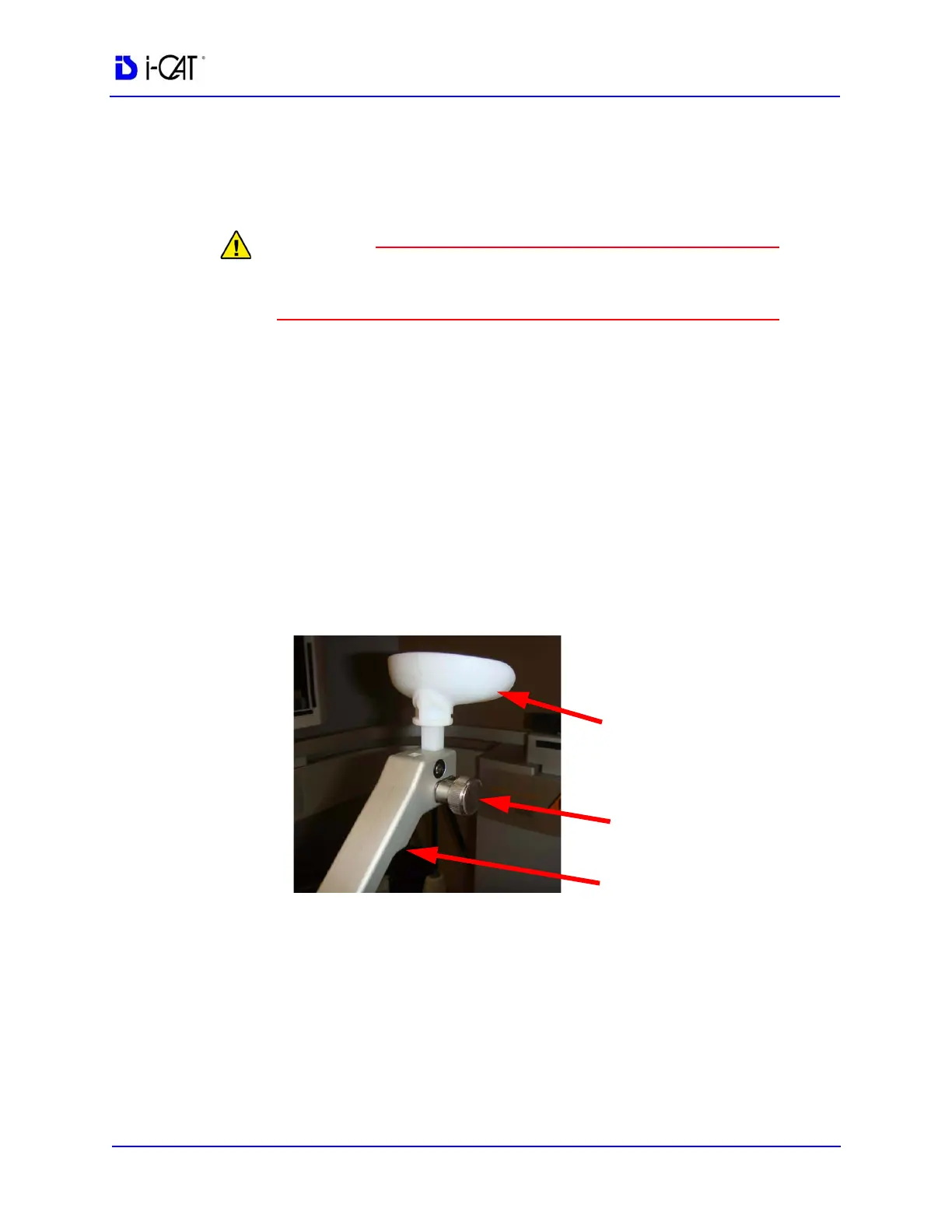
The Chin Support is comprised of several components to help
facilitate correct positioning of the Patient. For most studies, the
Chin Cup should be aligned with the bottom of the Sensor Panel.
To Adjust the Chin Support:
1. Insert the Straight Slide in the Slide Block.
2. Insert the Chin Cup and use the Adjusting Knob to raise or lower
the Chin Cup as needed.
Chin Cup
Straight Slide
Chin Cup
Adjusting Knob



 To Next Page