990400 Rev C 2010 May 1
Acquisitioning (Scanning)
7-9
PAN Scans (Optional)
A PAN scan is a scan mode that creates a Panoramic exposure that
is a two dimensional image. Patient positioning is critical for PAN
scans.
NOTE: Perform a PAN Phantom test, described in Quality
Assurance, if image quality is degraded.
1. Place Chair in the upper slots so that chair back does not impede
Patient’s ability to sit with an Erect posture.
The head holder is to be used when obtaining PAN scans only. Do
not use for Volume scans as there is a collision hazard with the
head holder and the rotating panel.
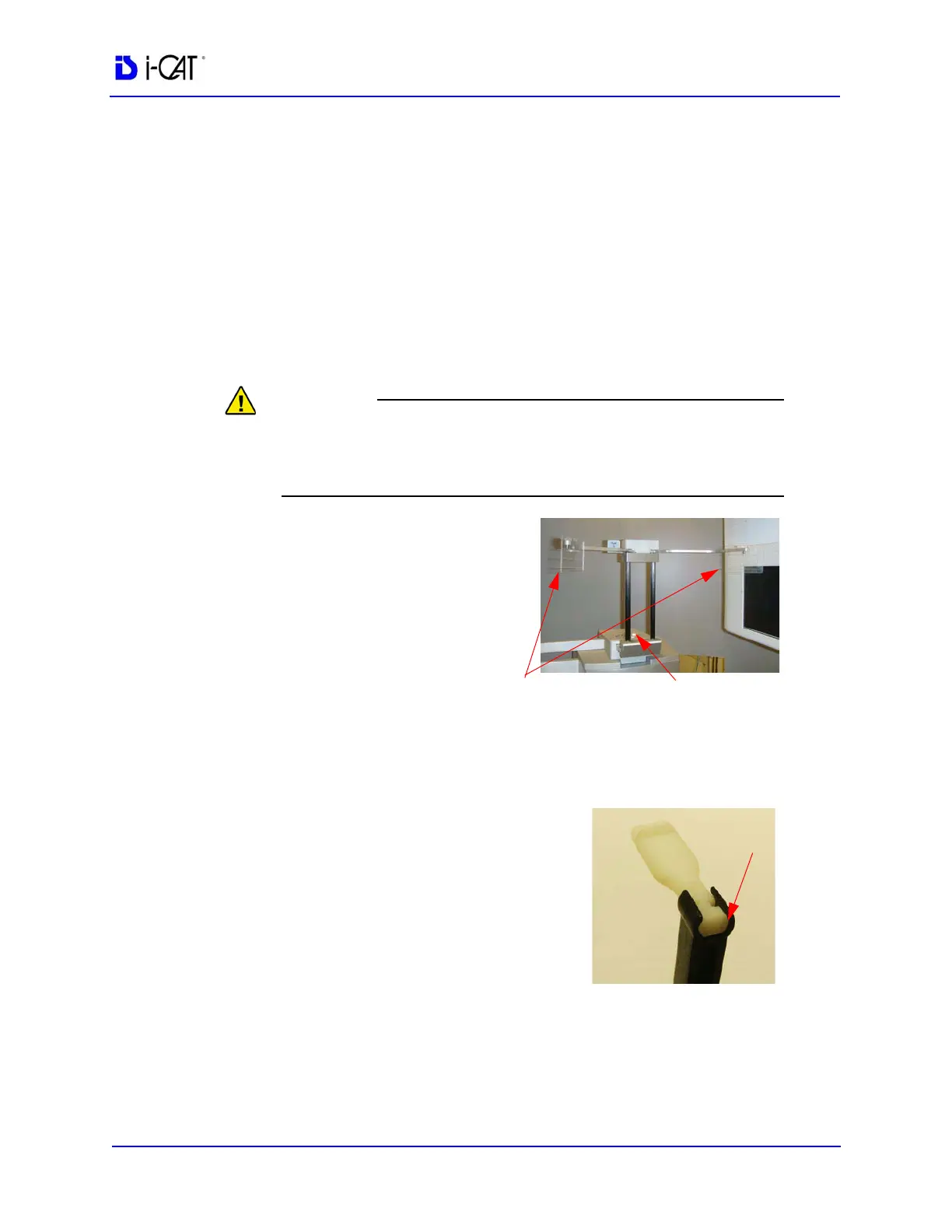
2. If head support is
installed, loosen locking
knob and remove head
support.
3. Slide head holder into
place and tighten locking
knob.
NOTE: Cover temple pads with a plastic sheath before use, or
sanitize with an alcohol wash after use.
4. Prepare the Bite Tip by inserting the
narrow edges of white Bite Tip
down into Bite Tip Holder uprights.
Then turn the Bite Tip a 1/4 turn to
lock into place.
The Patient will be biting on the
grove of the white Bite Tip during
the scan.
NOTE: If bite tips are planned to be reused, cover with a plastic
sheath before use, or sanitize with an alcohol wash after use.



 To Next Page