17-19 Operators’ Manual
990400 Rev C 2010 May 1
8-8
• The Tru-Pan image does not include the regions below the
bottom of the bony jaw and far above the condyle heads and
maxillary sinuses. The purpose is to represent the entire jaw
only where dentists are interested. The inclusion height is
from the bottom of the bony jaw to a level above the
condyle heads.
• At this time, Tru-Pan does not support collimated heights
less than 8 cm or diameters less than 16 cm. The Tru-Pan
option is greyed out on the Panoramic Method dialog for
these restricted protocols.
Manually Adjusting the Panoramic View
You may need to adjust the Panoramic View if the Tru-Pan feature
is not enabled on your system, or if you select the Automatic Arch
Detection or Manual Arch Settings options as the Panoramic
Method.
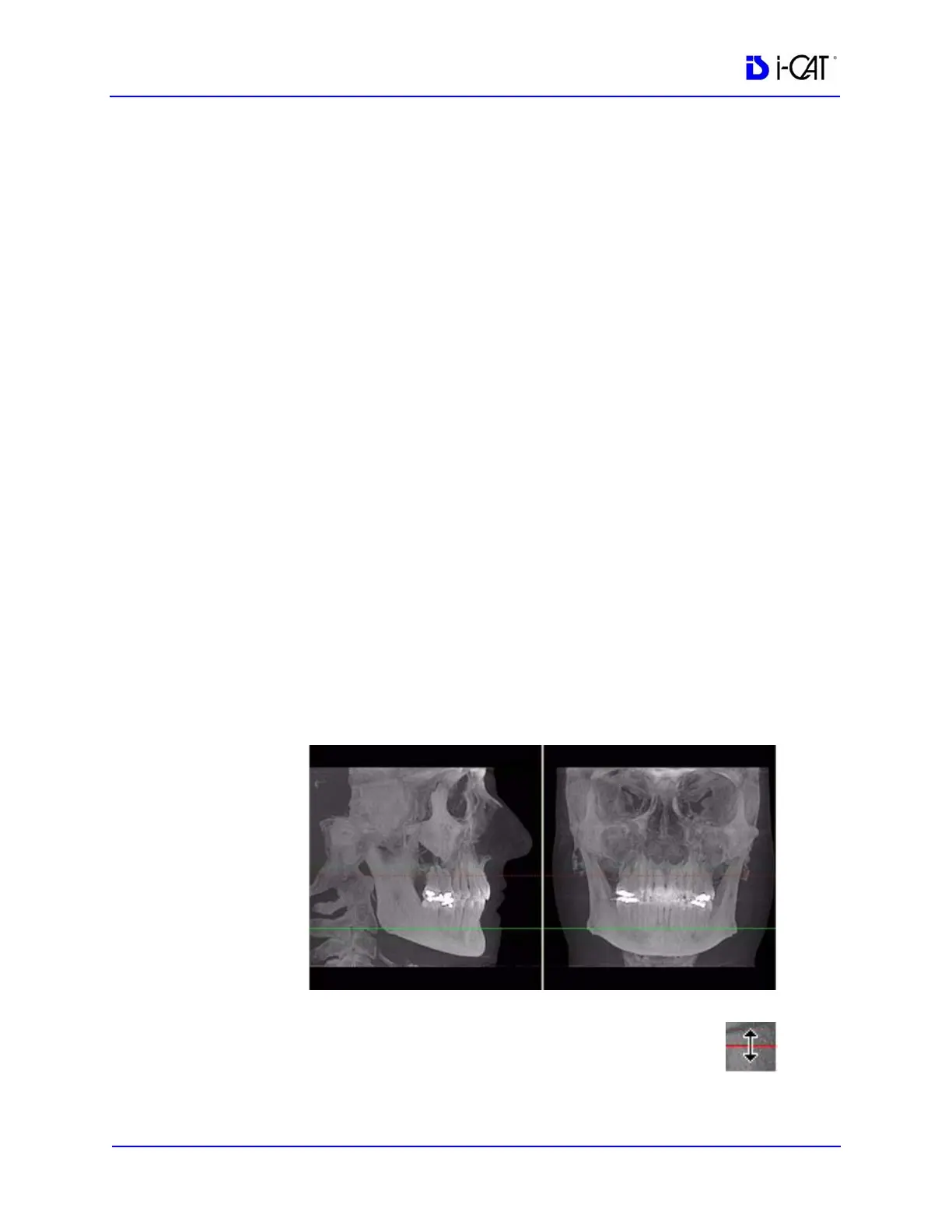
Contourlines are used to mark the Maxilla and Mandible in the
Sagittal and Coronal Views on the preview screen. Both
contourlines are displayed automatically when Automatic Arch
Detection is selected as the panoramic method. You can select the
contourlines to be displayed when using the Manual Arch Settings
method.
• Maxilla is a red line.
• Mandible is a green line.
Both the Maxilla and Mandible contourlines can be
repositioned with a click and drag to the desired location.
Clicking a contourline selects that line for use in adjusting
the Panoramic View via the Axial View.



 To Next Page