990400 Rev C 2010 May 1
Reconstruction of Anatomy
8-9
To adjust the Panoramic View:
1. Select whether the Maxilla or Mandible contourline is used as
the Panoramic View adjustment reference by clicking on the
desired contour line in the Sagittal or Coronal View. The
selected contourline is shown as a solid line; the line which is not
currently selected is shown as a dotted line. The displayed line
in the Axial View matches the color of the selected contourline
in the Sagittal and Coronal Views.
2. Center the anterior point at midline.
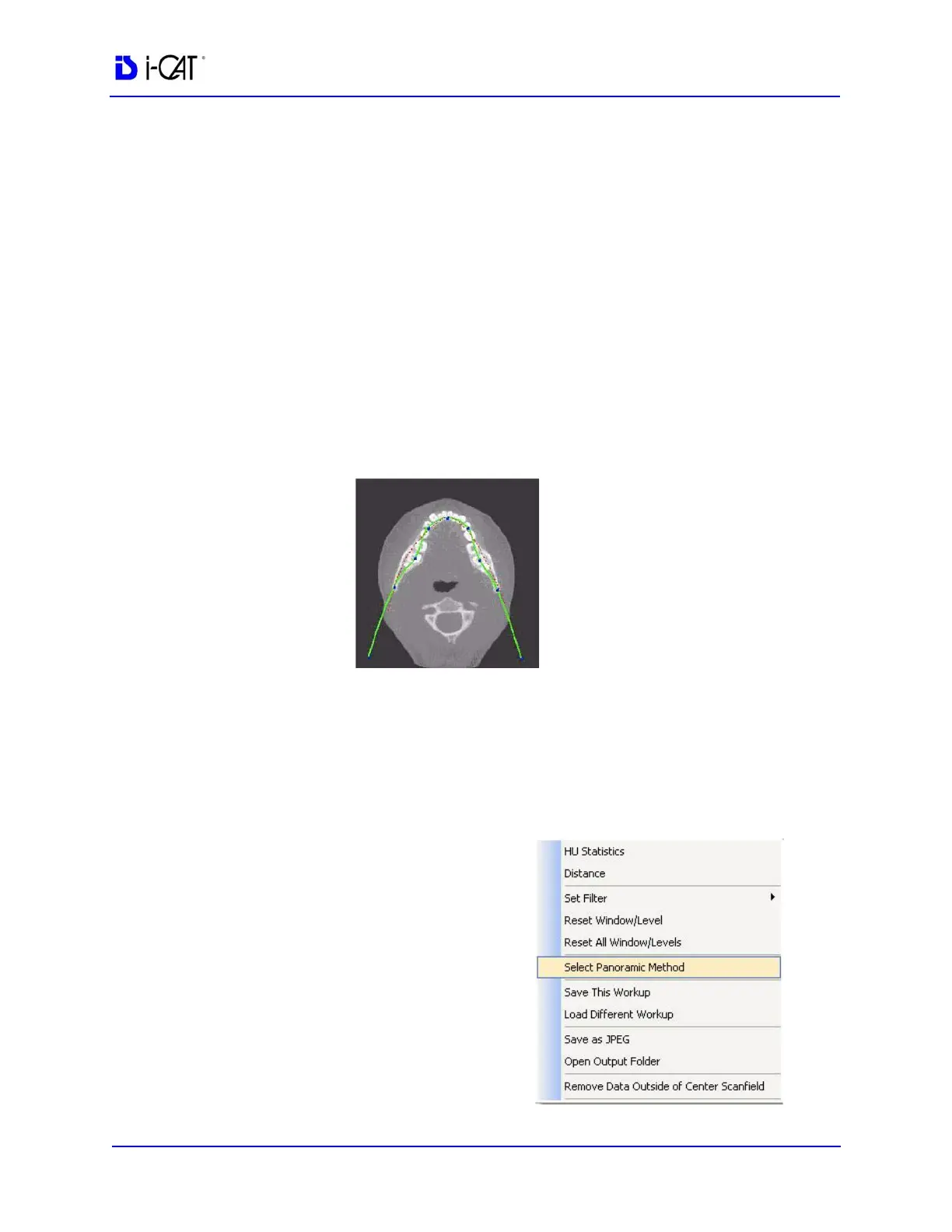
3. Move the next two points up closer to the anterior point on each
side. Place them a few teeth away from anterior center.
4. Then move the next two points closer to the molars. See the
example below.
All changes are reflected in the Panoramic View.
Select Contourlines for Manual Arch Settings
One or both contourlines can be added to the Sagittal and Coronal
Views on the preview screen. To do this, do the following:
1. On an image view on the
Preview screen, right-click
and click Select Panoramic
Method.
2. On the Panoramic Method
dialog, select Manual Arch
Settings. The Contourline
Setup dialog is displayed.



 To Next Page