990400 Rev C 2010 May 1
Networking Support Setup
15-7
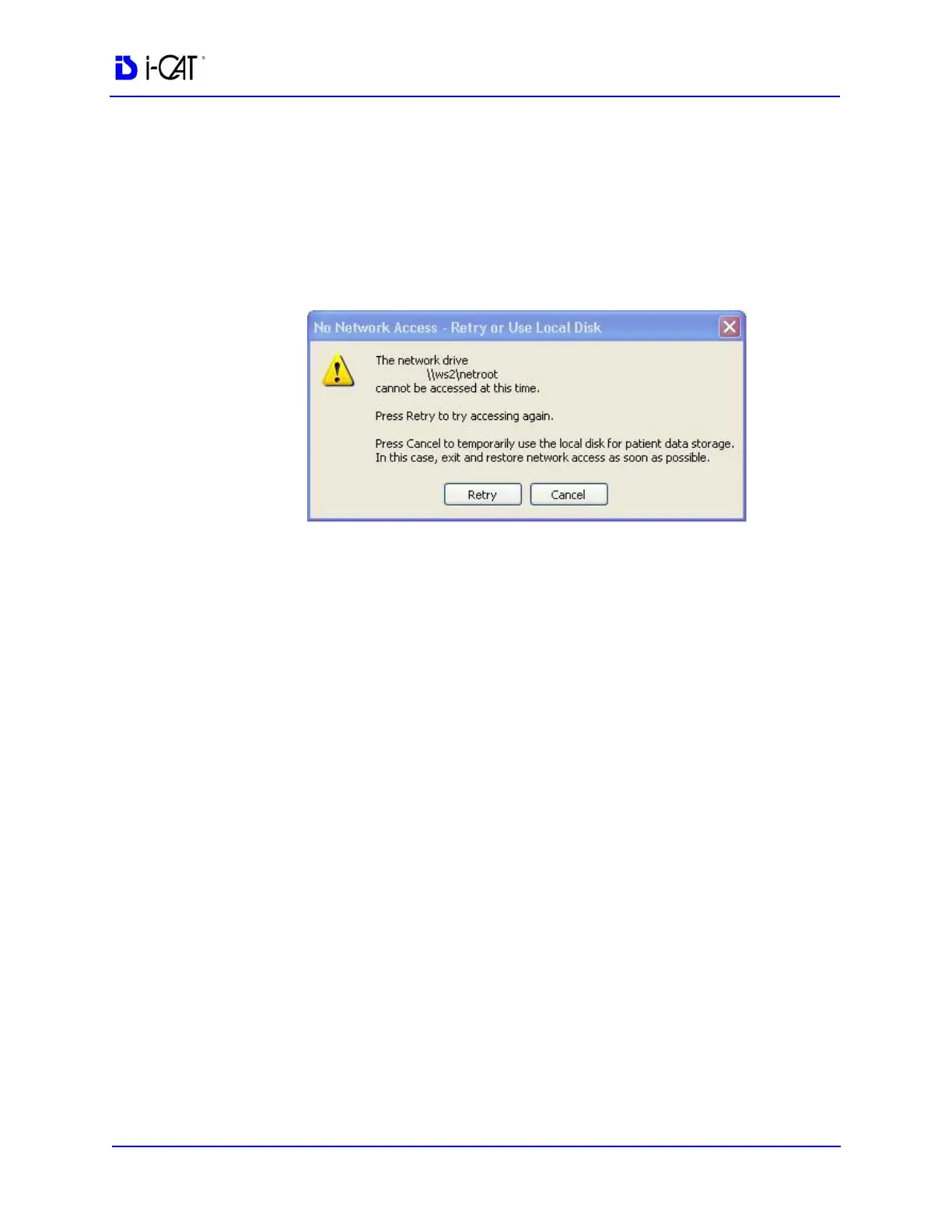
No Network Access at Startup
When VisionQ or standalone Vision is first launched, it tests
whether the Image Root Folder is accessible on the network. If it is
not, the No Network Access dialog is displayed. Use fallback
operations if desired. Fallback operations differ for VisionQ and
standalone Vision.
Fallback Operations For VisionQ
If there is no network access for VisionQ, the best approach is to fix
the network. When the network is restored, click Retry on the No
Network Access screen and continue work as usual.
If network access cannot be quickly restored and scanning must
continue:
1. Click Cancel to fallback and use C:\LocalRoot.
2. Scan patients.
3. Exit VisionQ and restore the network as soon as possible. Any
changes made to studies such as workups, reports, or jpegs will
be swept to the server when the network connection is restored.
NOTE: Fallback is temporary until VisionQ exits unless the user
manually changes the setup, which is not recommended.
Fallback Operations For Vision
If there is no network access for standalone Vision, it is essential to
fix the network because C:\LocalRoot is most likely empty. When
the network is restored, click Retry on the No Network Access
screen and continue work as usual.



 To Next Page