990400 Rev C 2010 May 1
5-1
Chapter
5
Managing Patient Data
Patient Information
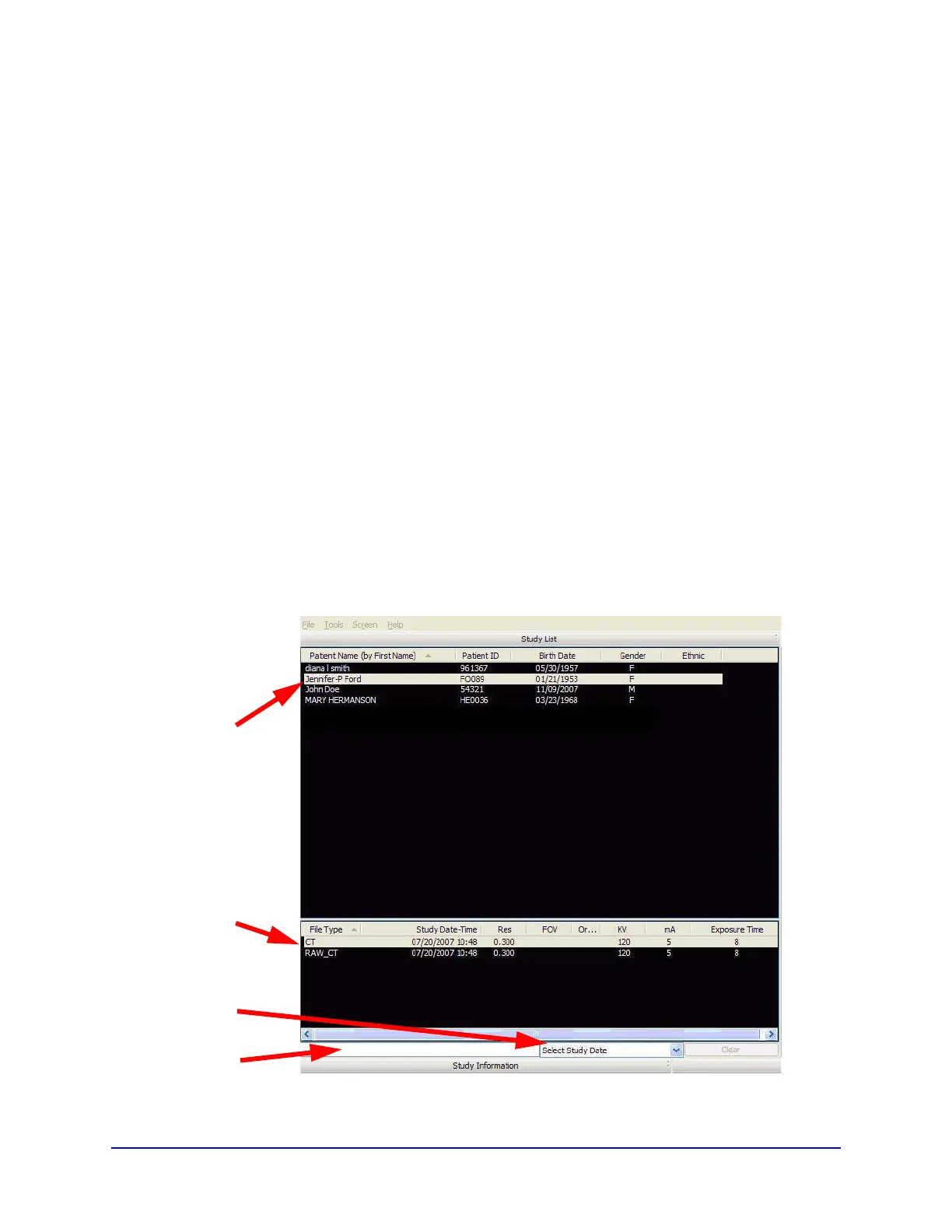
When Vision is launched, the Patient Information window is
displayed. The Study List (shown below) lists all Patients that were
entered into the database. The combination of Patient ID, Name, and
Birthdate identify a unique patient, and all studies captured with this
combination are listed under the same patient. Otherwise, a separate
patient listing is created. When a Patient is selected (highlighted),
that Patient’s scanned images are listed in the window beneath the
Study List.
Patient
Patient’s
Select
Study
Studies
List
Date
Search
Field



 To Next Page