990400 Rev C 2010 May 1
Quality Assurance
12-15
Lasers are available while the Volume tab is selected (not PAN).
5. Start test by selecting File > New Patient from the Main menu
or right click an existing image from database and select
Acquire New Scan.
6. From the Select Patient window, click Add.
In the Patient Name field, enter PAN Test in the First field and
QA in the Patient ID field.
7. On the Select Patient window, click OK. The Acquisition
window is displayed.
8. Click the Pan tab in the Acquisition window and select,
Exposure: Large
9. Click the Capture button to start the test.
The X-ray device may be dangerous to the Patient and operator if
you do not observe and follow the operating instructions. Do not
operate this system unless you have received training to perform a
procedure.
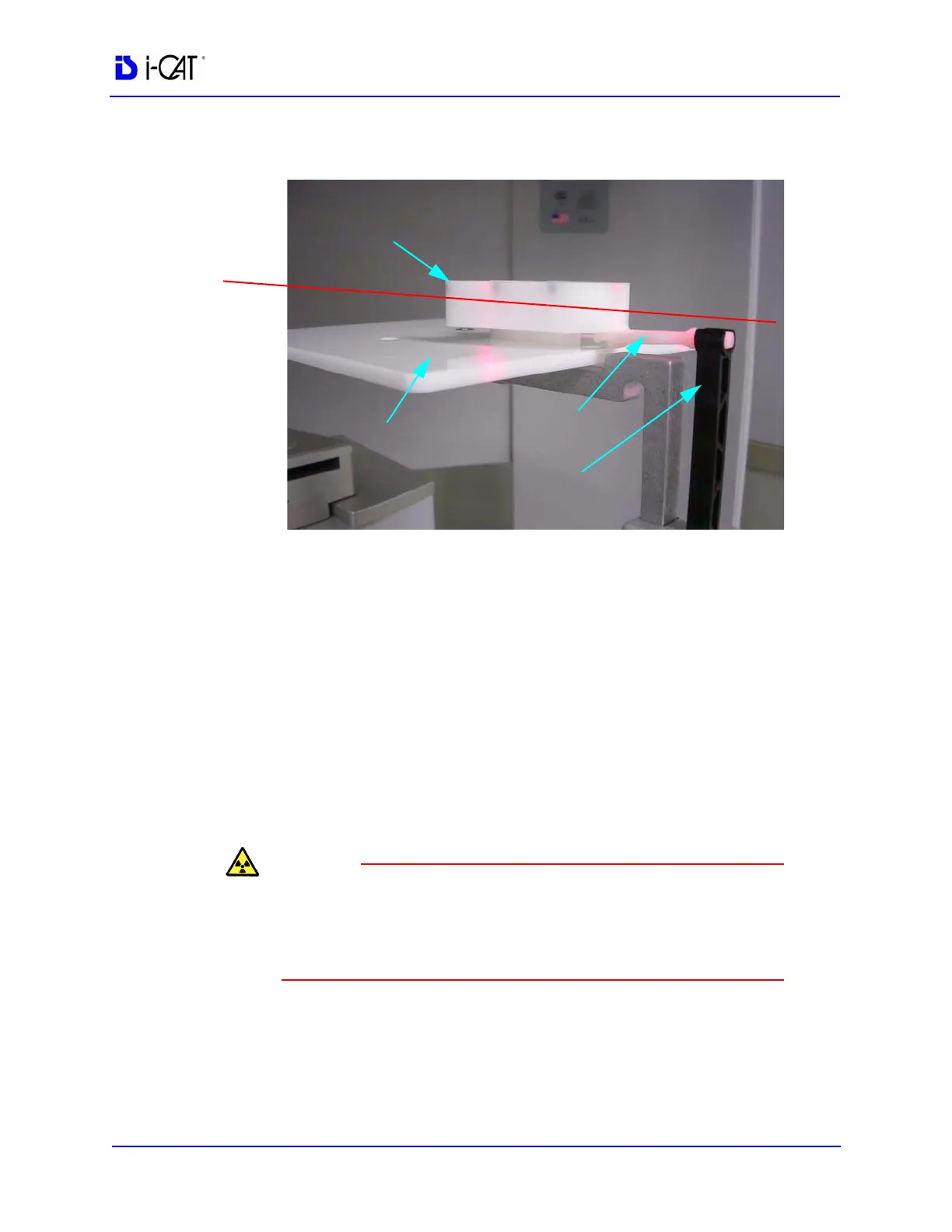
PAN
PHANTOM
PHANTOM PLATFORM
BITE TIP HOLDER
BITE TIP
LASER
LINE



 To Next Page