17-19 Operators’ Manual
990400 Rev C 2010 May 1
10-4
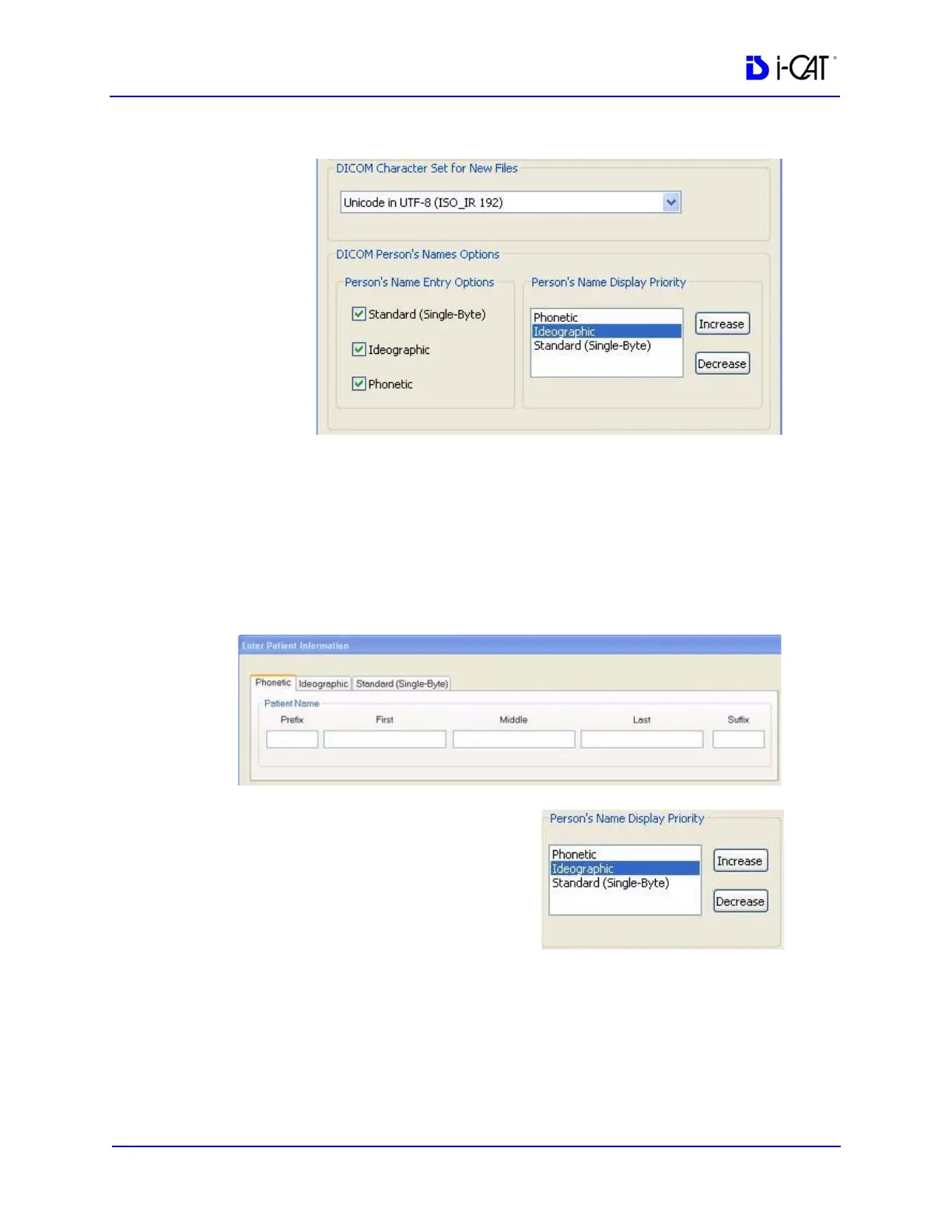
2. For Unicode, you can select to enter names in one or more entry
options: Standard (Single Byte), Ideographic, and Phonetic. For
Latin Alphabet, Standard (Single Byte) is the only available
entry option.
These selections determine the tabs that are available for data
entry of names on the Enter Patient Information window (see
Add New Patient).
3. The person name type which
is displayed throughout
Vision is determined by the
Person’s Name Display
Priority setting. If a person
has multiple name types
defined, then the one which is
the highest on the priority list
will be displayed. Any additional entry options are stored in the
DICOM file, and are only viewable if you change the
corresponding entry option to the highest priority.
For example, if you select to enter both an Ideographic and a
Phonetic name for a person, and want the Ideographic name to



 To Next Page