990400 Rev C 2010 May 1
Three Dimensional Volume Rendering (3DVR)
B-7
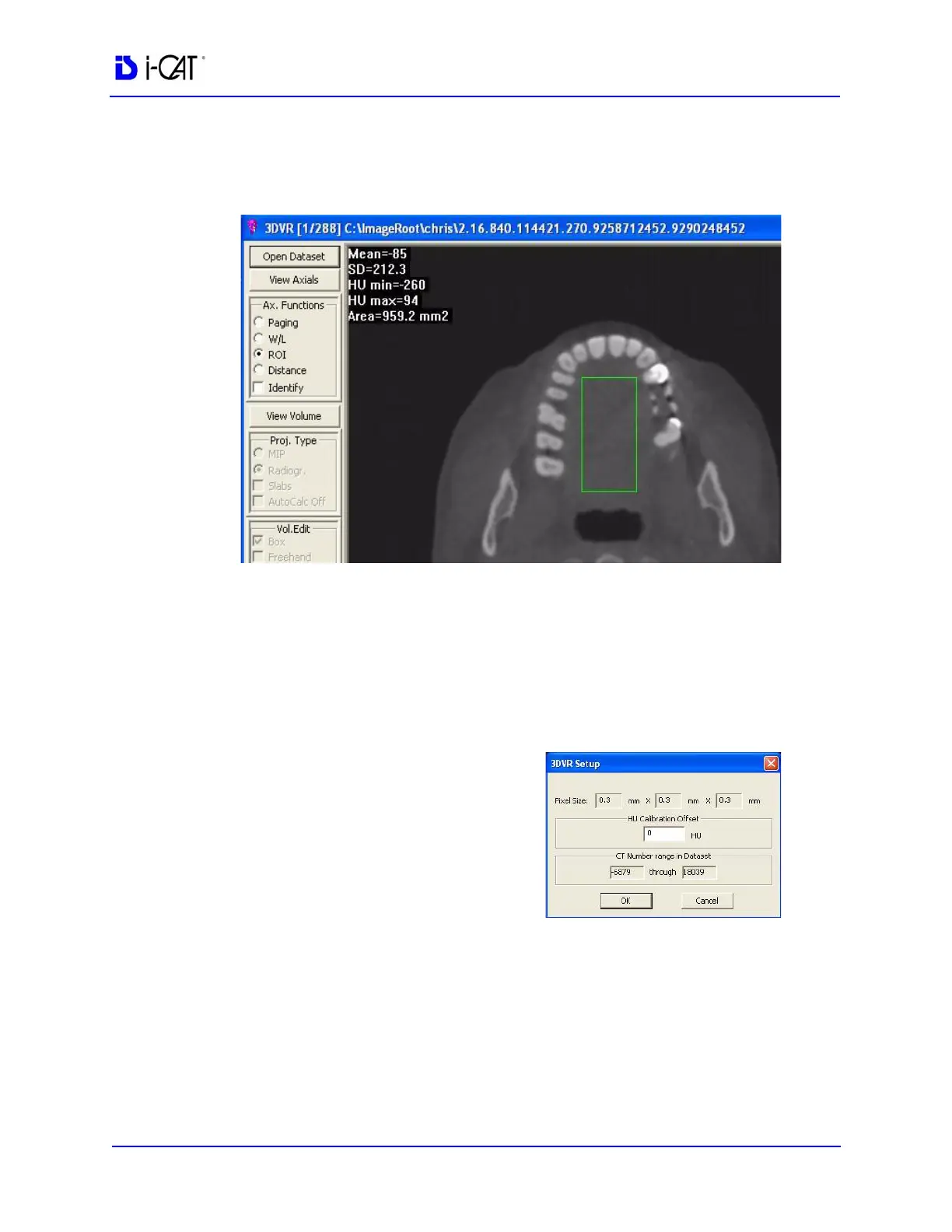
4. Drag the cursor in the area between the dental arch, making sure
not to include any teeth or bone. This displays the Hounsfield
data.
The MEAN value is the data of interest in this calculation. It
reads a value (most likely a negative value). Whatever this
number is, we want to add a value that will result in the Mean
being around positive 50. In this example, the Mean reads -85
and we want the Mean to be +50, therefore the offset calculation
will be +135.
5. Click the General Setup button on the menu bar.
6. Enter Calculation Offset
which currently has a value
of 0.
7. Click OK.



 To Next Page