www.izcorp.com • 1.800.776.1356
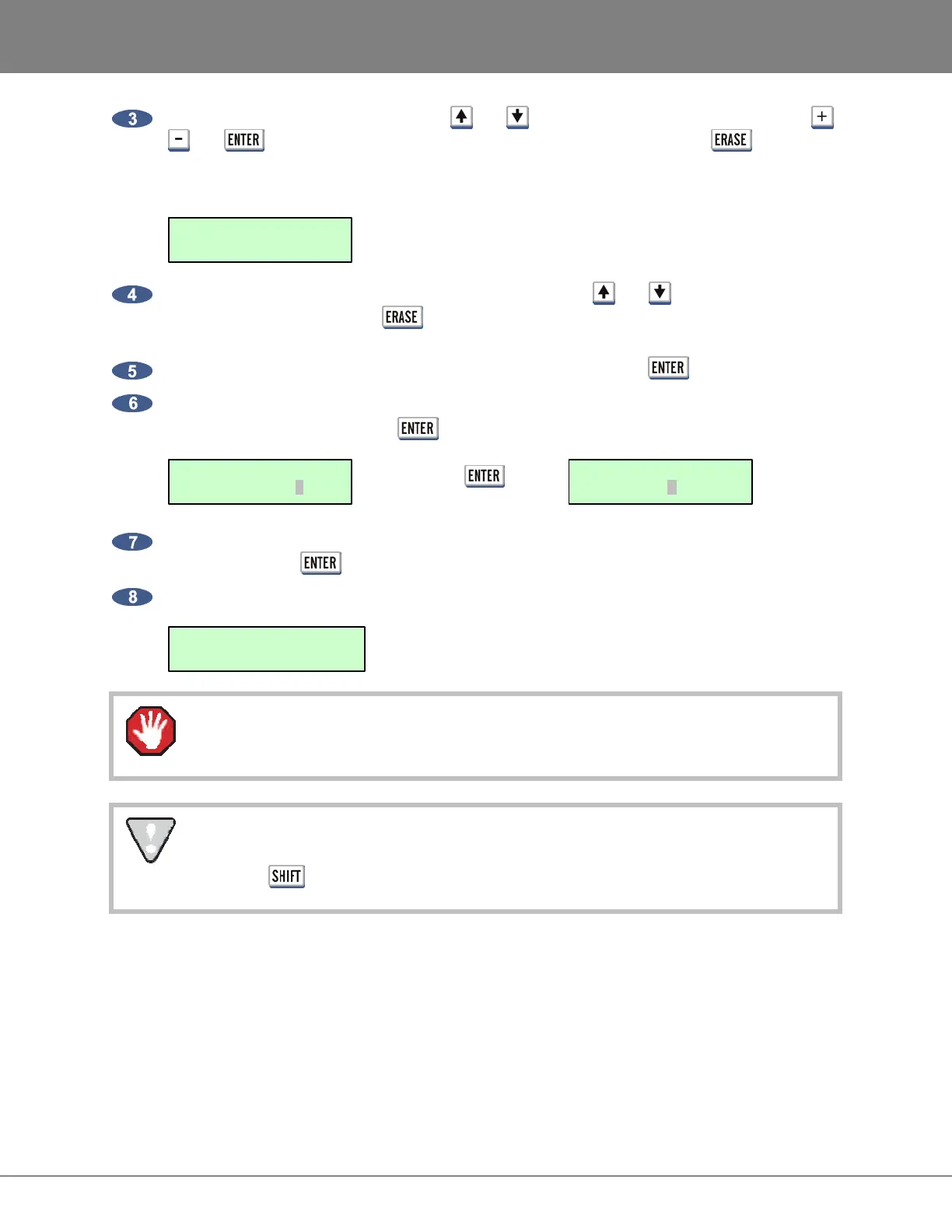
Use the keyboard and numeric keys, the and keys, Jog/Shuttle Wheel as well as the ,
and keys to navigate to the file or folder to delete and then press the key. The
top right corner of the Session Controller LCD and/or menu window of the RADARView display
will specify the size. The + symbol indicates that it has been selected. For example:
To add additional files and/or folders to the erase list, use the and keys to navigate to the
file and/or folder and press the key. The additional files and/or folders must reside within
the current directory.
When finished selecting the file(s) and/or folder(s) to erase, press the key.
A confirmation prompt will show the number of files/folders and the total size. Use the arrow keys
to select YES and then press the key to proceed. For example:
Press =
The next prompt warns that this process cannot be undone. Use the arrow keys to select YES
and then press the key to proceed.
The process is complete once the display reads:
The deletion cannot be undone. There is no way to recover file(s) and/or folder(s) once
they have been erased.
After you have finished using a USB drive, make sure you unmount it before unplugging it
from RADAR. You can access the MOUNT/UNMOUNT dialog via the DISK MENU or by
pressing + UNMNT on the Session Controller.
DELETE COMPLETE
PRESS ANY BUTTON
CANNOT BE UNDONE
PROCEED? NO YES
1 FLS/108MB
PROCEED? NO YES
DELETE: D: 6.6MB+
MY SONG/



 To Next Page