www.izcorp.com • 1.800.776.1356
TRACK STATUS KEYS
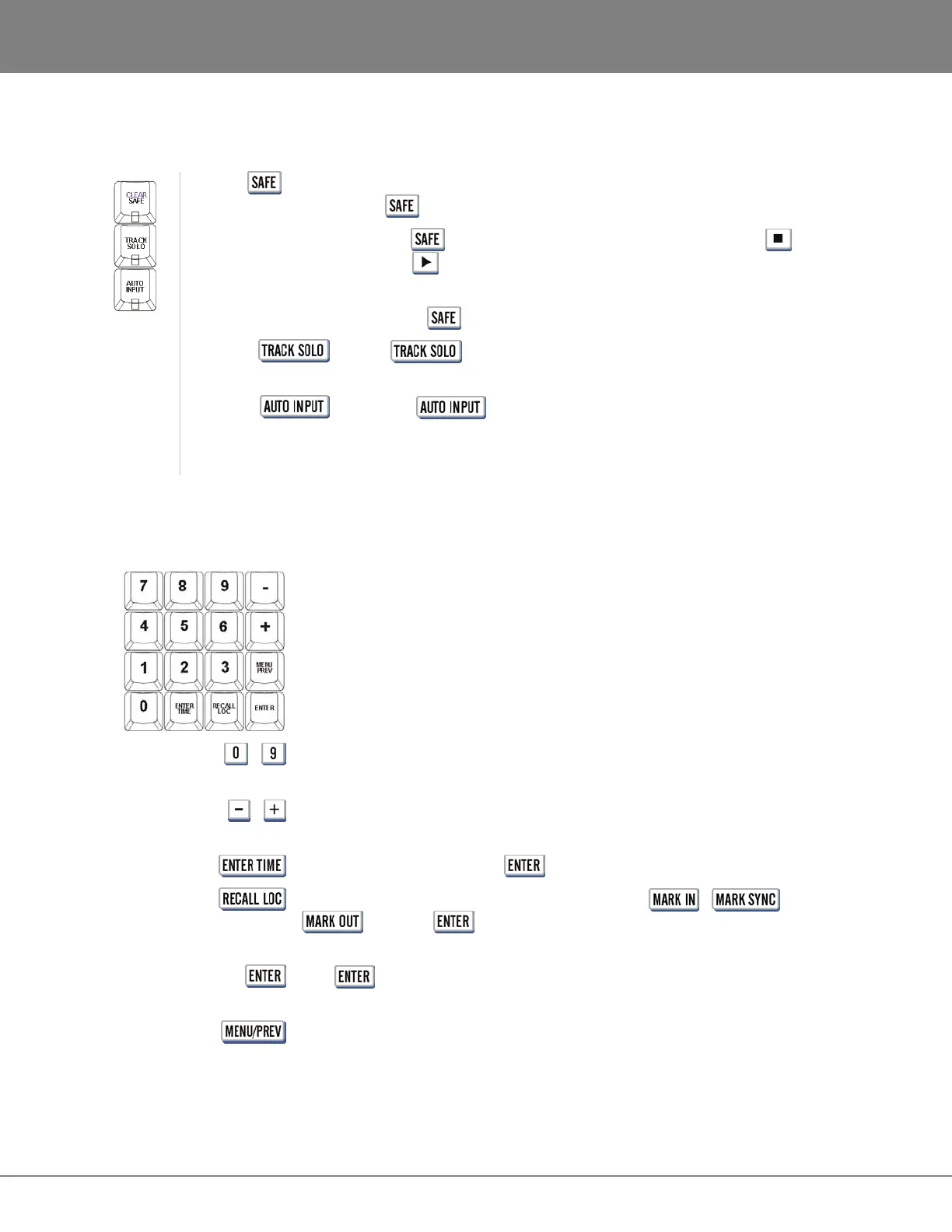
These keys control several aspects of RADAR recording and monitoring status:
(CLEAR)
This key puts the system in safe mode. No recording can take place
while is engaged.
Pressing while recording enables record lock. Pressing
(Stop) or (Play) will disable record lock. No other key press can
disable recording once record lock mode has been engaged.
The shifted (CLEAR) function resets all tracks in record ready mode.
When is engaged, selecting a Track Arm key places that
track in solo mode.
When the key is engaged, the system automatically switches
monitoring from INPUT to PLAYBACK when playback begins and
returns it to INPUT when playback stops.
Refer to OPERATIONS: RECORDING: MONITORING AND TRACK STATUS for more information.
NUMERIC KEYS
The numeric keypad is used to enter times and other values into RADAR. It is
also used for recalling single digit locate points 0 - 9.
The plus and minus are multi-function keys, used for different purposes in
different situations.
The remaining keys are used for locating and navigating through the RADAR
menu structure as outlined below.
-
One key recall of locate points in transport mode. Used to enter numerical
data.
-
Used for incrementing/decrementing, adding/subtracting and indicating
positive or negative values.
Enter a time value and press to locate the current position to that time.
Use this key in conjunction with the numeric keys,
/ /
keys and to recall locate points.
Use in conjunction with functions, menus and dialogs to accept
selections and values.
Use this key to step in and out of the menu system.



 To Next Page