13-12 Event History Display Model 831 Manual
Post-trigger
To set the number of post-trigger samples, highlight the
Post-trigger data field and press
5. Enter the desired value
and press
5.
Maximum Number of Samples
To limit the amount of memory used by event time histories,
the user can specify the maximum number of samples to be
measured for each event. The permitted range for this
parameter is 10 to 9,999, with the default value being 1,000.
This does not include pre-trigger samples, so the actual
number of samples stored will equal the maximum number
of samples plus the number of pre-trigger samples.
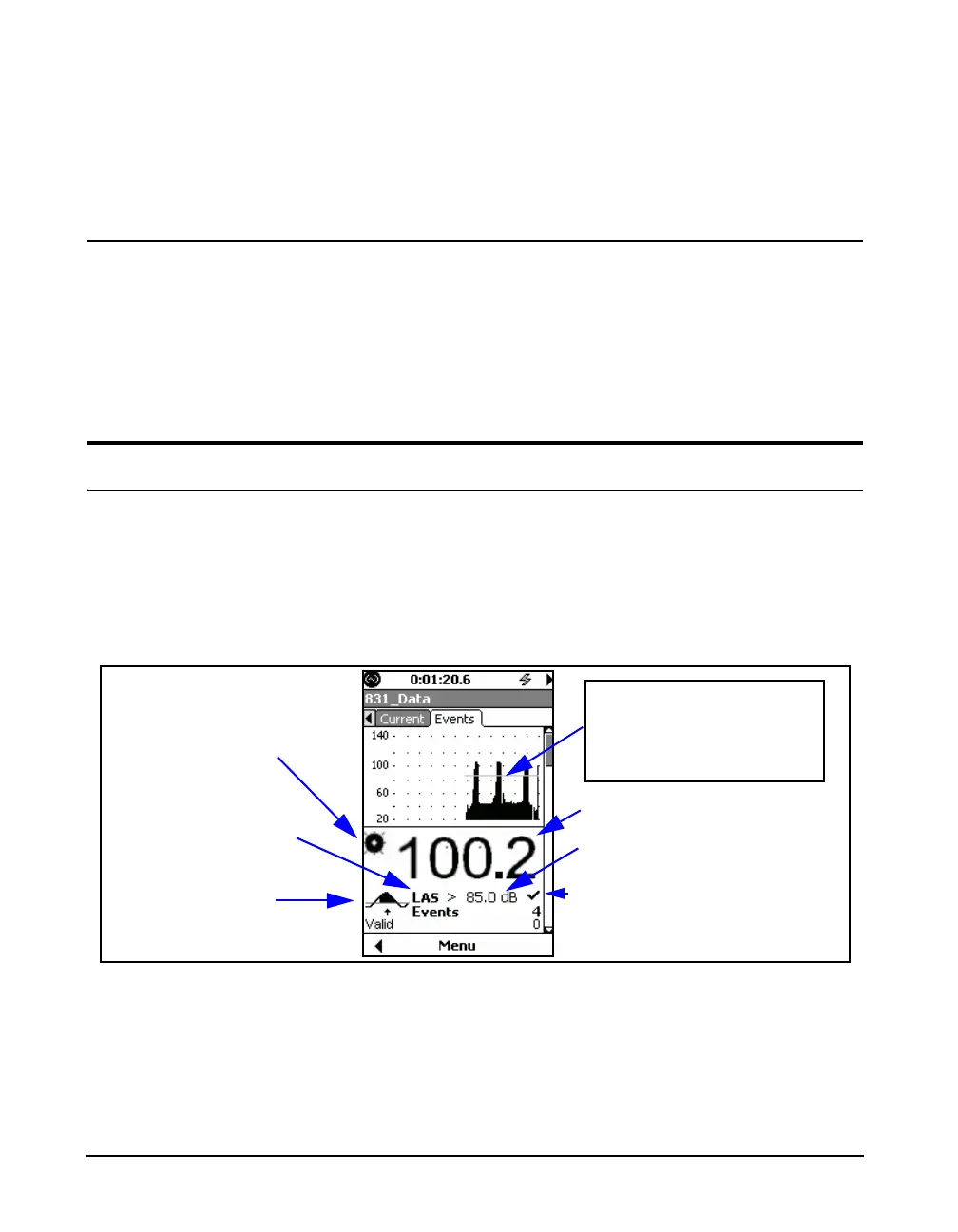
Event History Display
Event History data are displayed on the Events tab. There
can be as many as six different sections to the Event History
Display, depending upon the instrument setup. Use the 2 and
8 keys to navigate downwards or upwards, respectively,
through these displays. The first section is the Event Trigger
Status Display, shown in FIGURE 13-11.
FIGURE 13-11 Event Trigger Status Display
Sound Recording in
Progress Icon
Trigger Status Icon
Live Event Level
Grey Bar Indicates Triggered
< Minimum Duration
Black Bar Indicates Valid
Event
Trigger Level; Fixed
or Dynamic
Indicates Triggered
Level for Current
Frequency Weighting
and Detector used for
Triggering



 To Next Page