13-18 Event History Display Model 831 Manual
Except for the difference in frequency resolution, the data
displayed and the use of the left and right arrow keys to
control the cursor position and to step through the events are
the same as for the 1/1 Octave display described in “1/1
Octave Spectrum Display” on page 13-16
Event Time History Display
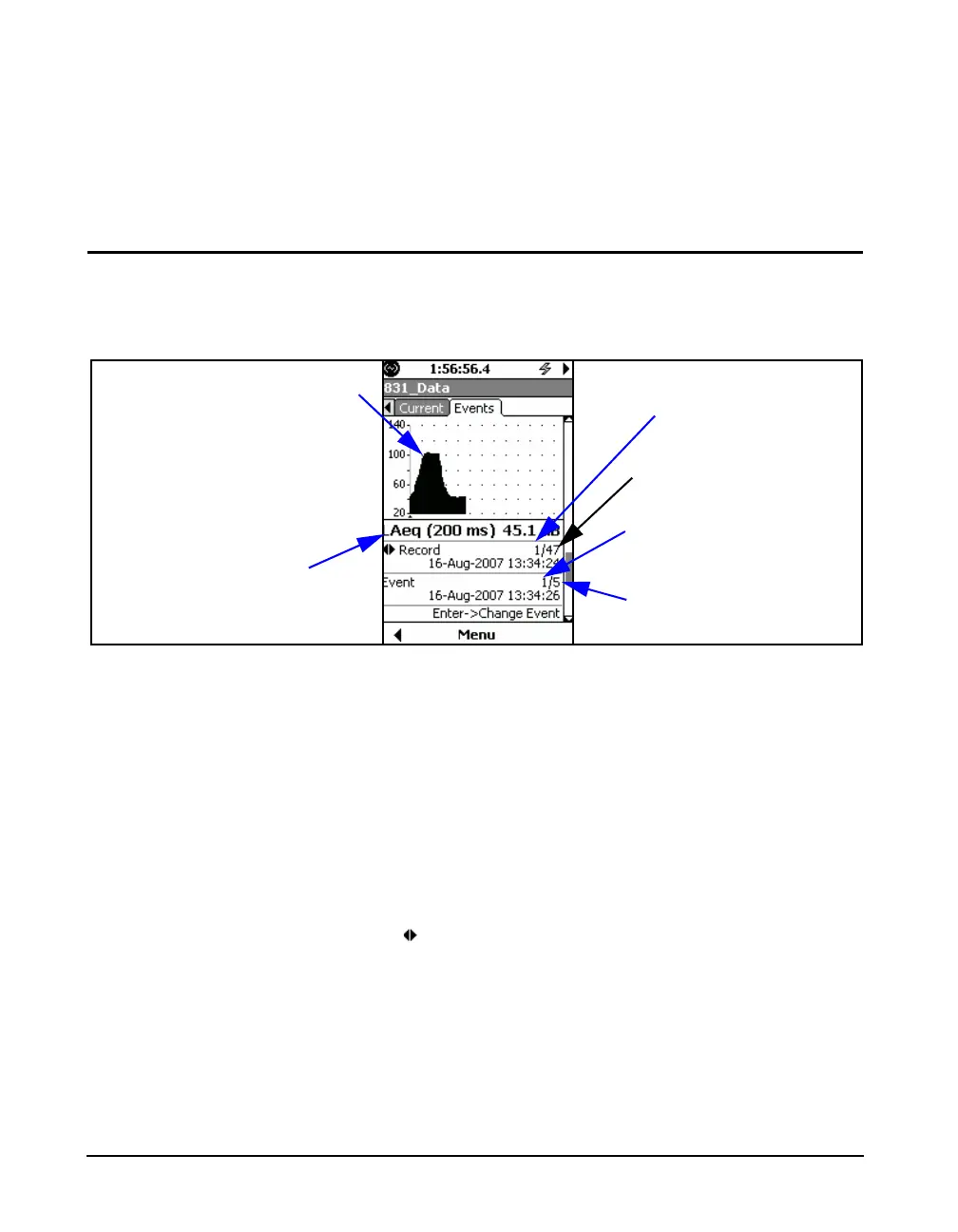
With all possibilities included, the fifth display would be a
Time History for the displayed event, as shown in FIGURE
13-17.
FIGURE 13-17 Event Time History Display, Section 5
Left/Right Arrow Keys
For the display shown in FIGURE 13-17, the 4 and 6 arrow
keys have dual roles as listed below. Use
5 to toggle
between them:
• Change Record
• Change Event
At any time, the role of the left and right arrow keys is
indicated by the left/right arrow icon
and the action of
5 to change their role is indicated in the
lower portions of the display, as shown in FIGURE 13-15.
Leq at Cursor Position,
Integration Time Equal to User-
Selected Period in Setup
Event Being Displayed
Number of Events
Measured
Time History Record
Being Displayed
Number of Time History
Records Measured
Cursor Position



 To Next Page