Model 831 Manual Power 18-7
Power-Save Time
In the power save mode, battery power is significantly
reduced by shutting down the display and analog circuitry
and ceasing signal processing activities.
There are two power saving features controlled by the
Power-Save Time setting. Power can be shut off to the
display and to the analog circuitry to save power when the
Power-Save Time is set to a value other than Never.
The display will be powered down when no keys on the
instrument have been pressed for the time set. Pressing any
key will reactivate the display.
The analog circuitry, including power to the preamplifier.
will be shut down when the instrument has been stopped for
the time set. Pressing the
9 (RUN / PAUSE) key will
restore power to the analog circuitry and the instrument can
take data in a number of seconds.
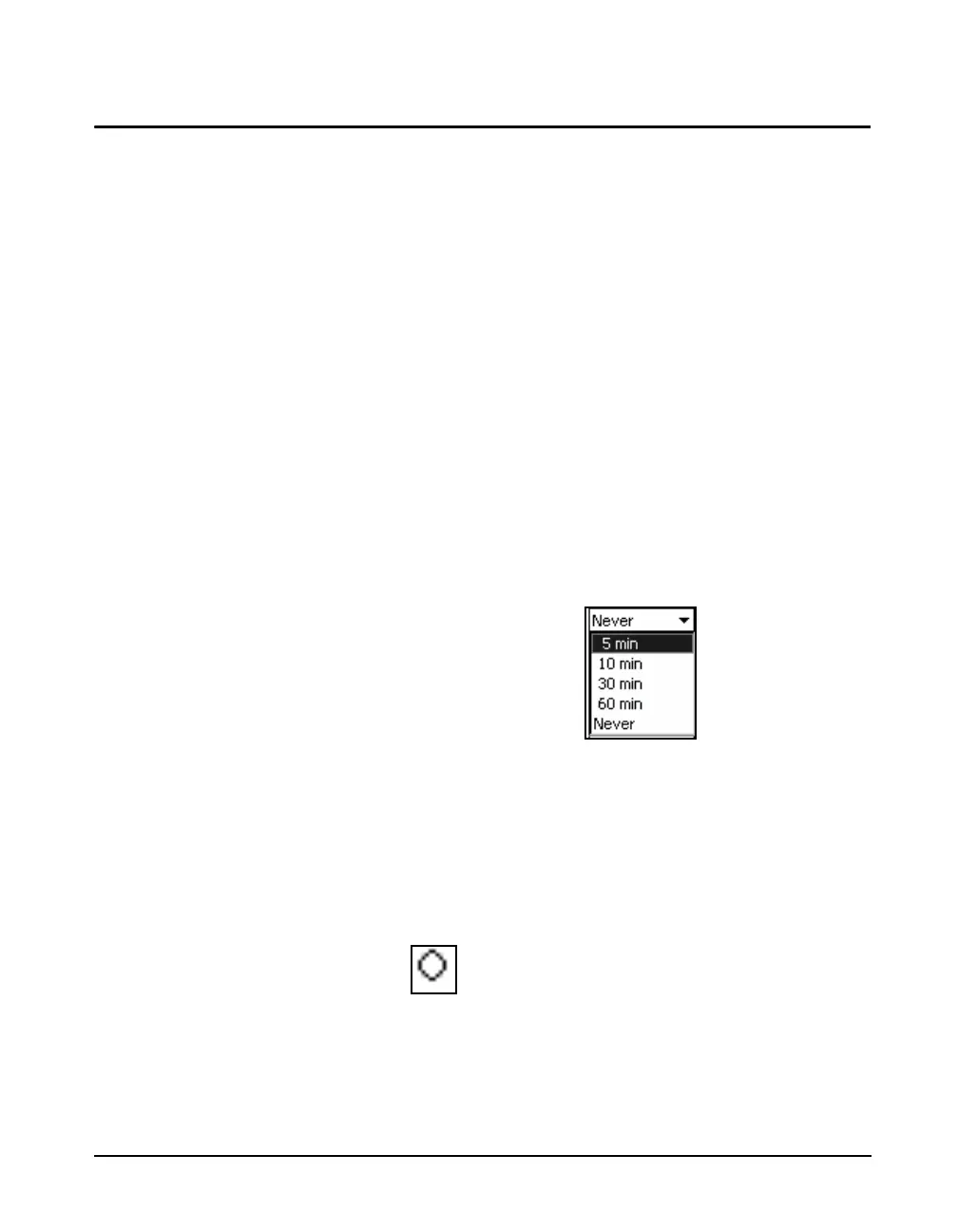
To set the Power-Save Time, highlight the Power-Save Time
data field on the Power tab and press
5 to open the Power-
Save Time Menu, shown in FIGURE 18-9.
FIGURE 18-9 Power-Save Time Menu
Highlight the desired time and press
5 to make a selection.
The default value is “Never”.
Power Save Icon
When the Model 831 is in the power save mode, the power
save icon
will be displayed in the location where the measurement
status icons, described in "Measurement Status" on page 3-
10, usually appear.



 To Next Page