Group 7 Data/Programming Page 104
Release R1.03e LEIBINGER JET3
7.4.4.2 Mix only ink/sovent
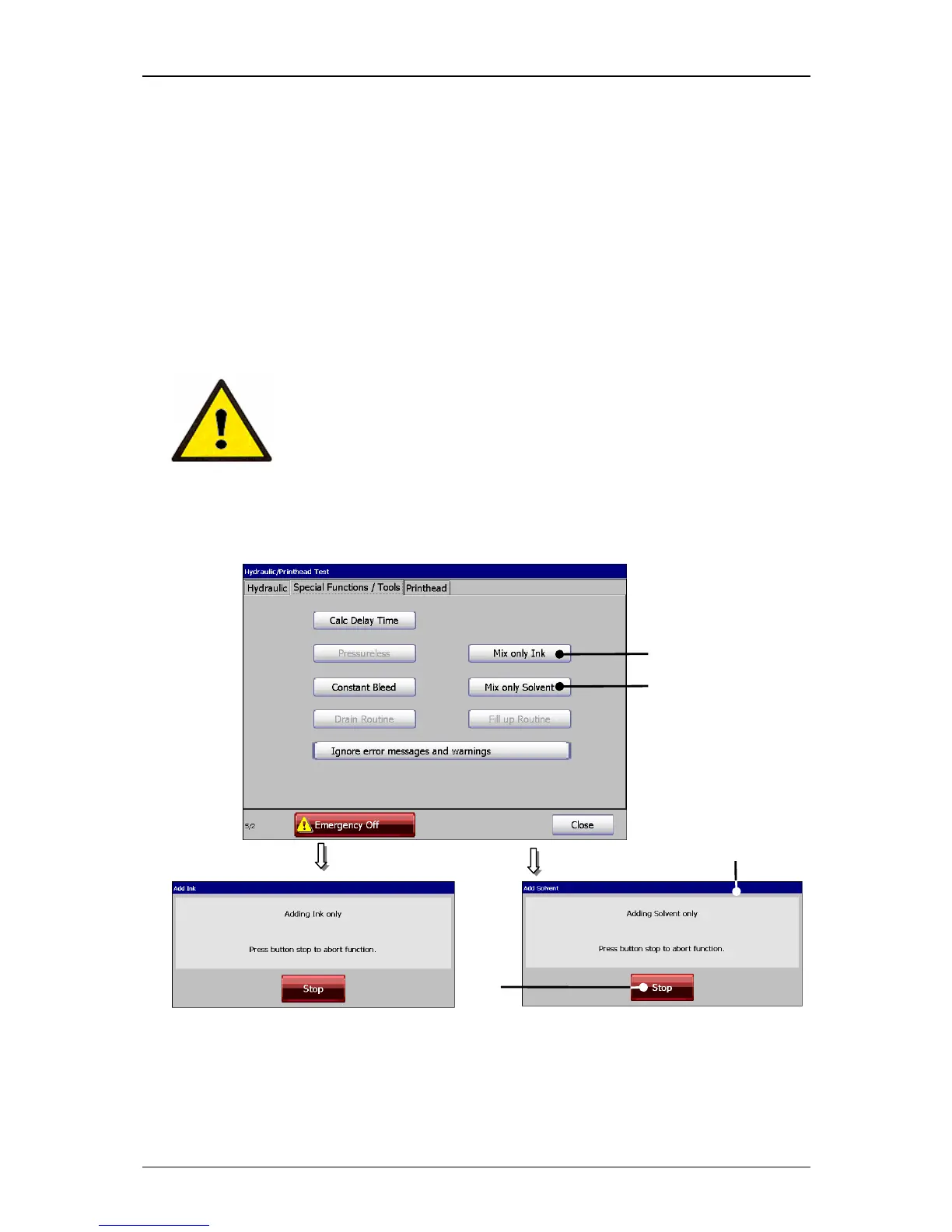
With the two buttons <Mix only Ink > (1) and <Mix only Solvent > (2) only ink or
solvent can be supplied to the hydraulic circuit.
These functions allow to set the viscosity of the ink fast to a lower or higher value.
The execution of addition of the selected medium is displayed by an accordant
message (3).
With the button <Stop> (4) the particular process will be finished.
Attention!
By the addition of solvent or ink the ink can be diluted or
concetrated too much! Therefore this function should be only
carried out by qualified personnel.
Figure 54
Ink-/Solvent delivery
1 – Button <Mix only Ink> 2 – Message <Delivery …..>
2 – Button <Mix only Solvent> 4 – Button <Stop>



 To Next Page