Group 8 Job editor Page 155
Release R1.03e LEIBINGER JET3
8.2.5 Parameter setting tools (Parameter settings menu)
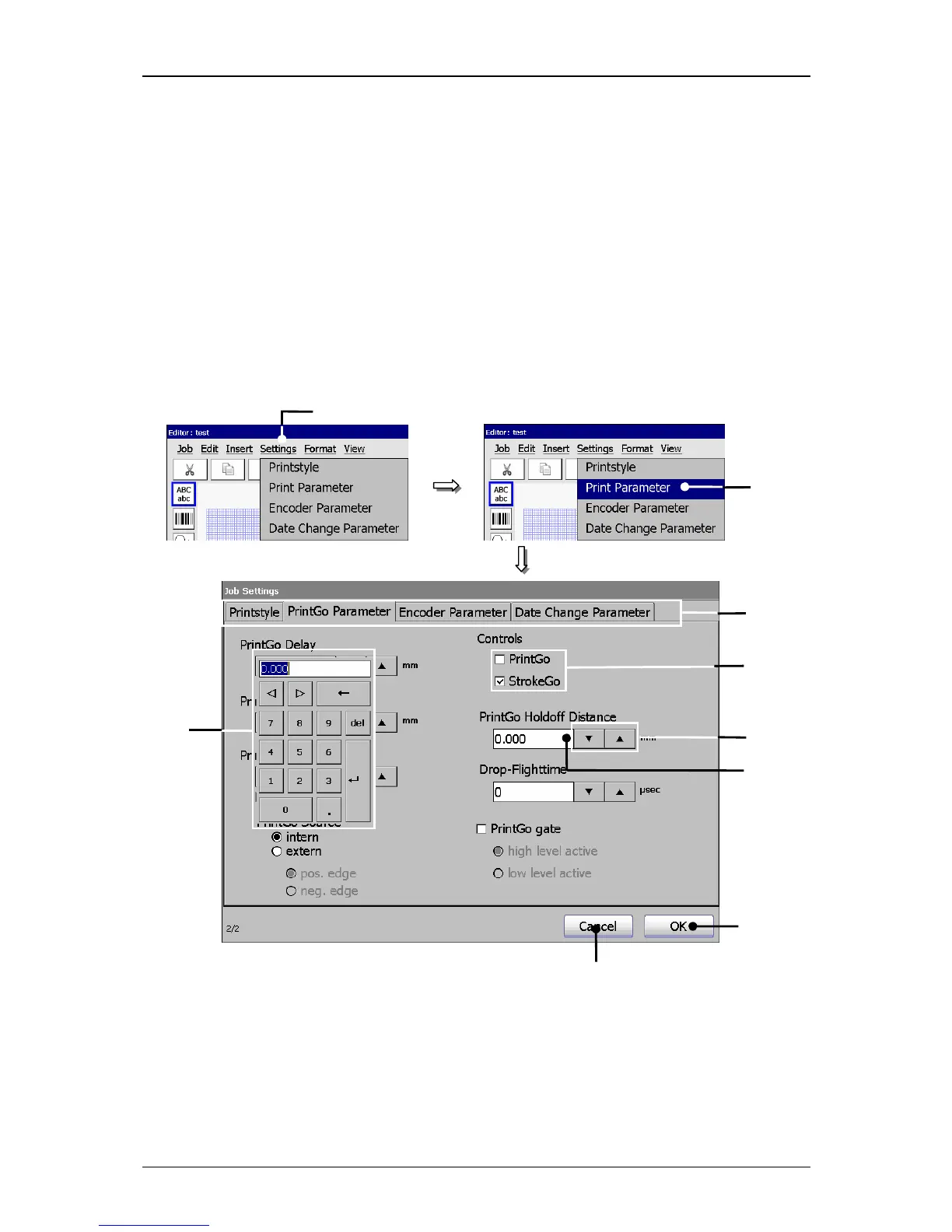
With the button <Settings> the submenu „Settings“ is displayed. The following
options are available:
Printstyle Print parameter Encoder parameter
Date changing parameter
In the submenus you can carry out job settings which are necessary for the print
(e.g. PrintGo-distance, encoder source, alignment, etc.).
Figure 90
Parameter settings menu (Example view)
1 – Button <Settings> 6 – Arrow buttons
2 – Option <Print Parameter> 7 – Control boxes
3 – Register cards 8 – Button <OK>
4 – Display field 9 – Button <Cancel>
5 – Number block



 To Next Page