Group 6 Operation – Elements and procedures Page 55
Release R1.03e LEIBINGER JET3
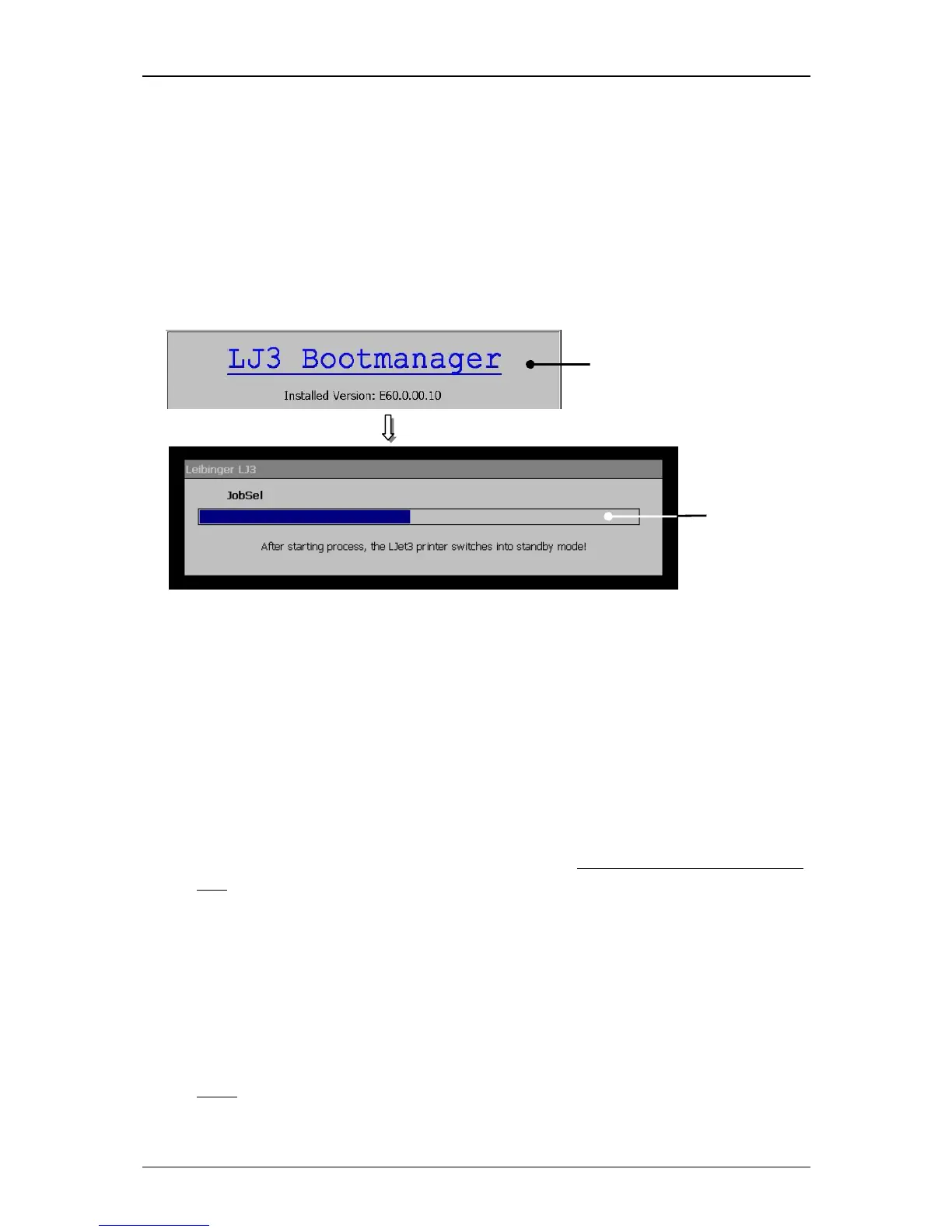
6.4.2 First initialization of the device
After connection to the mains power or after a power interruption, the initialization
of the device will be carried out automatically. For this procedure the boot-manager
is started. The progress of the initialization is shown by a bar. After finishing the
process the device is switched to the standby-mode (monitor is dark) and the JET3
is now ready to switch on by pressing the touch screen.
Figure 18
Initialization process
1 – Bootmanager 2 – Progress display
6.4.3 Switch on device
6.4.3.1 Switching on without password protection
Proceeding:
Touch the dark Touch-Display (1) at any point. Period of touching approx. 2
sec..
The device turns on and the main menu (2) is displayed with the message
<Initialization> (3).
After the initialization the device starts with the bleeding of the system
automatically.
During the process the message <Bleeding> (4) is displayed. The bleeding
takes between 1 – 5 min. The process can be canceled by pressing the button
<Cancel> (5).
Note:
For starting the device the job which has been used at last will be loaded



 To Next Page