Group 7 Data/Programming Page 123
Release R1.03e LEIBINGER JET3
7.5.5 Graphic editor
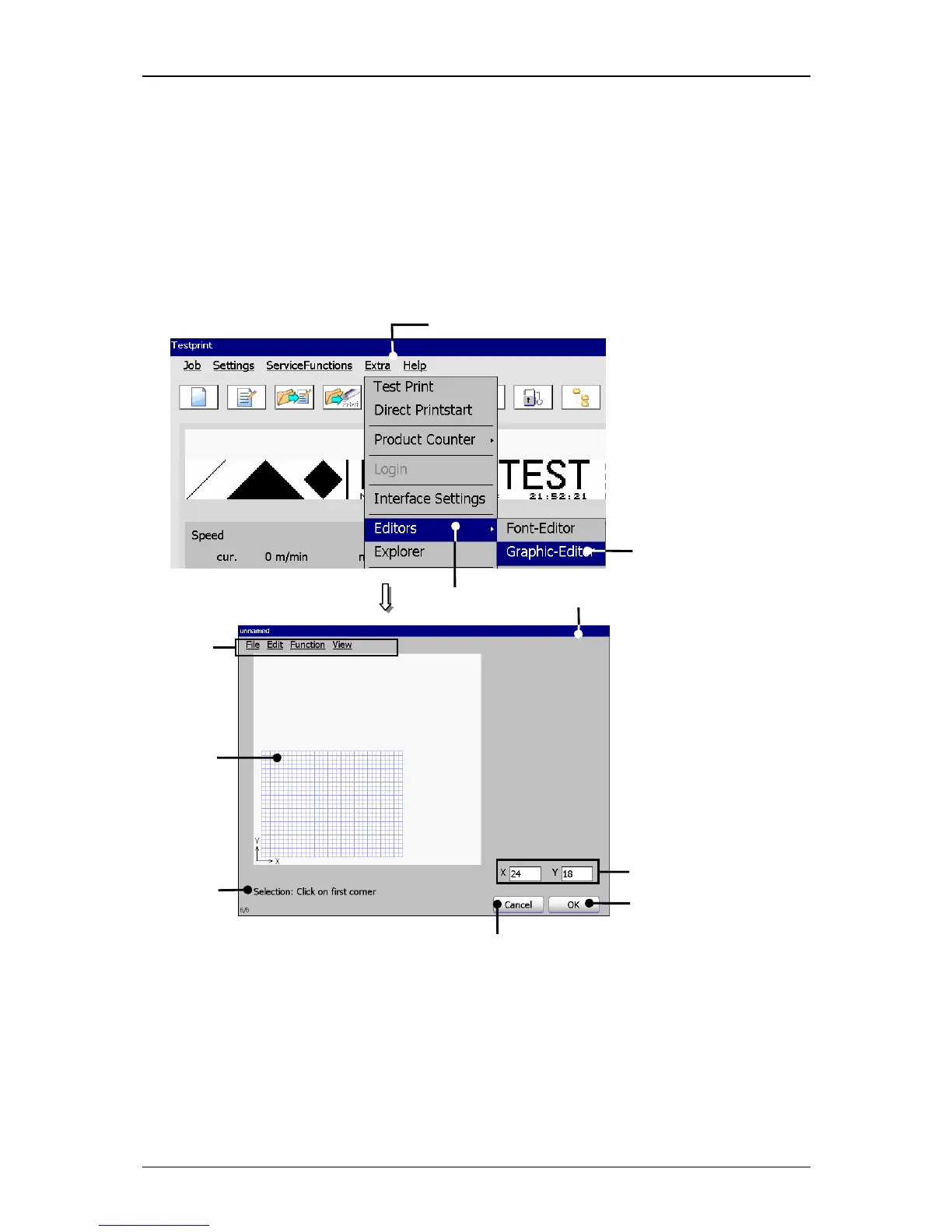
In the graphic editor you can create and change complex logos, pattern or writings
easily. For the usage of a mouse you will get a comparable ease of use for the PC-
surroundings. Typical functions as Copy&Paste, Zoom in/out as well as tools for the
drawing of circles, lines and rectangles make the creation and changes of graphics
easier.
Figure 67
Graphic editor (Structure and select)
1 – Button <Extra> 6 – Input field <Graphic>
2 – Option <Editor> 7 – Display <Coordinates>
3 – Option <Graphic-Editor> 8 – Display <Activities to carry out>
4 – Menu <Graphic-Editor> 9 – Button <OK>
5 – Menu bar 10 – Button <Cancel>



 To Next Page