EasyManua.ls Logo

Leibinger JET3 - Logout User

Leibinger JET3
233 pages
Print Icon
To Next Page IconTo Next Page
To Previous Page IconTo Previous Page
Loading...
Group 7 Data/Programming Page 122
Release R1.03e LEIBINGER JET3
7.5.4.3 Logout user
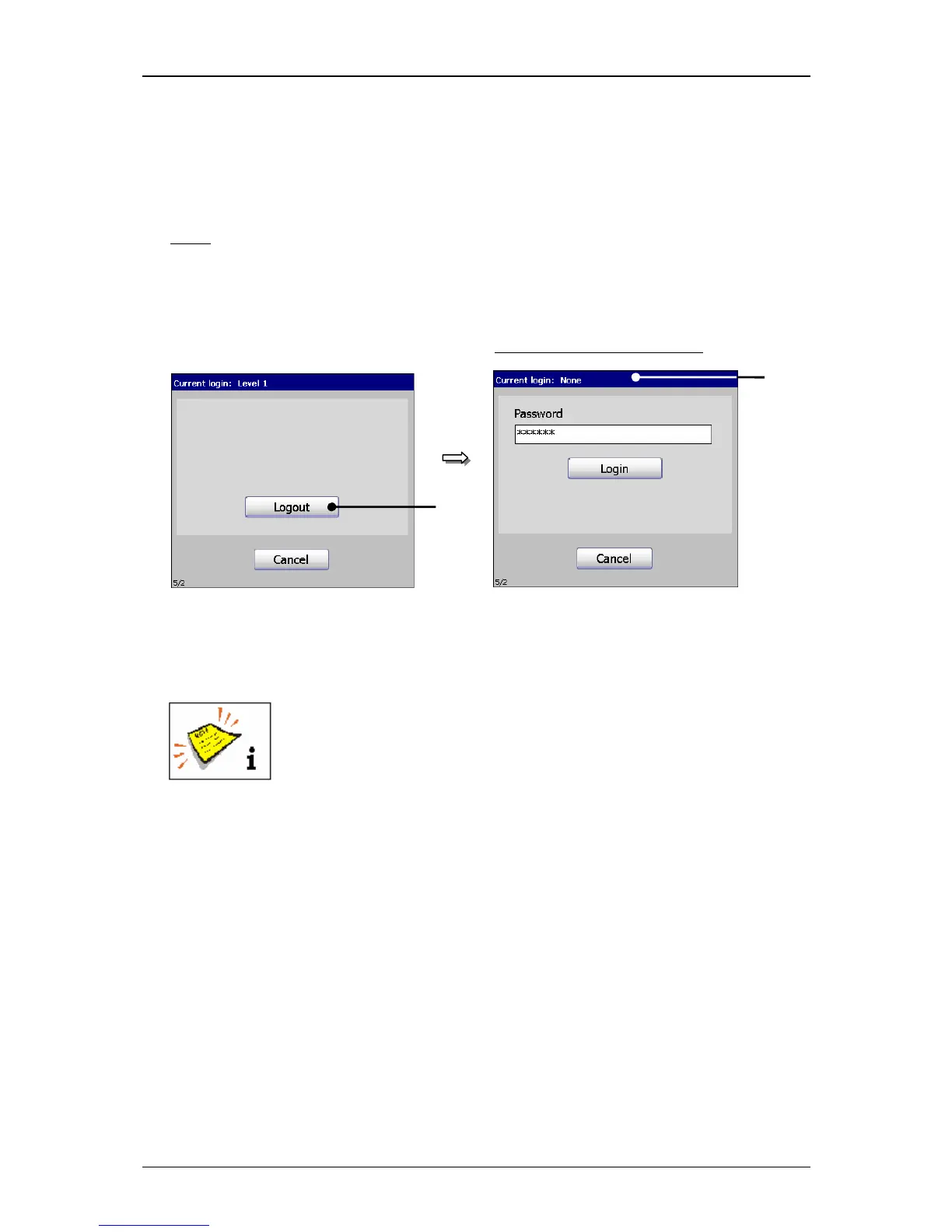
Press the button <Logout> (1). The dialog field is closed and the user is logged
out.
Note:
For next calling of the dialog field „Unknown“ is displayed in the title bar (2)
as status of the user level.
Figure 66
Login (Logout user)
1 – Button <Logout> 2 – Title bar with user display (logged out)
An input of the password is not required to logout!
After logout of the user the following basic functions are only
available:
Open and close nozzle
Print start and print stop
Login
Touch-calibration
2
Dialog field: User is logged out
1

Table of Contents

Other manuals for Leibinger JET3

Related product manuals