Group 7 Data/Programming Page 67
Release R1.03e LEIBINGER JET3
7.2 Job administration
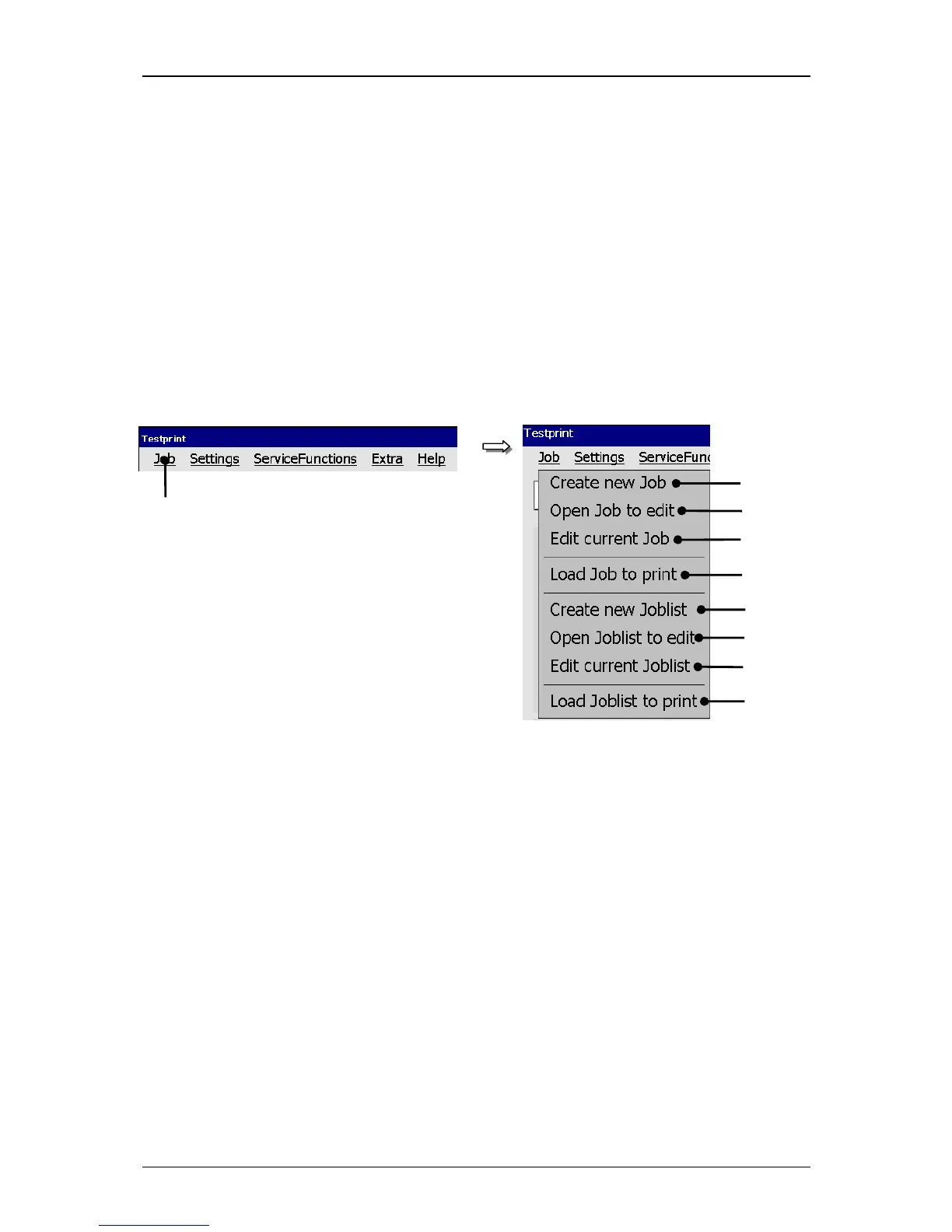
With the button <Job> in the main menu bar the submenu „Job“ is displayed. The
following options are available:
Create new Job Open Job to edit
Load Job to print Create new Joblist
Edit current Joblist Load Joblist to print
Edit current Job Open Joblist to edit
Figure 27
Menu Job(administration)
1 – Button <Job> 6 – Option <Create new Joblist>
2 – Option <Create new Job> 7 – Option <Open Joblist to edit>
3 – Option <Open Job to edit> 8 – Option <Edit current Joblist>
4 – Option <Edit current Job> 9 – Option <Load Joblist to print>
5 – Option <Load Job to print>



 To Next Page