Group 7 Data/Programming Page 81
Release R1.03e LEIBINGER JET3
7.3.1.4 Encoder interface
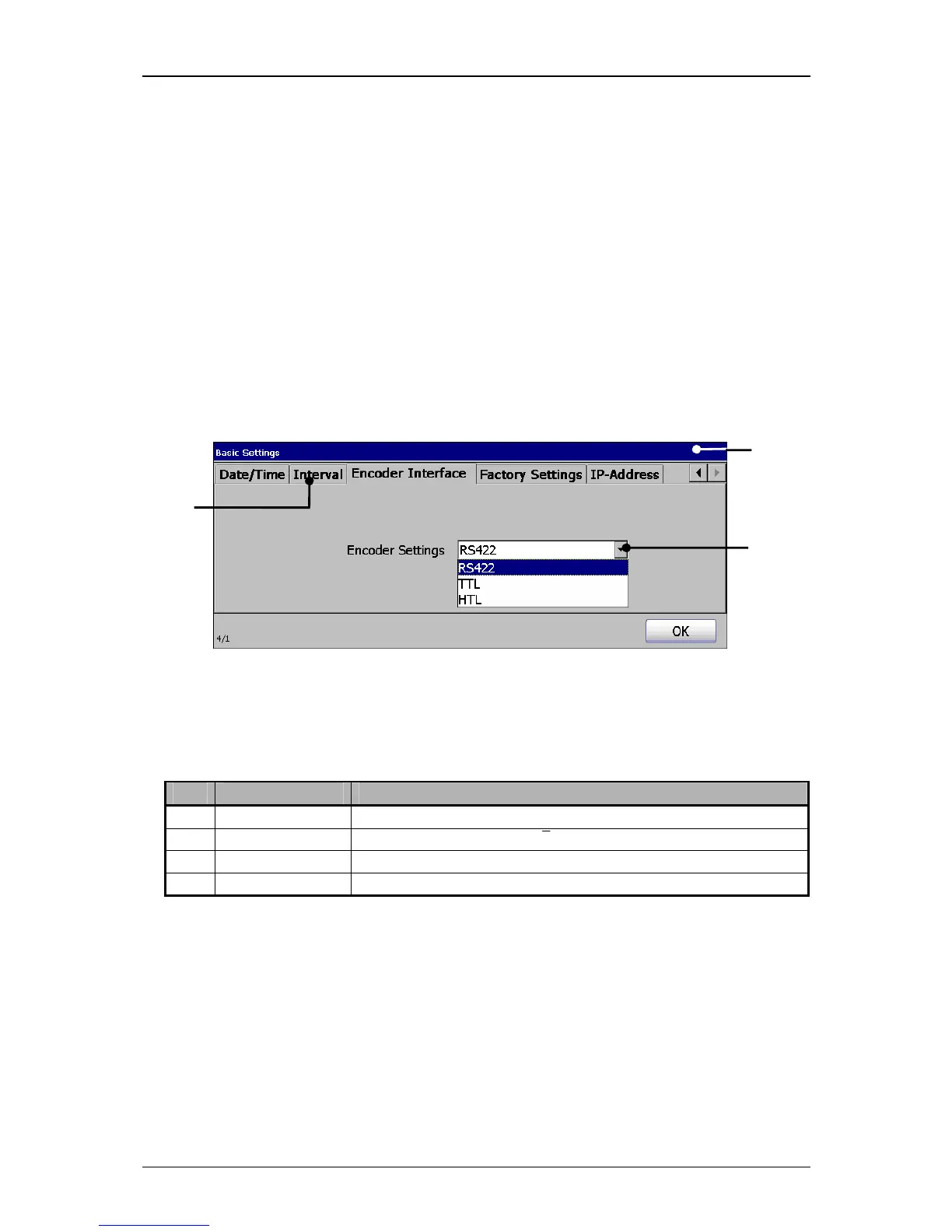
Under the register card <Encoder Interface>
you can define the incremental
encoder.
Proceeding:
Press on the register card<Encoder Interface> (2) to select the functional area.
Press on the arrow button of the pop-up window <Encoder settings> (3). The
pop-up window opens for selection.
Now select the required interface.
Figure 39
Select encoder interface
1 –Menu <Basic Settings> 3 – Pop-up window <Encoder settings>
2 –Register card <Encoder Interface>
Pos. Interface Describtion
1. RS422 5V / 4 Signals (A, Ā, B, B)
2. TTL 5V TTL / 2 Signals (A, B)
3. HTL 24V / 2 Signals (A, B)



 To Next Page